



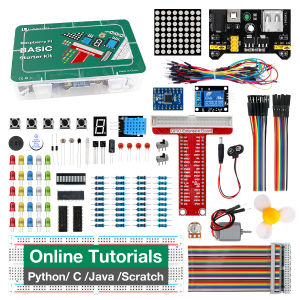
LAFVIN Basic Starter Kit for Raspberry Pi with Breadboard Power Supply Module Python C Java Scratch Programming Beginner Kit
LAFVIN Basic Starter Kit for Raspberry Pi with Breadboard Power Supply Module Python C Java Scratch Programming Beginner Kit
What is a Beginner Electronics Kit?
A beginner electronics kit is a collection of essential components and tools designed to help aspiring engineers and hobbyists learn the basics of electronics. These kits often include items such as resistors, capacitors, LEDs, breadboards, jumper wires, and microcontrollers like the Raspberry Pi. They provide a hands-on learning experience, allowing users to build simple circuits and experiment with programming languages like Python, C, Java, and Scratch.
Key Features of Beginner Electronics Kits
- Variety of Components: Beginner electronics kits come with a diverse range of components, enabling users to explore different aspects of electronics.
- Ease of Use: The kits are designed to be user-friendly, making it easy for beginners to get started.
- Educational Resources: Many kits come with tutorials, guides, and sample projects to help users learn and progress.
Benefits of Using a Beginner Electronics Kit
- Hands-on Learning: Engaging in practical projects helps users understand complex concepts more easily.
- Skill Development: Working with electronics kits enhances problem-solving skills and promotes creativity.
- Cost-effective: Purchasing a kit is often more affordable than buying individual components.
How to Choose the Right Raspberry Pi Starter Kit
Selecting the appropriate Raspberry Pi starter kit depends on your skill level, project goals, and budget. Here are some key considerations:
Key Considerations When Selecting a Raspberry Pi Starter Kit
- Skill Level: Choose a kit that aligns with your current knowledge and experience.
- Project Goals: Determine what projects you want to work on and select a kit that supports those goals.
- Budget: Set a budget and choose a kit that offers the best value for money.
Comparing Different Raspberry Pi Starter Kits
| Kit | Components | Price | | --- | --- | --- | | LAFVIN Basic Starter Kit | Raspberry Pi, Breadboard Power Supply Module, Python, C, Java, Scratch Programming | $99.99 | | Other Kit | Different Components | $X.XX |
Getting Started with Basic Electronics Education
Embarking on a journey of basic electronics education can be both exciting and rewarding. Here's how to get started:
Essential Components of Basic Electronics Education
- Resistors: Used to limit current flow in circuits.
- Capacitors: Store electrical energy and release it when needed.
- LEDs: Light-emitting diodes used for indication and illumination.
- Breadboards: Prototyping boards for building and testing circuits.
Understanding the Basics of Electronics
Learn about voltage, current, resistance, and Ohm's Law. Familiarize yourself with electronic symbols and circuit diagrams.
Building Your First Circuit
Follow step-by-step instructions to build simple circuits using components like resistors, LEDs, and breadboards.
Programming Languages for Raspberry Pi: Python, C, Java, Scratch
The Raspberry Pi supports multiple programming languages, making it versatile for various applications.
What is Python Programming Language?
Python is a popular, easy-to-learn programming language used for web development, data analysis, machine learning, and more.
What is C Programming Language?
C is a powerful, low-level programming language used for system software, device drivers, and embedded systems.
What is Java Programming Language?
Java is a versatile, object-oriented programming language used for developing web applications, Android apps, and more.
What is Scratch Programming Language?
Scratch is a visual programming language designed for children and beginners, allowing them to create interactive stories, games, and animations.
Breadboard Power Supply Module: How to Use It
The breadboard power supply module is an essential component in any electronics kit, providing a stable power source for circuits.
Setting Up the Breadboard Power Supply Module
Connect the power supply module to a power source and the breadboard. Ensure proper polarity and voltage levels.
Connecting Components to the Breadboard
Insert components into the breadboard and connect them using jumper wires. Follow circuit diagrams for guidance.
Testing Your Circuit
Use a multimeter to test the circuit for proper connections and functionality. Troubleshoot any issues and refine your design.

LAFVIN
Review

You May Also Like
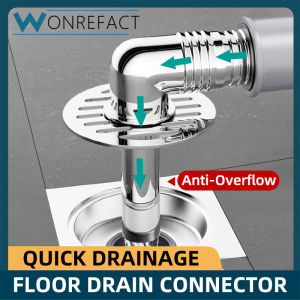
Washing Machine Floor Drain Cover Bathroom Floor Drain Universal Drain Cover Multifunctional Pipe Connector Durable

1Pc Balcony Roof Floor Drain Stainless steel Round Large Displacement Anti-blocking Filter Screen Cover Outdoor Floor Drain
Transform Your Space with Imitation Solid Wood Self-Adhesive Wall Stickers

Baete Slide Gate Guide Roller Universal Heavy Duty Adjustable Nylon Rollers Gate Support Assembly

Jozoo Heavy Duty Concrete Hook: 304 Stainless Steel M6 M8 M10 Expansion Screw Hooks
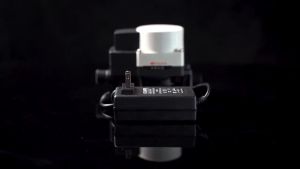
Booster Pump DC 24V 150W Automatic Home Shower Silent Pressure Washer Pump

BUQBT Modern Anti-theft Locks Hasp Casement Stopper Window limiter Stainless Steel Window Safety Latch Chain Guard Lock
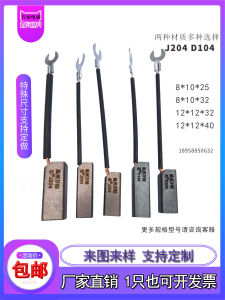
Wear Resistant Copper Carbon Brushes for Diesel Generator Hydro Power Station Universal Semi Copper D104J204 Long Life
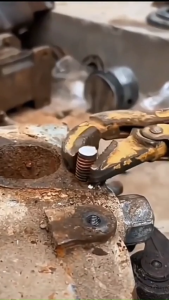
5-19mm Multipurpose Stud Remover Tool Bolt Extractor Nut Puller for Broken Screw Manual Repair

50ml Thread Locking Agent Anaerobic Quick Cure Super Glue Anti Loosening for Threadlocker Automotive Industrial Screw Fastening

Aitemay 300pcs Reusable Nylon Cable Ties Buckle Heavy Duty Self Locking Removable Colored Cable Ties Adjustable Multipurpose Tie Fastener



















