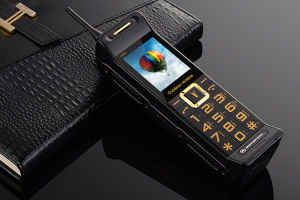
C3 Big Battery Long Standby 2G Retro Telephone 2.2inches 0.3MP Rear Camera Bluetooth MP3 FM Radio Dual SIM Mobile Phone
C3 Big Battery Long Standby 2G Retro Telephone 2.2inches 0.3MP Rear Camera Bluetooth MP3 FM Radio Dual SIM Mobile Phone
What is the C3 Big Battery Phone?
The C3 Big Battery Long Standby 2G Retro Telephone is a compact, feature-rich mobile device designed for users who prioritize simplicity, long battery life, and essential communication functions. This retro-style phone boasts a 2.2-inch display, a 0.3MP rear camera, Bluetooth MP3 and FM radio capabilities, and dual SIM card support.
Key Features & Specifications
- Display: 2.2-inch screen
- Camera: 0.3MP rear camera
- Connectivity: Bluetooth MP3, FM radio, dual SIM card support
- Battery: Long standby time
- Network Compatibility: 2G
Unboxing & First Impressions
Upon unboxing the C3 Big Battery Phone, you'll find the following items: 1 original phone, 1 quality battery, 1 data cable, 1 user manual, and 1 box. The phone's retro design and compact size make it easy to handle and carry around. The 2.2-inch display is well-suited for basic communication needs, and the phone's simple interface ensures easy navigation.
How to Use the 0.3MP Rear Camera
The C3 Big Battery Phone features a 0.3MP rear camera that allows you to capture photos and videos. This camera may not be ideal for high-resolution photography, but it can still be useful for taking quick snapshots and recording short videos.
Capturing Photos & Videos
To capture photos and videos using the 0.3MP rear camera, simply press the dedicated camera button on the phone's keypad. From there, you can choose whether to take a photo or record a video. Once you've captured your media, you can save it to the phone's internal memory or transfer it to a computer using the provided data cable.
Sharing & Editing Media
While the C3 Big Battery Phone may not have advanced editing capabilities, you can still share your photos and videos with others by transferring them to a computer or connecting the phone to another device via Bluetooth MP3.
Exploring Bluetooth MP3 & FM Radio Capabilities
The C3 Big Battery Phone offers Bluetooth MP3 and FM radio capabilities, allowing you to stream music and listen to radio stations. These features make the phone a versatile communication tool that can also serve as a portable entertainment device.
Pairing with Other Devices
To pair the C3 Big Battery Phone with another device via Bluetooth MP3, simply turn on the Bluetooth function on both devices and follow the on-screen prompts to establish a connection. Once paired, you can stream music from your computer or other Bluetooth-enabled devices directly to the phone.
Streaming Music & Radio Stations
In addition to streaming music via Bluetooth MP3, the C3 Big Battery Phone also supports FM radio. To access FM radio stations, navigate to the radio function within the phone's interface and tune in to your favorite stations.
Maximizing Battery Life & Charging Tips
One of the standout features of the C3 Big Battery Phone is its long standby time. To maximize battery life, follow these tips:
- Turn off Bluetooth MP3 and FM radio when not in use
- Adjust screen brightness to a lower setting
- Limit the number of apps running in the background
Prolonging Battery Life
By following these simple tips, you can extend the battery life of your C3 Big Battery Phone and enjoy longer periods of use between charges.
Fast Charging & Power Management
While the C3 Big Battery Phone does not have fast charging capabilities, proper power management can help maintain optimal battery performance. Be sure to charge the phone using the provided data cable and avoid exposing the battery to extreme temperatures.
Dual SIM Functionality & Network Compatibility
The C3 Big Battery Phone supports dual SIM card functionality, allowing you to manage two separate phone numbers from a single device. This feature is particularly useful for individuals who need to maintain separate personal and professional communication lines.
Setting Up Dual SIM Cards
To set up dual SIM cards on the C3 Big Battery Phone, simply insert the SIM cards into the designated slots within the phone. Follow the on-screen prompts to configure the settings for each SIM card.
Switching Between SIM Cards
Switching between SIM cards on the C3 Big Battery Phone is easy. Simply navigate to the SIM card settings within the phone's interface and select the desired SIM card to use for incoming calls and outgoing communications.
In conclusion, the C3 Big Battery Long Standby 2G Retro Telephone is a compact, feature-rich mobile device that prioritizes simplicity, long battery life, and essential communication functions. With its 0.3MP rear camera, Bluetooth MP3 and FM radio capabilities, and dual SIM card support, this retro-style phone is an excellent choice for users seeking a reliable and versatile communication tool.

Rainbuvvy
Review

You May Also Like
![]C idea Kids Tablets 10.1 inchUpgraded Android 13 Tablet for KidsRealist 4GB RAM+64GB ROM(1TB TF) FHD IPS Screen 6000mAh large Battery5G WiFiGreat Gift for Toddler](https://img.lazcdn.com/g/ff/kf/Sf1b2363692224526920eec242b6283f1l.jpg_300x300q80.jpg)
]C idea Kids Tablets 10.1 inchUpgraded Android 13 Tablet for KidsRealist 4GB RAM+64GB ROM(1TB TF) FHD IPS Screen 6000mAh large Battery5G WiFiGreat Gift for Toddler
D9000 Fashioned Mobile Phone 2.6Inch Cellular Flashlight MP3 FM Radio Retro Music Old Telephone
High Contrast 0.96Inch OLEDs Display 128x64Pixels Display Screen for Portable Devices and Wearables Quite Readable

Numchai c33 Original cellPhone sale 8+256GB Brand new 5G smartphone 6.5 inch 5000mAh Android Phone Gaming phone 1 year warranty
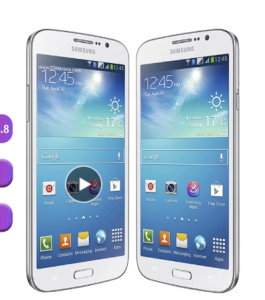
Original Samsung Galaxy Mega I9152 5.8 8GB ROM Dual SIM Card 8MP Android CellPhone
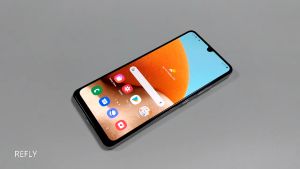
Samsung Galaxy A32 5G Original Ulocked Octa Core 6.5 48MP4GB RAM 64GB ROM Quad Camera 5000mAh Mobile Phones
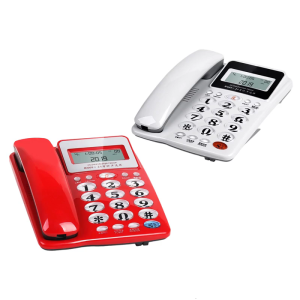
Corded Landline Telephone Landline Desktop Landline Phone Noise Reduction Calling Suitable for Home Hotel Office
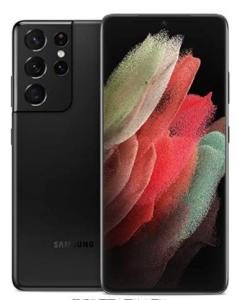
Samsung Galaxy S21 Ultra 5G: Dual SIM, 12GB RAM, 256GB ROM & Snapdragon 888
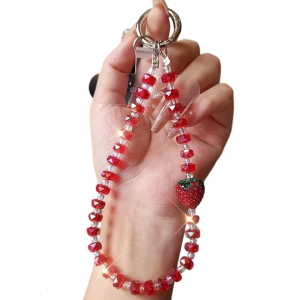
Decorative Fashion Cellphone Lanyard Bracelet Phone Strap Elegant Colorful Beaded Pendant Antilost Wrist Chain
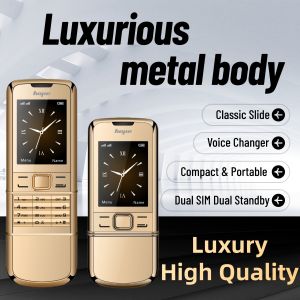
8800 Classic Retro Slider Senior Phone Dual SIM Metal Body Speed Dial Blacklist Durable Elderly Mobile Phone Big Button Luxury
AB1-S25 Ultra 4G/5G Ultra-thin Smartphone 6.8inch Full Screen Memory 16GB+1TB Camera 72MP+108MP Mobile Phone With Pen Android 13.0