Fuers 5G Wifi IP E27 Bulb Surveillance Camera: A Comprehensive Guide
Fuers 5G Wifi IP E27 Bulb Surveillance Camera: A Comprehensive Guide
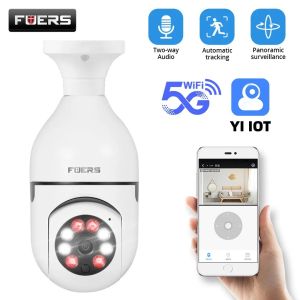
The Fuers 5G Wifi IP E27 Bulb Surveillance Camera is a wireless CCTV camera that offers 2MP resolution, night vision capabilities, and easy integration with smart home devices. This comprehensive guide will help you understand the features and benefits of this mini IP camera bulb, how to install and set it up, maximize its security potential, and troubleshoot common issues.
What is the Fuers 5G Wifi IP E27 Bulb Surveillance Camera?
The Fuers 5G Wifi IP E27 Bulb Surveillance Camera is a wireless CCTV camera that combines the functionality of a traditional light bulb with a high-resolution security camera. This innovative device offers 2MP resolution, night vision capabilities, and seamless integration with smart home devices. The camera is powered by a 5G Wi-Fi connection, providing a stable and reliable network for video streaming.
Key Features & Benefits
- 2MP Baby Security Camera: The Fuers camera offers a high-resolution image quality that allows you to monitor your home or baby's room with ease.
- Night Vision Home Camera: With infrared LEDs, the camera can capture clear images even in low-light conditions.
- Mini IP Camera E27 Bulb: The compact design makes it easy to install and blend seamlessly with your existing light fixtures.
- 5G Wifi Surveillance Camera: The camera is powered by a 5G Wi-Fi connection, providing a stable and reliable network for video streaming.
Comparisons with Other Wireless CCTV Cameras
Compared to other wireless CCTV cameras, the Fuers camera offers several advantages:
- Compact Design: The camera's mini IP camera bulb design makes it easy to install and blend seamlessly with your existing light fixtures.
- High-Resolution Image Quality: The 2MP resolution provides a clear and detailed image quality.
- Night Vision Capabilities: Infrared LEDs allow the camera to capture clear images even in low-light conditions.
- Seamless Integration: The camera can easily integrate with smart home devices, providing a convenient and secure monitoring solution.
How to Install & Set Up Your Fuers Camera
Installing and setting up your Fuers camera is simple and straightforward. Follow these steps to get started:
- Connecting to Wi-Fi & Configuring Settings: Connect the camera to your Wi-Fi network and configure the settings using the Fuers app.
- Setting Up Motion Detection & Alerts: Configure motion detection and alerts to receive notifications when movement is detected.
Connecting to Wi-Fi & Configuring Settings
To connect your Fuers camera to your Wi-Fi network, follow these steps:
- Download the Fuers app from the App Store or Google Play Store.
- Open the app and follow the on-screen instructions to connect the camera to your Wi-Fi network.
- Configure the settings, including the camera name, time zone, and motion detection sensitivity.
Setting Up Motion Detection & Alerts
To set up motion detection and alerts, follow these steps:
- Open the Fuers app and navigate to the camera settings.
- Enable motion detection and configure the sensitivity level.
- Set up alerts to receive notifications when movement is detected.
Maximizing Your Security with Fuers Camera
To maximize the security potential of your Fuers camera, follow these best practices:
- Best Practices for Positioning & Placement: Place the camera in a strategic location that provides a clear view of the area you want to monitor.
- Integrating with Other Smart Home Devices: Integrate the camera with other smart home devices to create a secure and convenient monitoring solution.
Best Practices for Positioning & Placement
To position and place your Fuers camera effectively, consider the following tips:
- Choose a location that provides a clear view of the area you want to monitor.
- Avoid placing the camera near windows or doors, as this can cause false alarms.
- Position the camera at eye level or slightly above to capture a wider view.
Integrating with Other Smart Home Devices
Integrating your Fuers camera with other smart home devices can enhance its security capabilities. Consider integrating the camera with the following devices:
- Smart Door Locks: Receive notifications when someone enters or exits your home.
- Smart Thermostats: Adjust the temperature based on occupancy.
- Smart Lighting: Turn lights on or off based on motion detection.
Troubleshooting Common Issues
If you encounter any issues with your Fuers camera, try the following solutions:
- Connectivity Problems & Solutions: Check your Wi-Fi network settings and ensure that the camera is connected to the correct network.
- Camera Performance & Maintenance Tips: Clean the camera lens regularly to maintain optimal performance.
Connectivity Problems & Solutions
If you experience connectivity issues with your Fuers camera, try the following solutions:
- Check your Wi-Fi network settings and ensure that the camera is connected to the correct network.
- Restart the camera and the router to reset the connection.
- Update the camera firmware to the latest version.
Camera Performance & Maintenance Tips
To maintain optimal performance of your Fuers camera, consider the following tips:
- Clean the camera lens regularly to remove dust and debris.
- Keep the camera away from direct sunlight to prevent overheating.
- Update the camera firmware to the latest version to ensure optimal performance.

GlobalTechMart
You May Also Like
V380 Pro Dual Lens CCTV Camera Connect Cellphone IP66 Waterproof Outdoor CCTV Camera Auto Tracking Infrared Night Vision
HD 1080P CCTV Camera Connect Cellphone mini camera Two-way voice call function

Drone Q6: The Perfect 8K Camera Drone for Novices

Dahua CCTV Camera 2MP/5MP Full-Color With Audio Security Camera Bullet Camera Outdoor IP67 Weatherproof Analog Camera

12V DC Male & Female Power Balun plug Connector 5.5*2.1 DC Jack Connector CCTV Camera

800W With Camera Smart Glasses Woman Video Recording AI Photo Recognition Eyewear Earphone Call Translation Voice Sunglasses Men
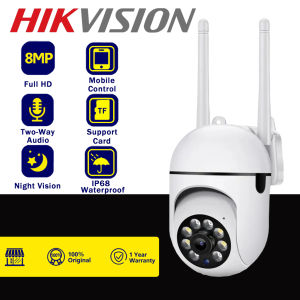
HIKVISION IP Security Camera: A Comprehensive Guide

Kids Digital Camera For Boys & Girls Age 3–8 Photo · Video · Games 3-in-1 SD Card Included Perfect Birthday & Holiday Gift

4k Digital Camera Retro CCD Portable Camera 50 Million Pixels Auto Focus Camera Dual Camera Flash
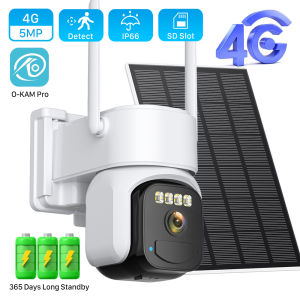
4G Solar Outdoor Security Camera with PIR Human Detection 8MP/5MP/2MP Cloud P2P O-KAM App Control Two-Way Audio Battery Powered
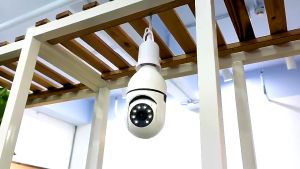
xiaomi CCTV Camera V380 PRO IP Security Cameras Light Bulb with Voice and Speaker 1080P 5G Wifi Connect to Cellphone Smart Night Vision IP Camera Waterproof 360 Portable monitor Surveillance Two-way audio Loop Recording