USB 3.0 HDD Enclosure: A Comprehensive Guide
USB 3.0 HDD Enclosure: A Comprehensive Guide
What is a USB 3.0 HDD Enclosure?
A USB 3.0 HDD enclosure is a protective casing that allows users to connect their internal hard drives to a computer or other devices via a USB interface. This enclosure provides an easy way to convert a standard internal hard drive into an external storage device, making it portable and convenient.
Core Components
The core components of a USB 3.0 HDD enclosure include:
- Hard drive: The actual storage device that holds your data.
- Enclosure: The protective case that houses the hard drive and provides a secure connection to your computer or device.
- USB interface: The connection point that allows you to plug the enclosure into your computer or device.
Types of Enclosures
There are two main types of USB 3.0 HDD enclosures: those designed for 2.5-inch SATA SSD hard drives and those designed for larger 3.5-inch hard drives. In this article, we will focus on the 2.5-inch SATA SSD hard drive case, which offers a compact and lightweight solution for portable storage.
Benefits of Using a USB 3.0 HDD Enclosure
Using a USB 3.0 HDD enclosure offers several advantages, including:
- Portability: With a USB 3.0 HDD enclosure, you can easily take your hard drive with you wherever you go.
- Compatibility: USB 3.0 is widely supported by most modern computers and devices, making it easy to connect your hard drive to any system.
- Speed: USB 3.0 offers faster data transfer speeds compared to older USB standards, allowing you to quickly transfer large files.
How to Choose the Right USB 3.0 HDD Enclosure
When selecting a USB 3.0 HDD enclosure, consider the following factors:
- Compatibility: Make sure the enclosure is compatible with your hard drive size and interface type (e.g., SATA).
- Portability: If you plan to use the enclosure for portable storage, look for a lightweight and compact design.
- Cable Included: Some enclosures come with a USB cable included, while others require you to purchase one separately.
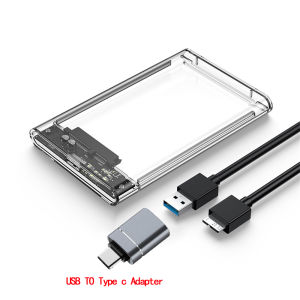
Cable Included Hard Drive Case
The Cable Included Hard Drive Case is a convenient option for those who want to avoid the hassle of purchasing a separate USB cable. This type of enclosure comes with a pre-installed USB cable, making it easy to connect your hard drive to your computer or device right out of the box.
2.5inch SATA SSD Hard Drive Case
The 2.5inch SATA SSD Hard Drive Case is designed specifically for 2.5-inch SATA SSD hard drives. This type of enclosure offers a compact and lightweight solution for portable storage, making it ideal for users who need to carry their hard drive with them.
How to Install Your USB 3.0 HDD Enclosure
Installing your USB 3.0 HDD enclosure is a simple process that involves the following steps:
Preparing Your Hard Drive
Before installing your hard drive in the enclosure, make sure it is properly formatted and ready to use. If you are using a new hard drive, you may need to initialize and partition it before proceeding.
Connecting the USB Cable
Once your hard drive is prepared, simply slide it into the enclosure and connect the USB cable to your computer or device.
Configuring Your System
After connecting the enclosure to your system, you may need to configure your operating system to recognize the new storage device. This process varies depending on your operating system, so consult your user manual or online resources for guidance.
Maximizing Performance with Your USB 3.0 HDD Enclosure
To get the most out of your USB 3.0 HDD enclosure, consider the following tips:
- Use a High-Quality Cable: A high-quality USB cable can help ensure reliable data transfer and prevent data corruption.
- Keep the Enclosure Cool: Overheating can reduce the lifespan of your hard drive, so make sure the enclosure has proper ventilation and avoid placing it in direct sunlight or near heat sources.
- Regularly Backup Your Data: Regular backups can help protect your data in case of hardware failure or other issues.
5Gbps Transfer Speed External Housing
A 5Gbps Transfer Speed External Housing offers faster data transfer speeds compared to older USB standards, allowing you to quickly transfer large files.
Mobile Harddisk Box
A Mobile Harddisk Box is a portable storage solution that allows you to easily take your hard drive with you wherever you go.
Troubleshooting Common Issues
If you experience issues with your USB 3.0 HDD enclosure, try the following troubleshooting tips:
- Check the Connection: Make sure the USB cable is securely connected to both the enclosure and your computer or device.
- Update Drivers: Outdated drivers can cause compatibility issues, so make sure your operating system and USB drivers are up-to-date.
- Check for Hardware Failure: If the issue persists, there may be a problem with the hard drive itself. Try connecting the hard drive to another computer or device to see if the issue is with the enclosure or the hard drive.
Conclusion
A USB 3.0 HDD enclosure is a convenient and portable solution for external storage. By choosing the right enclosure and following best practices for installation and maintenance, you can maximize the performance and longevity of your hard drive.

Global Merch Park
You May Also Like
2025 New Car u Plate Music Tiktok Pop Song Bar DJ Internet Celebrity Songs Lossless High Sound Quality Usb Flash Drive

SD card adapter TF card mobile phone/tablet Micro sd card 128GB 256GB 512GB 1TB memory card
Sandisk Portable SSD USB 3.2 Type-C: Fast Data Transfer & Compact Storage
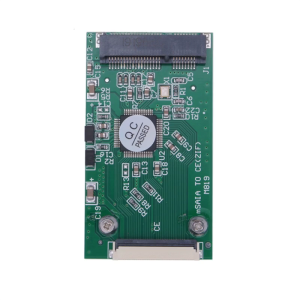
New mSATA SSD to CE ZIF with Our Mini PCIE Adapter Fully Compliant with ZIF Specification
Seagate External Hard Drives: Slim 1TB & 2TB Portable Expansion Disks for High Speed Storage Portability and Large Capacity Data Storage
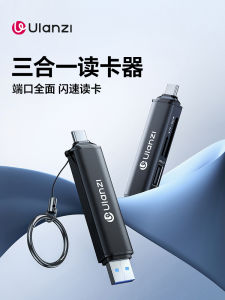
Ulanzi CR1 Multi-Function High-Speed USB Card Reader for Camera Tablet SD Card TypeC TF Mobile Phone Interface 3-In-1
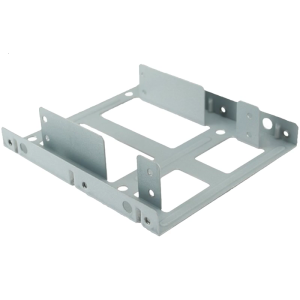
2.5 to 3.5Inch Drive Adapter Bracket Optimized for PC NAS Heat Management Easy Installation

Kingston Memory Card MICRO SDXC Adapter Class 10 Authentic Original SD Card Monitoring Camera Gaming Machine Applicable
![[COD] REMAI0 USB 2.5inch SATA External Transmission Closure HDD Hard Enclosure Disk Case Box](https://img.lazcdn.com/g/p/929bd138428666c288eb5c5f5d64c185.jpg_300x300q80.jpg)
[COD] REMAI0 USB 2.5inch SATA External Transmission Closure HDD Hard Enclosure Disk Case Box

External Hard Disk Enclosure Clear USB3.0 Color Lighting Supports 2.5/3.5inch Hard Disk Sliding Mechanism
Ruggeds Two M.2 B Key NGFFs SSDs To 2.5in SATAs Bridge Board Supporting Data Transfer Across Multiple Platforms