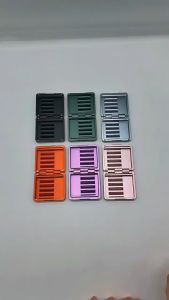
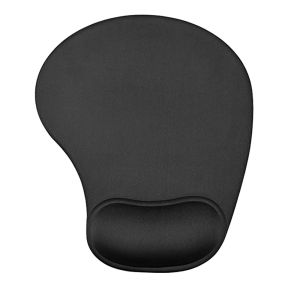
Ergonomic Mouse Pad with Superb Comfortable Wrist Rest Support Bar Silicone with Non-Slip Base for Office Home & Gaming
Ergonomic Mouse Pad with Superb Comfortable Wrist Rest Support Bar Silicone with Non-Slip Base for Office Home & Gaming
Introduction to Ergonomic Mouse Pads
Ergonomic mouse pads are designed to provide users with optimal comfort and support while using their computer mice. These specialized accessories cater to individuals who spend long hours working on computers, gaming, or engaging in other activities that require extensive use of a mouse. By offering enhanced ergonomics, ergonomic mouse pads help reduce strain and discomfort, ultimately contributing to a more pleasant and productive experience.
What Are Ergonomic Mouse Pads?
Ergonomic mouse pads are designed with a focus on user comfort and support. They often feature a non-slip base, a comfortable wrist rest, and an ergonomic design tailored to fit various work environments, such as home offices and gaming setups.
Benefits of Using Ergonomic Mouse Pads
Using ergonomic mouse pads can provide several benefits, including:
- Reduced strain on the wrist and hand
- Enhanced comfort during extended use
- Improved posture and hand positioning
- Increased productivity and efficiency
Key Features of Our Ergonomic Mouse Pad
Our ergonomic mouse pad boasts a non-slip silicone base, a comfortable wrist rest support bar, and an ergonomic design that caters to home and office environments.
Non-Slip Silicone Base
The non-slip silicone base ensures that the mouse pad remains securely in place, even during intense gaming sessions or heavy mouse usage. This feature helps maintain a stable surface for the mouse, reducing the risk of accidental movements and improving overall accuracy.
Comfortable Wrist Rest Support Bar
Our ergonomic mouse pad features a comfortable wrist rest support bar that provides a soft, cushioned surface for the user's wrist. This design helps alleviate strain and discomfort, promoting better posture and hand positioning during extended use.
Ergonomic Design for Home & Office
Our ergonomic mouse pad is designed with both home and office environments in mind. It offers a versatile solution for users who require optimal comfort and support in various settings, whether they're working on a computer, gaming, or engaging in other activities that involve extensive mouse use.
How to Choose the Right Ergonomic Mouse Pad
Selecting the right ergonomic mouse pad depends on identifying your specific needs and considering key factors that contribute to a comfortable and supportive experience.
Identifying Your Needs
Before purchasing an ergonomic mouse pad, consider your primary use case and any specific requirements you may have. Are you looking for a solution for home office support, gaming, or general computer use? Identifying your needs will help you choose the right ergonomic mouse pad.
Key Factors to Consider
When selecting an ergonomic mouse pad, consider the following factors:
- Non-slip base: Look for a mouse pad with a non-slip silicone base to ensure stability during use.
- Comfortable wrist rest: Choose a mouse pad with a soft, cushioned wrist rest to promote better posture and hand positioning.
- Ergonomic design: Opt for a mouse pad that caters to both home and office environments, offering a versatile solution for various workspaces.
How to Use Our Ergonomic Mouse Pad
To get the most out of our ergonomic mouse pad, follow these steps for setting up your mouse pad and maintaining proper posture and hand positioning.
Setting Up Your Mouse Pad
- Place the mouse pad on a flat surface, such as a desk or table, ensuring it has enough space for comfortable mouse movement.
- Adjust the height of your chair and monitor to promote proper posture and hand positioning.
- Position the mouse pad at a comfortable distance from your body, allowing for natural arm movement.
Proper Posture & Hand Positioning
Maintain proper posture and hand positioning while using our ergonomic mouse pad by:
- Keeping your feet flat on the floor and your back straight.
- Positioning your arms at a 90-degree angle at the elbows.
- Resting your wrists on the cushioned wrist rest support bar.
- Holding the mouse lightly, avoiding excessive pressure on the hand and fingers.
Conclusion & Final Thoughts
In conclusion, our ergonomic mouse pad with a non-slip silicone base and comfortable wrist rest support bar offers a versatile solution for home office support, gaming, and general computer use. By considering your needs and selecting the right ergonomic mouse pad, you can enjoy enhanced comfort, reduced strain, and improved productivity during extended mouse usage.

PCTECH Store
Review
You May Also Like

Sup&LV | Apple 16 Phone Case Luxury Sheepskin Protective Cover Anti-Fall Large Hole Design Unique Style Compatible With iPhone 16 Pro Max
Soft TPU Shockproof Protect Phone Cover Case for iPhone 11 12 13 14 15 16 Pro Max 3 IN 1 Candy Colors Transparent Silicone Phone Case For iPhone 16 Pro
Nickelox iPhone Shell Compatible with Apple 17promax Creamy FeatherSilicone CartoonSticker1413 Anime GirlFullProtectiveCase

STARFIELD (PC Game) - Windows PC +ALL DLC
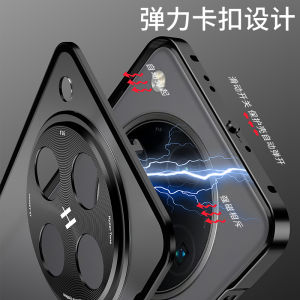
Ultra-Thin Aluminum Alloy Shockproof Case for OPPO Findx8 pro Full Lens Coverage Anti-Fall Protective Cover Male Female
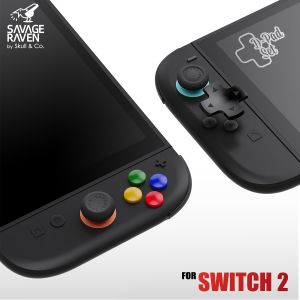
Savage Raven by Skull & Co. D-Pad Button Cap Set for Nintendo Switch 2 NSW2 Game Console

BAVIN PC1003 20000mAh & PC020 10000mAh 22.5W / 20W USB-C PD Fast Charging Portable Powerbank w/ Built-In Charging Cable

Double Chain Women Bracelet for Apple Watch Band 46mm 42 49 38 41 45 44 40mm Metal Wrist Strap for iWatch Series 10 Ultra 9 8 7
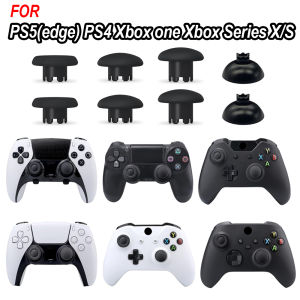
8 In 1 Swappable Thumbsticks Replacement Joystick Cap For PS5 PS4 XBOX One Switch Pro PS3 Game Controller Plastic Repair Kit
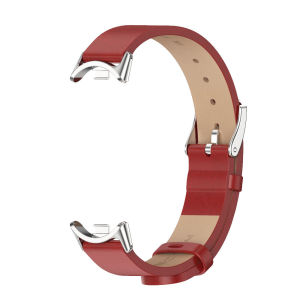
BassPal Strap: The Ultimate Smart Accessory for Your Xiaomi Mi Band

19V 2.1A 5.5*2.5MM AC Adapter For AOC monitor Power Adapter charger