Wireless Bluetooth Speaker Stereo with Multi-band Radio HIFI Sound Support BT USB Drive TF Card Vintage Portable Sound
Wireless Bluetooth Speaker Stereo with Multi-band Radio HIFI Sound Support BT USB Drive TF Card Vintage Portable Sound
Introduction
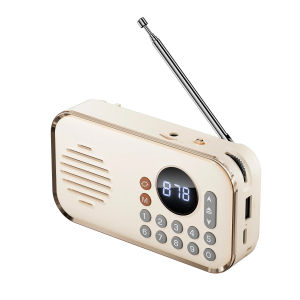
The FUCHU P35 wireless Bluetooth speaker is a versatile device designed for music enthusiasts who appreciate high-quality sound. This portable speaker offers a range of features, including HIFI sound, multi-band radio capabilities, USB drive support, and a vintage design.
Key Features of the FUCHU P35
HIFI Sound & Multi-Band Radio Capabilities
The FUCHU P35 delivers impressive audio quality with its HIFI sound mode, providing a rich and immersive listening experience. It supports various sound modes, such as 3D surround sound, immersive sound, stereo sound, extra bass, and standard mode, catering to different preferences. Additionally, the speaker features multi-band radio capabilities, allowing users to enjoy AM/FM radio broadcasts.
USB Drive & TF Card Support
With USB drive and TF card support, the FUCHU P35 enables users to store and play music directly from external storage devices. This feature makes it easy to access a wide variety of music without relying solely on Bluetooth connectivity.
Portable Design & Battery Life
Measuring 83 mm x 38 mm x 125 mm and weighing 210 grams, the FUCHU P35 is compact and lightweight, making it perfect for carrying around. It has a battery capacity of 1500 mAh, offering extended playback time. The speaker's plastic cabinet ensures durability while maintaining a sleek appearance.
How to Use Your FUCHU P35
Connecting to Devices via Bluetooth
To connect your FUCHU P35 to a Bluetooth-enabled device, press and hold the Bluetooth button until the indicator light flashes blue. Then, select the FUCHU P35 from the list of available devices on your device. Once connected, you can start playing music wirelessly.
Playing Music from USB Drives & TF Cards
Insert a USB drive or TF card into the corresponding slot on the speaker. Press the source button to switch to USB/TF mode, and use the play/pause and next/previous buttons to navigate through the tracks.
Setting Up the Hi-Res Sound Modes
Access the settings menu by pressing the source button repeatedly. From there, you can choose from the available sound modes, such as HIFI sound, 3D surround sound, immersive sound, stereo sound, extra bass, and standard mode. Select the desired mode to customize your listening experience.
Comparison with Other Portable Speakers
Advantages of the FUCHU P35
Compared to other portable speakers, the FUCHU P35 stands out due to its HIFI sound capabilities, multi-band radio features, and support for external storage devices. Its compact design and long battery life make it an ideal choice for music lovers who want to enjoy high-quality audio on the go.
Disadvantages & Limitations
While the FUCHU P35 offers numerous advantages, it does have some limitations. It lacks voice control functionality, which may be a drawback for users who prefer hands-free operation. Additionally, it is not waterproof, so care must be taken to avoid exposing the speaker to water.
Conclusion & Final Thoughts
The FUCHU P35 wireless Bluetooth speaker is a fantastic choice for those seeking a portable device with excellent audio quality. Its versatile features, including HIFI sound, multi-band radio capabilities, and support for external storage devices, make it a top contender in the portable speaker market. Whether you're looking to enjoy music at home or on the go, the FUCHU P35 delivers a memorable listening experience.

ToKerNew
Review

You May Also Like
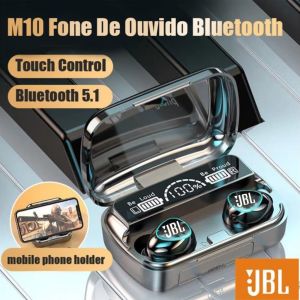
💖FREE Shipping+COD💖 Jbl M10 TWS Bluetooth 5.1 9D Wireless Headset jbk Wireless Headset
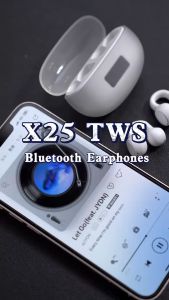
XUNDD X25 Clip-On Bluetooth Earphone: A Comprehensive Guide
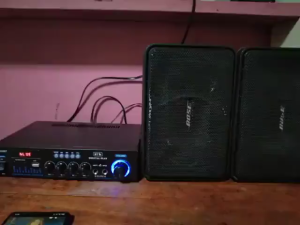
1000W AV-588BT Mini Amplifier 12V/220V Bluetooth 5.0 Stereo Audio Player Power Amplifier Car Home with Remote Control 2.0 Channel Car Audio Power Bass Music Play
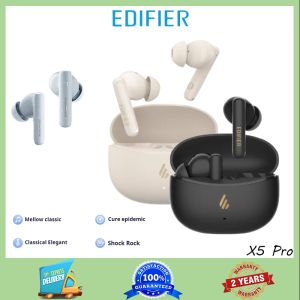
Edifier X5 Pro: A Comprehensive Guide to TWS Audio Device & Active Noise Cancellation

Highly power 10W 4Ohm Mini Speaker 45mm Double Magnetic Structure 19Voice Coil Technology Professional Bass Enhancement
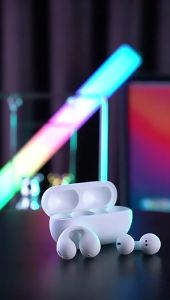
Earcuffs Bluetooth Earphones Bone Conduction Earring Earbuds TWS Sports Wireless headset With Mic High Quality Waterproof Clip on Earphone
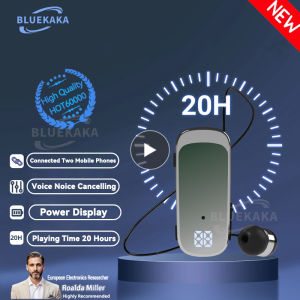
K65 Fashion Bluetooth Headset Business Retractable Lavalier Earphone Super Long Standby Single Ear Hands Free HD Call With Wire

Waner S.G II in Ear Monitor HiFi Wired Earbuds10mm Dynamic DriverDiaphragm Gaming IEM Earphones with 2Pin Detachable OFC Cable for Audiophile DJ Stage (Blue 3.5mm with Mic)

LJE Set 2 10in1 Classic Fairy Tales Big Size (No Audio)
Flexible TPU Earbuds Case Cover NonYellowing Sleeve AntiScratch Textured Grip Shell for Free4 Earbuds Coating Pouch

Sounarc R2 by Tronsmart Wireless Portable Speaker Bluetooth 5.3 40W IPX6 Waterproof Powerful Stereo Sound Various LED Modes 7 Hours of Playtime Portable speaker Mini speaker Sounarc Speaker Waterproof speaker Bluetooth speaker Outdoor speaker VMI Direct