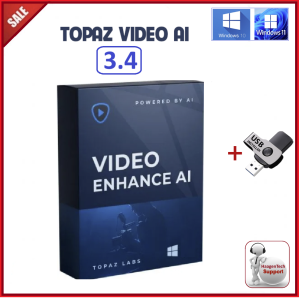
Topaz Video AI 3.4.3 FULL VERSION | COMMERCIAL LICENSED | LIFETIME USE | NO EXPIRY | COMES IN A USB FLASH DRIVE
Topaz Video AI 3.4.3 FULL VERSION | COMMERCIAL LICENSED | LIFETIME USE | NO EXPIRY | COMES IN A USB FLASH DRIVE
What is Topaz Video AI 3.4.3?
Topaz Video AI 3.4.3 is a cutting-edge video editing software that offers a comprehensive suite of features designed to enhance your video editing experience. This commercial licensed version comes with a lifetime use guarantee, meaning there's no expiry date. In addition, the software is conveniently packaged in a USB flash drive, making it easy to carry and install on any computer.
Key Features
Topaz Video AI 3.4.3 boasts a wide range of powerful features, including:
- AI-driven video enhancement capabilities
- Support for various file formats
- User-friendly interface
- Real-time preview
- Customizable settings
How It Works
Topaz Video AI 3.4.3 utilizes advanced AI algorithms to analyze and enhance your videos. By importing your video files, the software automatically detects areas that require improvement and applies the necessary adjustments. This process significantly reduces the time and effort required for manual editing, allowing you to focus on creating stunning visuals.
Benefits of Using Topaz Video AI 3.4.3
There are numerous advantages to using Topaz Video AI 3.4.3, including:
Enhance Your Video Editing Skills
By leveraging the powerful AI capabilities of Topaz Video AI 3.4.3, you can refine your video editing skills and produce professional-grade content. The software provides real-time previews and customizable settings, enabling you to experiment with different effects and techniques.
Save Time & Effort
Topaz Video AI 3.4.3 streamlines the video editing process by automating many tasks, such as color correction, noise reduction, and resolution enhancement. This saves you valuable time and effort, allowing you to focus on other aspects of your project.
Installation & Setup
To get started with Topaz Video AI 3.4.3, follow these steps:
Downloading the Software
Insert the USB flash drive containing the software into your computer. Once connected, navigate to the installation folder and run the setup file.
Activating the Commercial License
After installation, launch the software and enter the license key provided on the USB flash drive. This will activate your commercial license, granting you lifetime access to the software.
Transferring to USB Flash Drive
If you need to transfer the software to another computer, simply copy the installation folder from the USB flash drive to your desired location. Then, repeat the activation process using the license key.
Tips & Tricks for Optimal Performance
To get the most out of Topaz Video AI 3.4.3, consider these tips:
Customizing Settings
Experiment with different settings to find the perfect balance for your video editing needs. For example, adjust the color correction levels, noise reduction strength, and resolution enhancement parameters to achieve the desired results.
Troubleshooting Common Issues
If you encounter any issues during installation or usage, consult the user manual or reach out to Topaz Video AI's support team for assistance.
In conclusion, Topaz Video AI 3.4.3 is a powerful video editing software that offers numerous benefits for both beginners and professionals. With its advanced AI capabilities, user-friendly interface, and lifetime commercial license, this software is an excellent choice for anyone looking to enhance their video editing skills and streamline their workflow.

Haagen-Tech
Review

You May Also Like
ORICO NS Series 4 Bay 3.5 inch Type-C with RAID HDD Docking Station 78W Power Adapter 5Gbps HDD Enclosure HDD Case
♥【Readystock】FREE Shipping+COD♥ Xiaomi Redmi V30 PRO Micro SD Card SDXC / UHS-I U3 Class 10 High Speed Memory Card 1TB 512GB 256GB
Shockproof Hard Carrying Case Travel Pouch for Hard Drive Cellphone Small Electronic Storage Case Accessories
5Gbps Hard Drive Cable Type C Male to MicroB Data Sync and Charging Cable for External Hard Drive
ORICO Transparent HDD Enclosure Case for 2.5 3.5 HDD SSD SATA to USB 3.1 Type C 6Gbps for External HD Hard Disk Drive Box 16TB
Wavlink 32TB Dual Bay Hard Drive Docking Station: A Comprehensive Guide
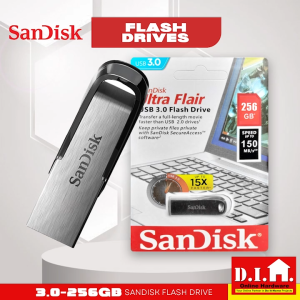
Do It Home SanDisk Flash Drive 3.0 256GB: High-Speed Data Transfer & Portable Storage
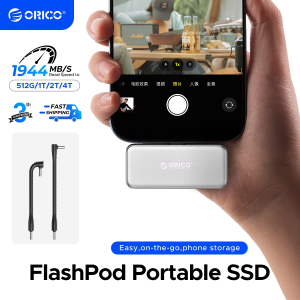
ORICO S20 FlashPod 1TB Portable SSD Up to 2000MB/s Direct Plug Design High-Speed External SSD with USB 3.2 Gen2x2 20Gbps
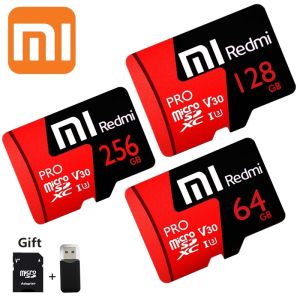
♥ Ready Stock +FREE+COD ♥100% original authentic Xiaomi Redmi Mi Pro Memory Card Class10 64GB/128GB/256GB/512GB 100MB/s Micro SD TF Card for Yoosee V380
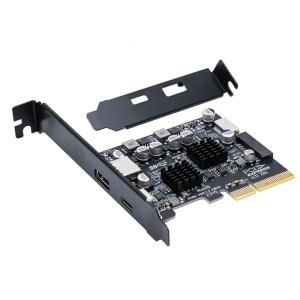
Desktop USB Expansion PCIe 4X to Internal USB 3.2 External 10Gbps Type C Adapter for Desktop Motherboard
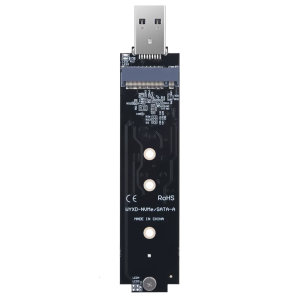
Fast Speed USB 3.2 M.2 SSDs Enclosure Adapters Supports PCIe NVMe SATAs Two Protocols Up To 10Gbps Transfer