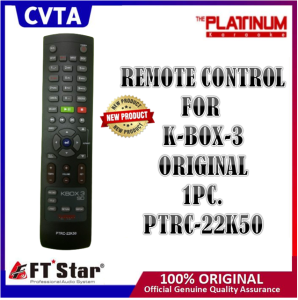
The Platinum Hand Remote Control PTRC-22K50 Compatible FOR K-BOX 3 DVD PLAYER
The Platinum Hand Remote Control PTRC-22K50 Compatible FOR K-BOX 3 DVD PLAYER
What is the Platinum Hand Remote Control PTRC-22K50?
The Platinum Hand Remote Control PTRC-22K50 is a versatile and user-friendly remote control designed specifically for the K-BOX 3 DVD Player. This remote control offers a sleek and ergonomic design, making it easy to handle and operate. It is compatible with the K-BOX 3 DVD Player, providing users with a seamless experience while enjoying their favorite movies, TV shows, and music.
Key Features & Benefits
Here are some key features and benefits of the Platinum Hand Remote Control PTRC-22K50:
- Compatibility: This remote control is designed to work seamlessly with the K-BOX 3 DVD Player, offering a reliable and consistent connection.
- User-friendly: The Platinum Hand Remote Control PTRC-22K50 is easy to use, with intuitive buttons and a clear layout.
- Sleek design: The remote control has a sleek and modern design, making it a great addition to any home entertainment system.
- Long battery life: The Platinum Hand Remote Control PTRC-22K50 comes with a long-lasting battery, ensuring that users can enjoy their favorite content without worrying about frequent battery replacements.
Compatibility with K-BOX 3 DVD Player
The Platinum Hand Remote Control PTRC-22K50 is specifically designed to work with the K-BOX 3 DVD Player, providing users with a reliable and consistent connection. This remote control is compatible with the K-BOX 3 DVD Player, ensuring that users can easily navigate through their favorite movies, TV shows, and music.
How to Use the Platinum Hand Remote Control PTRC-22K50
Here is a step-by-step guide on how to use the Platinum Hand Remote Control PTRC-22K50:
- Power on/off: Press the power button to turn on or off the K-BOX 3 DVD Player.
- Volume control: Use the volume buttons to adjust the sound level.
- Navigation: Use the arrow buttons to navigate through the menu options.
- Play/Pause: Press the play/pause button to start or pause playback.
- Fast forward/rewind: Use the fast forward and rewind buttons to quickly move through the content.
Tips & Tricks
Here are some tips and tricks to get the most out of the Platinum Hand Remote Control PTRC-22K50:
- Customize your settings: Adjust the settings on the K-BOX 3 DVD Player to suit your preferences.
- Use the search function: Quickly find your favorite content using the search function on the remote control.
- Save your favorites: Save your favorite content to easily access it later.
Troubleshooting Common Issues
Here are some common issues and their solutions:
No Signal or Connection Problems
If you are experiencing no signal or connection problems, try the following:
- Check the batteries: Make sure the batteries in the remote control are not dead or loose.
- Reset the remote control: Reset the remote control by pressing and holding the power button for 10 seconds.
- Check the connection: Make sure the K-BOX 3 DVD Player is properly connected to the power source and any necessary cables.
Remote Control Not Working
If the remote control is not working, try the following:
- Check the batteries: Make sure the batteries in the remote control are not dead or loose.
- Reset the remote control: Reset the remote control by pressing and holding the power button for 10 seconds.
- Check the connection: Make sure the K-BOX 3 DVD Player is properly connected to the power source and any necessary cables.
Conclusion
The Platinum Hand Remote Control PTRC-22K50 is a reliable and user-friendly remote control designed specifically for the K-BOX 3 DVD Player. With its sleek design, intuitive buttons, and long battery life, this remote control offers a seamless experience for users. By following the step-by-step guide and tips provided in this article, users can easily navigate through their favorite movies, TV shows, and music. If you encounter any issues, refer to the troubleshooting section for solutions.
Keywords: K-BOX Compatible Remote, K-BOX 3 DVD Player, Platinum Hand Remote Control, PTRC-22K50 Compatible, DVD Remote Control

cvta
Review

You May Also Like
IWATA GL-11 3000K-5500K Mini Bi-Color Live Light: A Comprehensive Guide
3D Fashion Cartoon Cute Tulip Phone Case: Soft Shock-proof Protection for Samsung Galaxy A54 5G
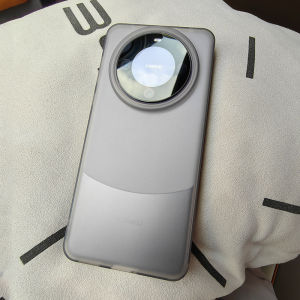
Ultra-Thin Frosted Silicone Phone Case for Huawei Mate60 pro Anti-Fingerprint Simple Full-Coverage Protective Shell for Men And Women

VUAERANG Nylon Elastic Replacement Wristband: A Stylish & Durable Smartwatch Accessory

1600DPI USB Vertical Wired Mouse Ergonomic Design Wrist Rest Gaming Mice for PC Laptop Mouse Mouse for Laptop Mouse for Computer
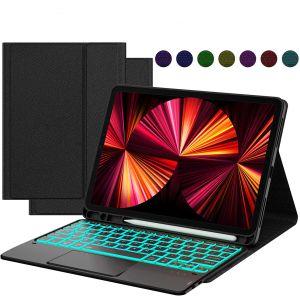
MD iPad Mini 2 Keyboard - 7.9 Inch Mini 1/3/model a1599/4/5 Generation Case 7 Colors Backlight Wireless Bluetooth Detachable Keyboard Thin & Protective Stand Magnetic Cover Type-C Rechargeable Black
Inphic A9 GEN2 Bluetooth Wirelss Mouse Gaming 2400dpi silent Rechargeable mouse for laptop

LPO Laptop Charger 20V 5A 100W Type C Compatible with Asus ROG Flow X13 Z13 GV301 GZ301 G533QM GA401QM

Double-Headed USB Type-C Cable 100W Super Fast Charge Transparent Digital TPC Charger Pd66w for Apple 15 Huawei Vivo Android Oppo Mi Notebook Computer USB Car
XUNDD Axe Series Full Tempered Glass Premium Screen Protector REALME 13 PLUS 5G
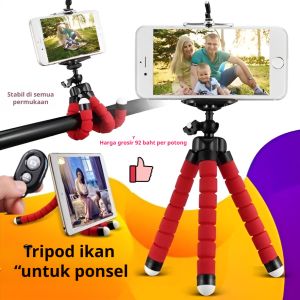
Mini Portable Tripod & Flexible 360° Tripod: A Comprehensive Guide