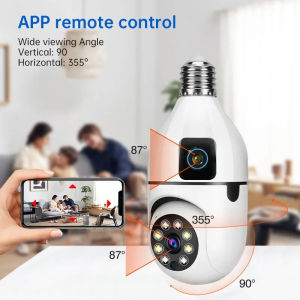
Swann Pan & Tilt Security Camera: A Comprehensive Guide
Swann Pan & Tilt Security Camera: A Comprehensive Guide
What is the Swann Pan & Tilt Camera?
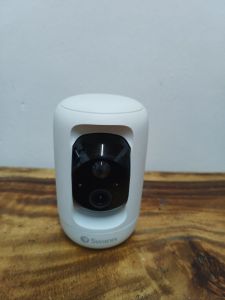
The Swann Pan & Tilt Camera is a cutting-edge security surveillance camera designed to provide comprehensive coverage and protection for your home or business. With its automated camera tilt and pan capabilities, the Swann Pan & Tilt Camera allows you to monitor your surroundings with ease, ensuring peace of mind for you and your loved ones.
Key Features & Benefits
Some of the key features and benefits of the Swann Pan & Tilt Camera include:
- Automated camera tilt and pan: The Swann Pan & Tilt Camera automatically adjusts its position to capture the best possible view of your surroundings, allowing you to monitor your home or business with ease.
- High-definition video: With its 1080p HD resolution, the Swann Pan & Tilt Camera captures crystal-clear video footage, giving you a clear view of everything happening around you.
- Night vision: The Swann Pan & Tilt Camera is equipped with infrared LEDs, providing clear visibility even in low-light conditions.
- Motion detection: The Swann Pan & Tilt Camera can detect motion and send alerts to your smartphone, allowing you to stay informed about any activity in your home or business.
- Weather-resistant: The Swann Pan & Tilt Camera is built to withstand harsh weather conditions, ensuring reliable performance even in the most challenging environments.
How It Works
The Swann Pan & Tilt Camera works by connecting to your Wi-Fi network and streaming live video footage to your smartphone or computer. The camera's automated tilt and pan capabilities allow it to adjust its position to capture the best possible view of your surroundings, while its motion detection feature sends alerts to your smartphone when it detects any activity.
Setting Up Your Swann Pan & Tilt Security Camera
Setting up your Swann Pan & Tilt Security Camera is easy and straightforward. Follow these steps to get started:
Installation Process
- Choose a suitable location for your Swann Pan & Tilt Camera, taking into account the camera's field of view and the area you want to monitor.
- Mount the camera securely to a wall or ceiling using the included mounting hardware.
- Connect the power adapter to the camera and plug it into a nearby electrical outlet.
Connecting to Wi-Fi
- Download the Swann Security app from the App Store or Google Play Store.
- Open the app and follow the on-screen instructions to connect your Swann Pan & Tilt Camera to your Wi-Fi network.
- Once connected, the camera will be ready to use.
Configuring Settings
- Use the Swann Security app to configure the settings for your Swann Pan & Tilt Camera, including the camera's tilt and pan angles, motion detection sensitivity, and night vision settings.
- Set up alerts to receive notifications on your smartphone when the camera detects any activity.
Maximizing the Potential of Your Swann Pan & Tilt Camera
To make the most of your Swann Pan & Tilt Camera, consider the following tips:
Utilizing Automated Camera Tilt & Pan
Take advantage of the Swann Pan & Tilt Camera's automated tilt and pan capabilities to capture the best possible view of your surroundings. Adjust the camera's settings to ensure it captures the areas you want to monitor.
Integrating with Home Security Camera Systems
Integrate your Swann Pan & Tilt Camera with other home security camera systems to create a comprehensive security solution. This will allow you to monitor multiple areas of your home or business from a single app.
Enhancing Wireless IP Camera Performance
To enhance the performance of your Swann Pan & Tilt Camera, consider upgrading your Wi-Fi network to provide faster and more reliable connectivity. This will ensure that your camera streams live video footage smoothly and without interruption.
Troubleshooting Common Issues
If you encounter any issues with your Swann Pan & Tilt Camera, consider the following troubleshooting tips:
Connectivity Problems
If your camera is not connecting to your Wi-Fi network, try resetting the camera and reconnecting it to the network. If the issue persists, check your Wi-Fi network settings and ensure that your router is functioning properly.
Image Quality Concerns
If you notice any issues with the image quality of your Swann Pan & Tilt Camera, try adjusting the camera's settings to improve the clarity of the video footage. You can also try cleaning the camera lens to remove any dirt or debris that may be affecting the image quality.
Motion Detection Errors
If your Swann Pan & Tilt Camera is detecting motion incorrectly, try adjusting the sensitivity settings to reduce false alarms. You can also try adjusting the camera's position to ensure it captures the areas you want to monitor without detecting unnecessary motion.

Adhero Trading
Review

You May Also Like
IMOU Rex VT Pro Indoor Camera with 3K live monitoring Security CCTV Connect to Cellphone Rechargeable Battery video call

V380 Pro cctv camera CCTV camera cctv connect to cellphone cctv with no wifi needed 8MP Indoor and Outdoor Two-Way Audio Night Vision waterproof BABY monitor

Children Portable Instant Camera Print HD Photography and Video Recording Kids Digital Gifts

ICX Insta360 Ace Standalone

EKLEVA Mini Camera HD Bike & Motorcycle Sports Action Camera
20x50 Binoculars & Professional HD Telescope: The Ultimate Guide
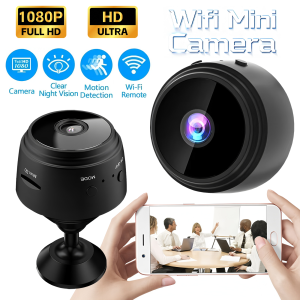
Mini Security Protection Camera Smart WiFi Wireless Video Surveillance 1080P HD Indoor Night Vision Secret Security Hoome Camera
D16 Professional Drone Dual 4K HD Camera Intelligent Obstacle avoidance Remote Control boys toy

V380 Q20 2MP HD CCTV Camera With 4.3in LCD Display Screen Connect Cellphone Baby Monitor Camera And Wireless With Speaker Smart One Click Video Call IP Security Cameras
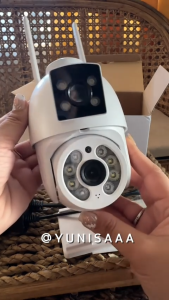
V380 PRO BP3 4K 6MP Dual Lens CCTV Camera Outdoor Waterproof 360° PTZ Control CCTV Connect To Cellphone night vlslon Two way audlo Al Huaman Detect security CCTV Camera
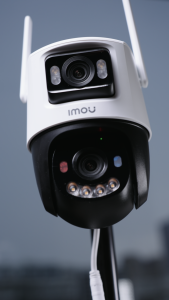
IMOU Cruiser Dual 2 Dual Lens Outdoor P&T Camera Wireless Security CCTV Connect to Cellphone Red-Blue Warning Lights