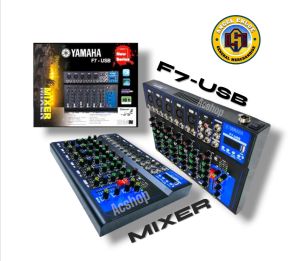
YAMAHA PROFESSIONAL MIXER - 7 CHANNEL WITH BLUETOOTH USB PLAYER
YAMAHA PROFESSIONAL MIXER - 7 CHANNEL WITH BLUETOOTH USB PLAYER
What is a Yamaha Professional Mixer?
A Yamaha Professional Mixer is a versatile audio mixing equipment designed for professional sound engineers, musicians, and DJs. It enables seamless integration of multiple audio sources, including microphones, instruments, and playback devices, while providing high-quality sound output. The 7-channel mixer with Bluetooth and USB player is a perfect choice for small venues, live performances, and studio recordings.
Key Features
- 7 Channels: Each channel features individual volume control, equalizer settings, and effects options.
- Bluetooth Connectivity: Seamlessly stream audio from smartphones, tablets, or computers via Bluetooth.
- USB Player: Built-in USB player allows playback of audio files stored on USB drives.
- Compact Design: Portable and lightweight, making it easy to transport and set up at any location.
Applications
Yamaha Professional Mixers are widely used in various settings, including:
- Live performances and concerts
- Recording studios
- Radio stations
- Houses of worship
- Corporate events and conferences
How to Choose the Right Audio Mixing Equipment
Selecting the appropriate audio mixing equipment is crucial for achieving optimal sound quality and performance. Consider the following factors when choosing the right mixer:
Identifying Your Needs
- Determine the number of audio sources you'll be working with.
- Consider the desired features, such as Bluetooth connectivity, USB player, and built-in effects.
- Assess the portability requirements for your setup.
Comparing Models
Research different models available in the market, comparing their features, specifications, and pricing.
Budget Considerations
Set a budget that aligns with your needs and desired features. Keep in mind that investing in high-quality audio mixing equipment can yield better sound results and overall satisfaction.
Setting Up Your Professional Audio Mixer
Proper setup is essential for maximizing the performance of your Yamaha Professional Mixer. Follow these steps to set up your mixer:
Connecting Audio Sources
Connect microphones, instruments, and playback devices to the appropriate channels on the mixer.
Adjusting Levels
Fine-tune the volume levels for each channel to achieve balanced sound output.
Recording & Playback
Utilize the built-in USB player to record and playback audio files directly from the mixer.
Tips for Optimizing Audio Mixing Performance
Enhance your audio mixing experience by following these tips:
Mastering Sound Quality
- Experiment with different equalizer settings to achieve desired tonal balance.
- Utilize built-in effects to add depth and character to your sound.
Enhancing User Experience
- Familiarize yourself with the mixer's layout and controls for efficient operation.
- Organize cables and connections to minimize clutter and improve workflow.
Troubleshooting Common Issues
- Refer to the user manual for guidance on resolving common problems.
- Contact Yamaha customer support for assistance with technical issues.

ACshop_Electronics
Review

You May Also Like
Mini Mecha Bluetooth Speakers Transparent Wireless Sound Light Rhythm Speaker Subwoofer 6D Surround Sound TWS Audio Speaker
Soft Velvet Earpads 60mm 65mm 70mm 75mm 80mm 85mm 90mm 95 100mm 105mm 110mm Replacement Ear Pads Cushion 1Pair
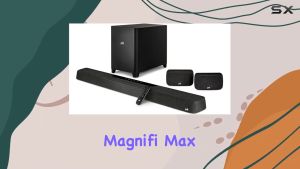
Polk Audio MagniFi Max AX SR - 7.1.2 Channel Dolby Atmos Soundbar and Wireless 10 inch Subwoofer and Wireless Rear Speakers
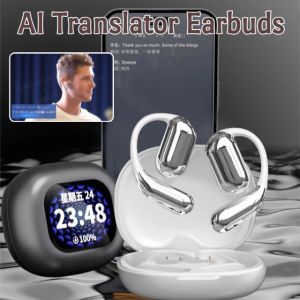
AI Translator Earbuds Smart Touch Screen Bluetooth Weightless Ultra-light Open Sound Technology Real-time Translation High Resolution Headset
Portable 2.1 Bluetooth Amplifier ZK-TB21 TDA7498E Chip para sa Car Audio at Home Audio System
M28 Gaming TWS Bluetooth Earphones with Microphone HiFi Stereo waterproof Sports Earphones Wireless Earphone Headset
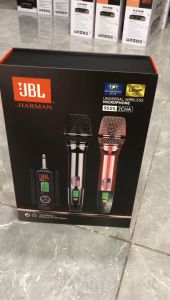
KYLI 950S Universal Wireless Microphone: 2 Channel UHF Microphone for Professional Outdoor Performance
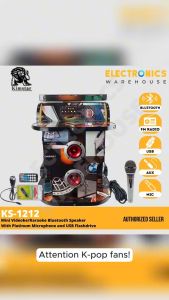
Kimstar KS-1212 Super Heavy Duty Karaoke (w/o TV) Set Big Size Bluetooth Speaker with Microphone
SODLK SD01 100W Bluetooth Speaker Portable Wireless Speaker Waterproof IPX6 Bluetooth speaker
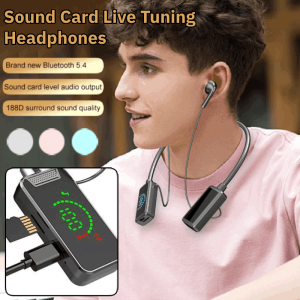
Live Streaming Earphone & Noise Canceling Headset: A Comprehensive Guide
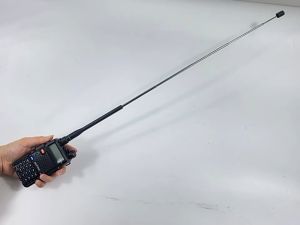
Baofeng Original Antenna Two-Way Radio Telescopic Rod High Gain Antenna Walkie Talkie SMA-Female BF-888s UV5R