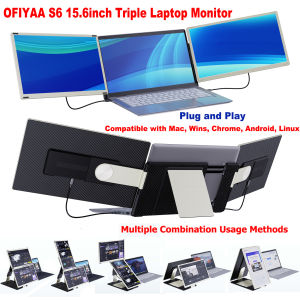
OFIYAA S6 15.6\\\" Laptop Screen Extender Portable Triple Monitor for Laptop with IPS FHD 1080P Display Detachable Screen Extender Compatible with Mac Wins Dex Chrome
OFIYAA S6 15.6\" Laptop Screen Extender Portable Triple Monitor for Laptop with IPS FHD 1080P Display Detachable Screen Extender Compatible with Mac Wins Dex Chrome
Key Features & Benefits
The OFIYAA S6 15.6\" Laptop Screen Extender is a portable triple monitor extender that offers a rich visual experience with an 80% NTSC color gamut. Its plug-and-play compatibility with multiple devices, detachable screens, and customizable settings make it an ideal choice for professionals in various fields.
80% NTSC Color Gamut for Richer Visual Experience
The OFIYAA S6 features an 80% NTSC color gamut, providing a more immersive visual experience with richer color parameters. With a brightness of 300 nits, a resolution of 1920x1080p, and a contrast ratio of 1000:1, this portable triple monitor extender delivers a high-quality display for professional work.
Plug & Play Compatibility with Multiple Devices
The OFIYAA S6 is compatible with various devices, including Windows, MacOS (M1, M2, M3 chips), Chrome, Dex, Xbox, Switch, and PS5. It comes equipped with HDMI, USB-C, and Type-C ports, along with a custom hub that converts USB-A/Type-C transfer ports on laptops to video ports. This plug-and-play design allows users to easily connect the extender to their laptops without the need to clip the monitor, enhancing protection against potential laptop damage.
Detachable & DIY Screens for Customization
The OFIYAA S6 features detachable and DIY multifunctional laptop screen extenders, allowing users to customize their setup according to their needs. This new upgrade enables users to easily adjust screen parameters using multi-function buttons, providing a flexible and personalized experience.
Installation & Setup Guide
Follow these steps to install and set up the OFIYAA S6 portable triple monitor extender.
Connecting the OFIYAA S6 to Your Laptop
- Connect the appropriate cable (HDMI, USB-C, or Type-C) to your laptop and the OFIYAA S6.
- If necessary, use the custom hub to convert USB-A/Type-C transfer ports on your laptop to video ports.
- Power on both your laptop and the OFIYAA S6.
Customizing Screen Parameters & Settings
Use the multi-function buttons on the OFIYAA S6 to adjust screen parameters such as brightness, contrast, and color settings according to your preferences.
Troubleshooting Common Issues
If you encounter any issues during installation or use, refer to the troubleshooting guide included with the OFIYAA S6 or contact customer support for assistance.
Who Should Consider OFIYAA S6?
The OFIYAA S6 portable triple monitor extender is ideal for professionals in various fields who require a high-quality display for their work.
Professional Video Producers & Visual Art Workers
The rich color gamut and high-resolution display make the OFIYAA S6 perfect for professional video producers and visual art workers who need accurate color representation and detail in their work.
Animators & Professional Gamers
With its high contrast ratio and responsive display, the OFIYAA S6 is well-suited for animators and professional gamers who require fast refresh rates and smooth visuals.
Other Compatible Devices & Use Cases
The OFIYAA S6 is compatible with various devices and can be used for a wide range of applications, including video conferencing, streaming, and remote work.
" }

pantorastar
Review

You May Also Like

4 Pieces Rubber Bottom Feet Cover Rubber Feet Wear Protector For MacBook Pro A1278 A1286 A1297 13" 15" 17"
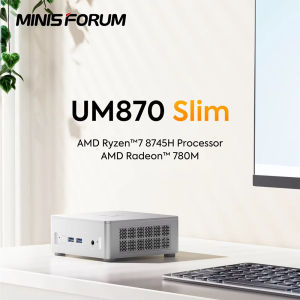
MINISFORUM Mini PC UM870 Slim AMD R7 8745H/R5 7640HS USB4.0 DDR5 2x PCIE4.0 SSD 2.5G LAN Windows 11 Triple Display WiFi6E Bluetooth 5.3 NUC Mini Computer
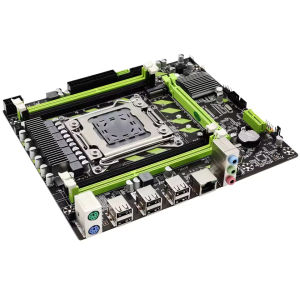
X79 Motherboard Kit LGA 2011+ Xeon E5 2650 V2 +DDR3 16GB (2X8GB) 1600M Desktop Memory Motherboard Combo Full New Kit Set
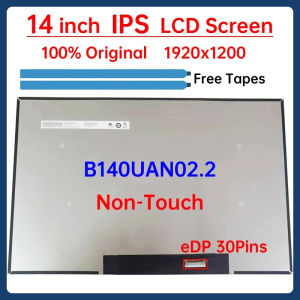
14 Inch IPS Laptop LCD Screen B140UAN02.2 Display Matrix Panel Replacement 1920x1200 eDP 30 Pins Non-Touch
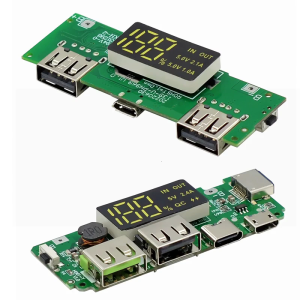
18650 Charging Board Double USB Output Mobile Power Module 5V 2.4A/2A 1A with Overcharge and Shortcircuit Protections
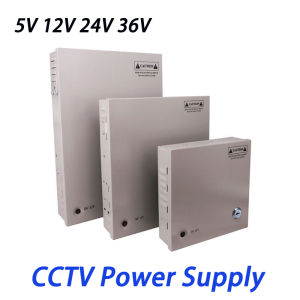
4CH 9CH 18CH DC Power Distribution CCTV Power Supply Box PCB Board Terminal Block 5V 12V 24V 36V 60W/120W/180W/240W/300W/360W Switch Power Supply
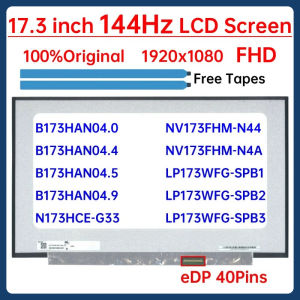
17.3" 144Hz Laptop LCD Screen B173HAN04.0 B173HAN04.4 B173HAN04.9 For MSI MS-17F2 ASUS FX706 Display Matrix Panel eDP 40 Pins

Panther PUP 501 Uninterruptible Power Supply500VA 300 Watts with Digital Display (UPS)
![[PERNG] Tehe 1 Set 4G CARD 300Mbps WWAN Wireless EM7455 1103582 FDD TDD LTE Cat6 NGFF M.2 4G MODULE For Laptop And 4G Router](https://img.lazcdn.com/g/p/7af1d8f3f31d34b3046bc1a1cba29994.jpg_300x300q80.jpg)
[PERNG] Tehe 1 Set 4G CARD 300Mbps WWAN Wireless EM7455 1103582 FDD TDD LTE Cat6 NGFF M.2 4G MODULE For Laptop And 4G Router
![[COD] SUILEI Adjustable 3V 9V 12V 24V 1A 2A Universal AC DC Adapter Display Screen Voltage Regulated Power Supply Adatpor](https://img.lazcdn.com/g/p/ffec1fb99b95bd187a257b763a5db2dd.jpg_300x300q80.jpg)
[COD] SUILEI Adjustable 3V 9V 12V 24V 1A 2A Universal AC DC Adapter Display Screen Voltage Regulated Power Supply Adatpor
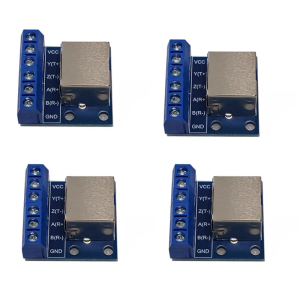
DIN Mountable RJ45 Panel With For Wiring Installation