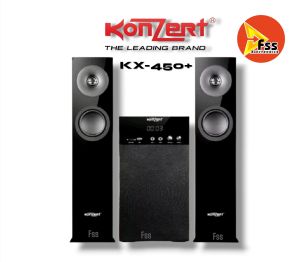
Konzert KX-450+ Multimedia Speaker System w/ Bluetooth FM SD/USB KX450+
Konzert KX-450+ Multimedia Speaker System w/ Bluetooth FM SD/USB KX450+
Introduction to Konzert KX-450+
Konzert KX-450+ is a high-quality audio speaker system that offers a wide range of features to enhance your listening experience. This compact multimedia speaker system is designed with Bluetooth connectivity, FM radio, and SD/USB playback capabilities, making it an excellent choice for music enthusiasts and audiophiles alike. In this article, we will delve deeper into the key features, design, build quality, and comparison with competitors, as well as provide a comprehensive guide on how to use the Konzert KX-450+.
Key Features
The Konzert KX-450+ multimedia speaker system boasts several impressive features that set it apart from its competitors:
- Bluetooth Connectivity: Connect your smartphone, tablet, or laptop to the speaker system wirelessly via Bluetooth for seamless audio streaming.
- FM Radio: Tune in to your favorite radio stations with ease using the built-in FM radio receiver.
- SD/USB Playback: Play your favorite music files stored on SD cards or USB drives directly from the speaker system.
- Compact Design: Despite its impressive feature set, the Konzert KX-450+ remains compact and portable, making it easy to carry around.
Design and Build Quality
The Konzert KX-450+ features a sleek and modern design, with a compact footprint that makes it easy to fit in any room or space. The speaker system is made from high-quality materials, ensuring durability and longevity. The build quality is top-notch, with sturdy construction and a robust finish that adds to its overall appeal.
In terms of design, the Konzert KX-450+ offers a range of customization options, including color choices and finish options, allowing users to personalize their speaker system to match their personal style.
Comparison with Competitors
When compared to its competitors, the Konzert KX-450+ stands out due to its combination of features, build quality, and affordability. While some competing speaker systems may offer similar features, they often come at a higher price point or lack certain features such as Bluetooth connectivity or FM radio.
Moreover, the Konzert KX-450+ boasts superior sound quality and audio performance, thanks to its advanced audio technology and high-quality components.
How to Use Konzert KX-450+
In this section, we will provide a step-by-step guide on how to use the Konzert KX-450+ multimedia speaker system.
Connecting to Bluetooth Devices
To connect your device to the Konzert KX-450+ via Bluetooth, follow these steps:
- Turn on your device's Bluetooth settings.
- Press and hold the Bluetooth button on the speaker system until the LED light turns blue, indicating that the speaker system is in pairing mode.
- Select the Konzert KX-450+ from your device's list of available Bluetooth devices.
- Once connected, you can begin streaming audio from your device to the speaker system.
FM Radio & SD/USB Playback
To tune in to FM radio stations or play music files stored on SD cards or USB drives, follow these steps:
- Press the source button on the speaker system until you reach the desired source (FM radio, SD card, or USB drive).
- For FM radio, use the tuning buttons to navigate through available stations.
- For SD/USB playback, insert your SD card or USB drive into the corresponding slot on the speaker system and press the play button to begin playback.
Setting Up the Speaker System
To set up the Konzert KX-450+ multimedia speaker system, follow these steps:
- Unpack the speaker system and remove any protective packaging.
- Connect the power cord to the speaker system and plug it into a power outlet.
- Turn on the speaker system using the power button.
- Connect your desired audio source (Bluetooth device, FM radio, SD card, or USB drive) to the speaker system.
Troubleshooting Common Issues
In this section, we will address some common issues that users may encounter when using the Konzert KX-450+ multimedia speaker system.
Sound Quality Problems
If you experience sound quality issues with the Konzert KX-450+, try the following solutions:
- Ensure that the audio source is properly connected to the speaker system.
- Check the volume settings on both the audio source and the speaker system.
- Adjust the equalizer settings on the speaker system to optimize sound quality.
Connectivity Issues
If you experience connectivity issues with the Konzert KX-450+, try the following solutions:
- Restart both the speaker system and the audio source device.
- Ensure that the Bluetooth pairing process was completed successfully.
- Move closer to the audio source device if using Bluetooth connectivity.
Volume Control and EQ Settings
To adjust the volume and equalizer settings on the Konzert KX-450+, follow these steps:
- Press the volume up or down buttons to adjust the volume level.
- Press the EQ button to cycle through different equalizer settings.
Conclusion and Final Thoughts
In conclusion, the Konzert KX-450+ multimedia speaker system is an excellent choice for music enthusiasts and audiophiles who value high-quality audio performance, advanced features, and affordability. With its sleek design, compact size, and wide range of customization options, the Konzert KX-450+ is sure to impress even the most discerning listeners.

FSS_Electronics
Review

You May Also Like
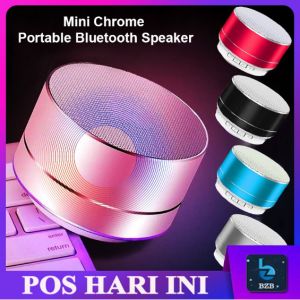
🎁 Discover the Ultimate Portable Audio Duo: Mini A10 Speaker & Mini MP3 Player
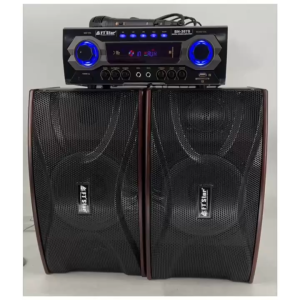
FT-Star MEGAPRO BN-307 USB interface with built-in Bluetooth function & radio1set (FTStar BN307)

Baofeng UV82 Walkie Talkie Long Range 10KM Portable 8W High Power Dual Band UHF/VHF Two Way Radio NTC Approved Handheld Radio Baofeng Uv 82 - Lazada
Easy Installation Headband Cushions Sleeve For HD550 Headsets Headbeam Protectors Provides Superior Comfort And Support
Kevler KR-712A Active Speaker System New
【Sing any time! 】 Mini Bluetooth microphone wireless Bluetooth speaker portable speaker home KTV karaoke microphone
NEW CLASSIC VINTAGE STYLE SPEAKER PH-SY450 W/2 MIC INPUT/AUX IN/BLUETOOTH/USB INPUT
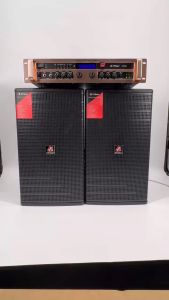
FT STAR FT-JB12 400watts 12 Inches 2-Way Passive Karaoke Speaker System(1 Pcs)

Oraimo OHP-610S Bluetooth Headphones Gesture Control Over Ear Wireless Gaming Headset With Mic Hi-Fi Sound Deep Bass Dual Device Connection Wireless Earphone
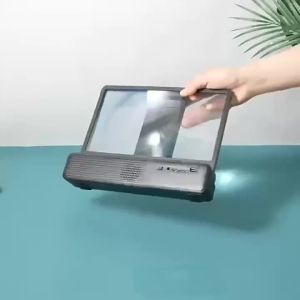
JS-8455 Portable Bluetooth Speaker: A Comprehensive Guide

2PCS Wireless Kids Child 50m Range Walkie Talkie Radio Interphone Two Way Radio