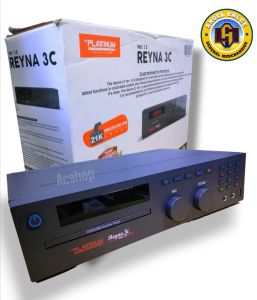
Platinum Player Reyna 3c: A Comprehensive Guide to Your Home Entertainment System
Platinum Player Reyna 3c: A Comprehensive Guide to Your Home Entertainment System
What is the Platinum Player Reyna 3c?
The Platinum Player Reyna 3c is a state-of-the-art DVD Karaoke Player, packed with features designed to bring the ultimate karaoke experience to your home entertainment system. With over 20,000 songs, this device allows you to sing along to your favorite tunes, making it perfect for family gatherings, parties, or just unwinding after a long day.
Key Features
- Vast Song Library: With more than 20,000 songs available, the Platinum Player Reyna 3c offers a diverse selection of music from various genres and artists.
- User-Friendly Interface: The device features an easy-to-navigate interface, making it simple for users of all ages to access their favorite songs.
- High-Quality Sound: Equipped with advanced audio technology, the Platinum Player Reyna 3c delivers crisp, clear sound that enhances your karaoke experience.
- Connectivity Options: This DVD Karaoke Player supports various connectivity options, allowing you to easily connect it to your home entertainment system.
Comparison with Other DVD Karaoke Players
When compared to other DVD Karaoke Players on the market, the Platinum Player Reyna 3c stands out due to its vast song library, user-friendly interface, and high-quality sound. While some competitors may offer similar features, the Platinum Player Reyna 3c provides an unparalleled combination of these elements, making it the ideal choice for any home entertainment system.
How to Set Up Your Platinum Player Reyna 3c
Setting up your Platinum Player Reyna 3c is a straightforward process. Follow these steps to ensure a smooth setup:
- Connect to Your Home Entertainment System: Begin by connecting the DVD Karaoke Player to your TV or monitor using an HDMI cable. If your TV does not have an HDMI port, you can use component cables instead.
- Power On: Once connected, plug in the power adapter and turn on the device using the power button located on the front panel.
- Load Songs & Karaoke Tracks: Insert a DVD containing karaoke tracks into the drive. The Platinum Player Reyna 3c will automatically detect the disc and display a menu of available songs.
Tips for Using Your Platinum Player Reyna 3c
To make the most of your Platinum Player Reyna 3c, consider these tips:
Customizing Your Karaoke Experience
The Platinum Player Reyna 3c offers several customization options to enhance your karaoke experience:
- Adjust Volume Levels: Fine-tune the volume levels for both vocals and instrumental tracks to suit your preferences.
- Change Pitch: Adjust the pitch of the vocal tracks to match your vocal range.
Troubleshooting Common Issues
If you encounter any issues while using your Platinum Player Reyna 3c, try these troubleshooting steps:
- Check Connections: Ensure that all cables are securely connected to both the device and your home entertainment system.
- Restart the Device: If the issue persists, try restarting the device by turning it off and then back on again.
Conclusion: Why Choose the Platinum Player Reyna 3c?
With its vast song library, user-friendly interface, and high-quality sound, the Platinum Player Reyna 3c is the perfect addition to any home entertainment system. Whether you're hosting a party or simply looking for a fun way to unwind, this DVD Karaoke Player delivers an unforgettable karaoke experience that is sure to delight both you and your guests.

ACshop_Electronics
Review

You May Also Like
Desktop Projector Holder Stand Folding Table Mobile Projector Mount Removable Adjustable Projectors Bracket Holder
![CHiQ L42G6F [FHD] 42 Inch Android 11 Smart TV Flat Screen LED Full HD Chromecast Screen Share Voice Control Dolby Netflix Youtube Audio-2x10W Speaker 1920x1080 42G6F Television【Free Wall Bracket & Voice Remote】 - Lazada](https://img.lazcdn.com/g/ff/kf/Sde89b09a6aed4a6cbc1f69f2a561e681N.png_300x300q80.png)
CHiQ L42G6F [FHD] 42 Inch Android 11 Smart TV Flat Screen LED Full HD Chromecast Screen Share Voice Control Dolby Netflix Youtube Audio-2x10W Speaker 1920x1080 42G6F Television【Free Wall Bracket & Voice Remote】 - Lazada
Mini Portable Projectors: A Comprehensive Guide
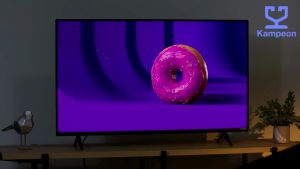
EXPOSE 32 Inch Smart TV Digital TV 4K Full LED TV Android 12.0 Built-in App Google Netflix and YouTube

2pcs belt for Cassette Deck Player DVD Recorder Tape Drive RQ-CW05 RQ-CR05
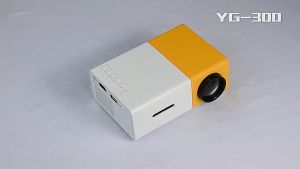
YG300 Projector screen/ Mini portable led Projector with HDMI USB TF Card AV for Home Small Desktop Projector
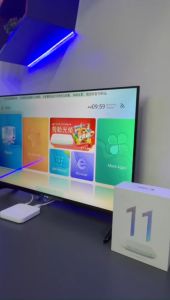
Ubox 10 & 11 Super TV Box: AI Voice Assistant & H616 Processor
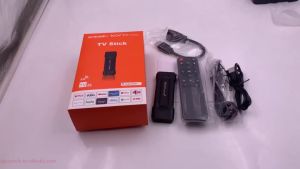
Smart TV Stick MX10 8K Bluetooth 5.0 Mini TV Android 13 Youtube Netflix 2.4G/5G Wifi
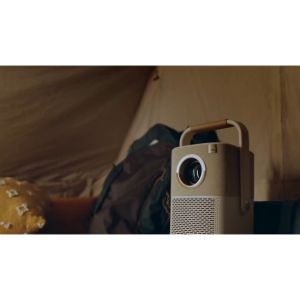
Yaber Entertainment Projector T2 Plus Auto Focus Portable 1080P with JBL Sound Dolby Audio Built-in TV Dongle & NFC Screen Cast | Yaber PH
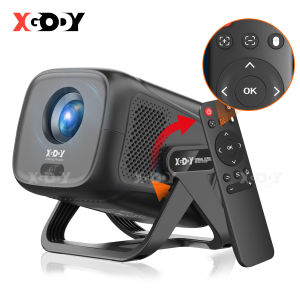
XGODY Gimbal 5 180° Rotation Android TV Smart Projector Native 1080P 4K Decoding 12000 Lumen Automatic Keystone Screen Mirroring Home Theater
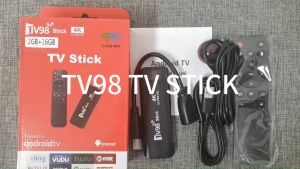
Alston TV98 Stick: A Comprehensive Guide to 4K Ultra HD Streaming