



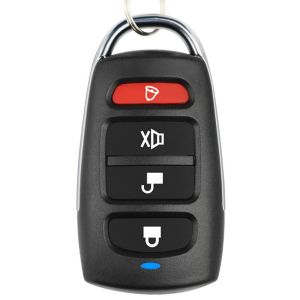
Wireless RF 433mhz Remote Control & Garage Door Gate Duplicator
Wireless RF 433mhz Remote Control & Garage Door Gate Duplicator
What is a Wireless RF Remote Control?
Wireless RF (Radio Frequency) remote controls are devices that transmit signals to operate various appliances, including garage doors, gates, and security systems. These remote controls work by sending radio waves at specific frequencies, such as 433 MHz, to communicate with the corresponding receiver.
Understanding the Basics of Wireless RF Technology
Wireless RF technology enables communication between devices without physical connections. It relies on radio waves, which are electromagnetic waves that transmit data over short distances. In the case of remote controls, these waves are used to send commands from the transmitter (the remote control) to the receiver (the device being controlled).
Key Features of Wireless RF Remote Controls
- Compact size: Wireless RF remote controls are small and easy to carry around.
- Easy to use: Simply press a button to send commands to the connected device.
- Long battery life: Most remote controls have long-lasting batteries, reducing the need for frequent replacements.
- Compatibility: Many remote controls work with various devices, making them versatile.
How to Choose the Right Remote Control for Your Needs
When selecting a wireless RF remote control, consider the following factors:
- Compatibility: Ensure the remote control works with your specific device.
- Range: Check the operating range of the remote control to ensure it meets your needs.
- Ease of use: Look for a remote control with intuitive buttons and clear instructions.
- Battery life: Opt for a remote control with a long-lasting battery to minimize replacements.
Comparing Different Types of Remote Controls: Wireless RF vs. Other Technologies
Wireless RF remote controls offer several advantages over other technologies:
- No line-of-sight required: Unlike infrared remote controls, wireless RF remote controls don't require a direct line-of-sight between the transmitter and receiver.
- Longer range: Wireless RF remote controls typically have a longer range than infrared remote controls.
- Better interference resistance: Wireless RF remote controls are less susceptible to interference from other devices.
Using Your Wireless RF Remote Control & Garage Door Gate Duplicator
To get the most out of your wireless RF remote control, follow these steps:
Step-by-Step Guide to Programming Your Remote Control
- Ensure the receiver is powered on and within range of the remote control.
- Press and hold the programming button on the receiver until the LED light blinks.
- Press the desired button on the remote control to pair it with the receiver.
- Release the programming button on the receiver once the LED light stops blinking.
Troubleshooting Common Issues with Remote Controls
- Remote control not working: Check if the batteries are low or dead. Replace them if necessary.
- Range issues: Ensure there are no obstructions between the transmitter and receiver.
- Interference: Try changing the frequency of the remote control if possible.
Long-Term Maintenance & Care for Your Remote Control
To keep your wireless RF remote control in good condition, follow these tips:
Tips for Extending the Lifespan of Your Remote Control
- Store in a dry place: Keep the remote control away from moisture to prevent damage.
- Avoid dropping: Handle the remote control with care to avoid accidental drops.
- Clean regularly: Use a soft cloth to wipe the remote control clean.
Replacing Batteries & Other Essential Maintenance Tasks
- Battery replacement: Replace the batteries every six months or when the remote control stops working.
- Check connections: Ensure all connections are secure and not loose.
- Keep updated: Check for firmware updates to improve performance and security.

Global Merch Park
Review
You May Also Like
20-100g Easy Melt Solder Wire Stainless Steel High-purity Low-temperature Aluminum Copper Iron Welding Wires Soldering Tools
![[COD] folp 13.56MHz CUID Changeable Anti Shielding UID RFID Tag Block 0 Writable Card For NFC Andriod APP MCT 35mm/40mm](https://img.lazcdn.com/g/p/d3b000e7b4d6f2f07276c3948985c0e8.jpg_300x300q80.jpg)
[COD] folp 13.56MHz CUID Changeable Anti Shielding UID RFID Tag Block 0 Writable Card For NFC Andriod APP MCT 35mm/40mm
MceHKF Drawer Push Lock Sliding Door Showcase Cupboard Cabinet Locks Window Security
32pcs Stainless Steel Feeler Gauge Blades Universal Thickness Gauge High Accuracy Gap Measuring Tool

CHUANGCHAO Airless Paint Sprayer Machine: A Comprehensive Guide
![[ToolOutlet] Combustible Gas Detector 50~10000PPM Methane Natural Gas Flammable Alcohol Methane Analyzer LCD Backlit for Home and RV](https://img.lazcdn.com/g/ff/kf/S6fb7edd73e6342d6bf065a591458804dN.jpg_300x300q80.jpg)
[ToolOutlet] Combustible Gas Detector 50~10000PPM Methane Natural Gas Flammable Alcohol Methane Analyzer LCD Backlit for Home and RV
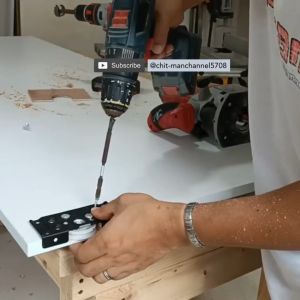
Double Runner Wardrobe Sliding Roller with Door Track for Cabinet Door (3 meter)
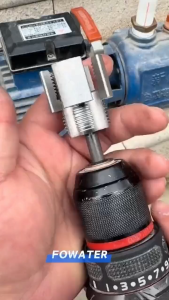
PVC/PPR/PE Pipe Internal and External Drill Tool Integrated Threading Tool/Pipe Extractor(1/2"3/4")
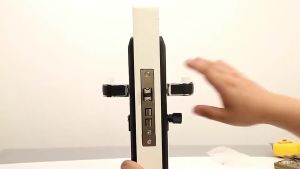
Door Knobs for Main Door Set: Enhancing Security & Style
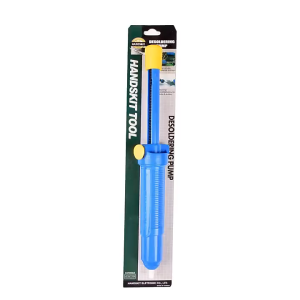
Big Size Desoldering Tool Solder Removal Pump for Welding Repair Work Powerful Solder Suction Tool
Universal Sink Flexible Expandable Drain Pipe Set Retractable Deodorant Sewer Drainage Water Hose Wash Basin Drainer Bathroom Kitchen Accessories Plumbing Sink Hose Strainer
![[Celectroni]3-36V 60W Power Adapter Adjustable Voltage with Display Screen US Plug](https://img.lazcdn.com/g/ff/kf/Se03a3deff06546b094d858023bde5efeP.jpg_300x300q80.jpg)


















