V380 Q6 CCTV Camera: Connect & Monitor Your Home Security
V380 Q6 CCTV Camera: Connect & Monitor Your Home Security
What is V380 Q6 CCTV Camera?
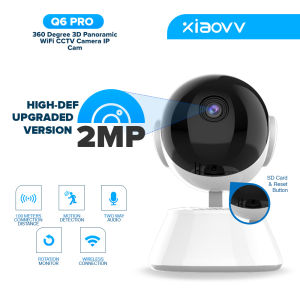
The V380 Q6 CCTV Camera is a top-of-the-line smart security solution designed to protect your home, family, and valuable assets. This mini IP camera features 1080P HD video resolution, two-way audio, night vision capabilities, and motion detection, making it the perfect choice for indoor home security.
Overview of V380 Q6
The V380 Q6 is a versatile, easy-to-install, and user-friendly smart camera that offers exceptional image quality and a wide range of features. With its compact design, it blends seamlessly into any room, providing a discreet yet effective security solution. The camera comes with a bracket for mounting, a screw bag, and a power adapter, making it simple to set up and use.
Key Features & Benefits
- 1080P HD Video: Enjoy crystal-clear, high-definition video footage with the V380 Q6's 1080P resolution, ensuring you never miss a detail.
- Two-Way Audio: Communicate with family members or visitors through the camera's two-way audio feature, which allows you to hear and speak to anyone within range.
- Night Vision Capabilities: See clearly in low-light conditions thanks to the V380 Q6's infrared night vision technology.
- Motion Detection: Receive real-time alerts when the camera detects movement, providing peace of mind and added security.
Setting Up Your V380 Q6 Camera
Setting up your V380 Q6 CCTV Camera is a straightforward process that can be completed in a few simple steps.
Unboxing & Components
When you receive your V380 Q6 package, you'll find the following components:
- 1 x 1080p Mini IPCamera
- 1 x Bracket for camera
- 1 x Screw bag
- 1 x Power Adapter
Installation Process
To install your V380 Q6 CCTV Camera, follow these steps:
- Unpack the components and ensure everything is present.
- Mount the camera bracket on the desired wall or surface using the screws provided.
- Attach the camera to the bracket.
- Connect the power adapter to the camera and plug it into a nearby outlet.
Connecting to WiFi
To connect your V380 Q6 Camera to your WiFi network, follow these steps:
- Download the V380 Q6 App from the App Store or Google Play.
- Open the app and create an account or log in if you already have one.
- Follow the app's instructions to connect the camera to your WiFi network.
Using V380 Q6 for Home Security
Once your V380 Q6 Camera is set up, you can begin using it to monitor your home and protect your loved ones.
Monitoring Your Home with 1080P HD Video
With the V380 Q6's 1080P HD video resolution, you can easily keep an eye on your home, whether you're away on vacation or simply in another room. The camera's wide-angle lens captures a comprehensive view of your surroundings, ensuring you never miss a moment.
Two-Way Audio & Night Vision Capabilities
The V380 Q6's two-way audio feature allows you to communicate with family members or visitors, even if you're not at home. Additionally, the camera's infrared night vision technology ensures you can see clearly in low-light conditions, providing added security around the clock.
Motion Detection for Baby & Home Safety
The V380 Q6's motion detection feature helps keep your home safe by sending real-time alerts when movement is detected. This is especially useful for monitoring babies or pets, as you'll receive notifications whenever they enter the camera's field of view.
V380 Q6 App: Control & Manage Your Camera
The V380 Q6 App is a powerful tool that allows you to control and manage your camera from anywhere, at any time.
Downloading & Setting Up the App
To download and set up the V380 Q6 App, follow these steps:
- Download the app from the App Store or Google Play.
- Create an account or log in if you already have one.
- Follow the app's instructions to connect your camera to your WiFi network.
Viewing Live Feed & Recorded Footage
With the V380 Q6 App, you can view live video footage from your camera and access recorded footage whenever you need it. This allows you to monitor your home remotely and review past events at your convenience.
Customizing Alerts & Notifications
The V380 Q6 App allows you to customize alerts and notifications based on your preferences. Set up motion detection alerts, sound detection alerts, or even schedule regular check-ins to keep tabs on your home security.
In conclusion, the V380 Q6 CCTV Camera is an excellent choice for anyone looking to enhance their home security. With its advanced features, easy installation process, and user-friendly app, it offers a comprehensive solution for protecting your family and assets. So why wait? Get your V380 Q6 CCTV Camera today and start monitoring your home with peace of mind!

Xiaovv
You May Also Like
V380 PRO Solar CCTV Outdoor Waterproof Alarm Surveillance CCTV Camera Wifi Connect 360 APP Control Auto Tracking Smart Security Cameras
KERUI Smart Ear Wax Removal Ear Cleaner With Ear Cleaning Tool 5MP HD Camera Light Ear Wax Removal Kit Endoscope Otoscope
Professioanl Stereo Microscope Lens Protector 48mm Thread Barlow Auxiliary Objective Lens 100mm Working Distance
Kawaii Hello Kitty Digital Cameras & Mini Camcorders: The Perfect Children's Gift
Hamrol 4K Ultra HD 8MP POE NVR Kit H.265 CCTV Record Security System IP Camera Outdoor Home Video Surveillance Camera Set
20X50 Binoculars for Adults High Powered Professional Binoculars with FMC Lens Central Focus Ideal for Bird Watching Camping
Endura PoE Camera Surge Protector Device Package Kit
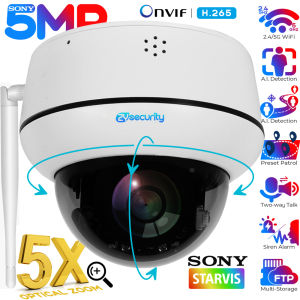
5MP Wifi Dome PTZ Camera 5X Optical Zoom IP Camera Humanoid Tracking Two-way Talk Wireless Home Security Surveillance Cameras
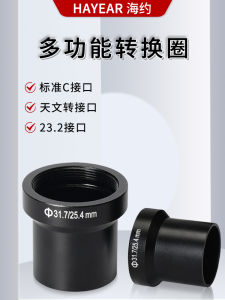
Astronomical Telescope Microscope Multi-functional Conversion Ring 31.7mm Lens Adapter Circle for 25.4m Lens to 23.2mm
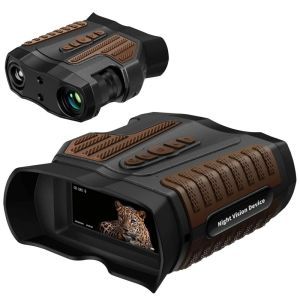
BekinTek 3.2 Inches HD Screen NVG Binoculars: Ultimate Night Vision Experience
Adventure Pirate escope for Children escopic Monocular Toy Outdoor Learning