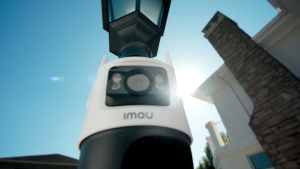
Ezviz H8C PRO 3MP Outdoor CCTV Human Shape Detection Pan & Tilt Wi-Fi Camera Night Vision 360° Coverage Auto-Tracking Weatherproof Design

Ezviz H8C PRO 3MP Outdoor CCTV Human Shape Detection Pan & Tilt Wi-Fi Camera Night Vision 360° Coverage Auto-Tracking Weatherproof Design

What is the Ezviz H8C PRO?

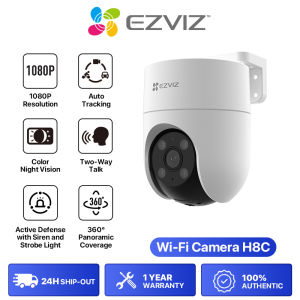
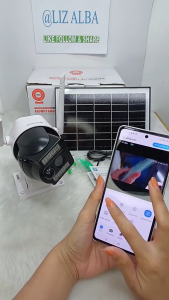
The Ezviz H8C PRO is a state-of-the-art outdoor security camera designed to offer top-notch surveillance capabilities. This 3MP Wi-Fi pan & tilt camera features night vision 360° coverage, weatherproof auto-tracking, and human shape detection, making it an ideal choice for enhancing home and business security. It provides unparalleled protection against potential threats and keeps your property safe around the clock.

Key Features of the Ezviz H8C PRO

The Ezviz H8C PRO boasts several key features that set it apart from other outdoor security cameras:

  • 3MP Resolution: High-definition video quality ensures every detail is captured clearly.
  • Wi-Fi Connectivity: Connects seamlessly to your home Wi-Fi network for remote monitoring and control.
  • Pan & Tilt Functionality: The camera can rotate horizontally and vertically, allowing you to cover a wide area effortlessly.
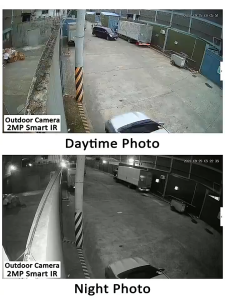
  • Night Vision 360° Coverage: Equipped with infrared LEDs, the Ezviz H8C PRO provides clear footage even in low-light conditions.
  • Weatherproof Design: Built to withstand harsh weather conditions, this camera ensures continuous operation in any climate.
  • Auto-Tracking: Automatically tracks moving objects within its field of view, making it easier to identify potential threats.
  • Human Shape Detection: This advanced feature distinguishes between human shapes and other objects, reducing false alarms.

Comparing with Other Weatherproof Security Cameras

When compared to other weatherproof security cameras, the Ezviz H8C PRO stands out due to its superior features and performance. While some competitors may offer similar functionalities, the Ezviz H8C PRO excels in terms of image quality, connectivity, and ease of use. Its weatherproof design, combined with its advanced auto-tracking and human shape detection capabilities, makes it a top choice for outdoor security needs.

How to Install the Ezviz H8C PRO

Installing the Ezviz H8C PRO is a straightforward process that can be completed in just a few steps. Follow the instructions below to get started:

Step-by-Step Installation Process

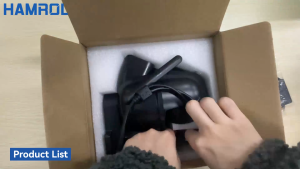
  1. Unpack the Camera: Carefully remove the Ezviz H8C PRO from its packaging.
  2. Mount the Camera: Choose a suitable location for the camera and mount it securely using the included mounting hardware.
  3. Connect Power: Plug the power adapter into the camera and connect it to a power outlet.
  4. Download the App: Install the Ezviz app on your smartphone or tablet.
  5. Add the Camera: Follow the on-screen instructions in the app to add the Ezviz H8C PRO to your account.
  6. Configure Settings: Customize the camera settings according to your preferences.

Tips for Optimal Placement

To maximize the effectiveness of your Ezviz H8C PRO, consider the following tips for optimal placement:

  • Choose a Clear Line of Sight: Position the camera in an area with minimal obstructions to ensure a clear view of the surroundings.
  • Avoid Direct Sunlight: While the camera is weatherproof, direct sunlight can cause glare and affect image quality.
  • Keep Away from Moving Objects: To minimize false alarms, avoid placing the camera near trees, bushes, or other moving objects.
  • Secure the Mounting: Ensure the camera is mounted securely to prevent accidental dislodging or tampering.

Maximizing the Ezviz H8C PRO's Capabilities

The Ezviz H8C PRO offers several advanced features that can be utilized to enhance your outdoor security. Here are some ways to maximize its capabilities:

Utilizing Human Shape Detection

Human shape detection is a powerful feature that allows the camera to distinguish between human shapes and other objects. This reduces false alarms caused by animals, vehicles, or falling leaves. To enable this feature, simply navigate to the settings menu in the Ezviz app and turn on human shape detection.

Setting Up Auto-Tracking

Auto-tracking is another valuable feature that automatically tracks moving objects within the camera's field of view. This makes it easier to identify potential threats and monitor suspicious activity. To activate auto-tracking, go to the settings menu in the Ezviz app and enable this feature.

Expanding Your Security Network with Multiple Cameras

For enhanced security coverage, consider expanding your network by installing multiple Ezviz H8C PRO cameras. This allows you to monitor different areas of your property simultaneously, providing a comprehensive view of your surroundings. Simply follow the installation process outlined above for each additional camera.

Troubleshooting Common Issues

While the Ezviz H8C PRO is designed to provide reliable performance, some users may encounter issues from time to time. Here are some common problems and their solutions:

Connectivity Problems

If you're experiencing connectivity issues with your Ezviz H8C PRO, try the following troubleshooting steps:

  • Restart the Camera: Unplug the power adapter from the camera and plug it back in after a few seconds.
  • Check Wi-Fi Network: Ensure your Wi-Fi network is functioning properly and that the camera is connected to the correct network.
  • Update Firmware: Check for firmware updates in the Ezviz app and install any available updates.

Night Vision Performance

If the night vision performance of your Ezviz H8C PRO is not up to par, consider the following solutions:

  • Adjust Camera Position: Move the camera to a location with less ambient light to improve night vision performance.
  • Clean the Lens: Remove any dirt or debris from the camera lens to ensure optimal night vision.
  • Upgrade Firmware: Install any available firmware updates to improve night vision performance.

Camera Malfunctions

If your Ezviz H8C PRO malfunctions, try the following troubleshooting steps:

  • Restart the Camera: Unplug the power adapter from the camera and plug it back in after a few seconds.
  • Check Connections: Ensure all connections are secure and functioning properly.
  • Contact Support: If the issue persists, contact Ezviz customer support for further assistance.

Conclusion

The Ezviz H8C PRO is a high-quality outdoor security camera that offers advanced features such as human shape detection, auto-tracking, and weatherproof design. By following the installation process and maximizing its capabilities, you can enjoy peace of mind knowing your property is protected around the clock. Whether you're looking to enhance home or business security, the Ezviz H8C PRO is a top choice for reliable surveillance.

Recap of Key Takeaways

  • The Ezviz H8C PRO is a 3MP Wi-Fi pan & tilt camera with night vision 360° coverage and weatherproof design.
  • Key features include human shape detection, auto-tracking, and high-definition video quality.
  • Installation is straightforward and can be completed in just a few steps.
  • To maximize capabilities, utilize human shape detection, set up auto-tracking, and expand your security network with multiple cameras.
  • Troubleshoot common issues such as connectivity problems, night vision performance, and camera malfunctions using the provided solutions.

Final Thoughts on the Ezviz H8C PRO

The Ezviz H8C PRO is a reliable and advanced outdoor security camera that offers top-notch surveillance capabilities. Its weatherproof design, combined with its advanced features, makes it an ideal choice for enhancing home and business security. By following the installation process and maximizing its capabilities, you can enjoy peace of mind knowing your property is protected around the clock.

EZVIZ Global

EZVIZ Global

Seller ratings 99%