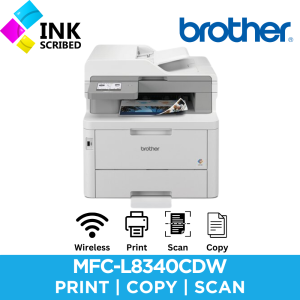
Brother MFC-L8340CDW 4in1 Laser Printer Colored Copier Scanner Fax Wireless Duplex Printer Feeder
Brother MFC-L8340CDW 4in1 Laser Printer Colored Copier Scanner Fax Wireless Duplex Printer Feeder
The Brother MFC-L8340CDW is a versatile 4-in-1 laser printer that combines printing, scanning, copying, and faxing capabilities. In this article, we'll explore its key features, benefits, and how to set it up for optimal productivity.
Key Features & Benefits
High-Quality Printing & Scanning
Brother MFC-L8340CDW offers exceptional print quality with its laser printing technology, producing sharp and clear text and images. The printer supports both black-and-white and color printing, allowing you to choose the right option for your needs. Additionally, its scanning capabilities enable you to easily convert physical documents into digital files, which can then be shared, edited, or stored electronically.
Efficient Duplex Printing & Faxing
The Brother MFC-L8340CDW supports duplex printing, allowing you to print on both sides of the paper, which can help reduce paper waste and save costs. Moreover, its faxing capabilities enable you to send and receive faxes wirelessly, making it convenient for businesses that rely on this communication method.
User-Friendly Design & Setup
The Brother MFC-L8340CDW is designed with ease of use in mind, featuring a simple interface and intuitive controls. Setting up the printer is straightforward, thanks to its wireless connectivity options, which allow you to connect it to your Wi-Fi network with just a few clicks. Additionally, the printer comes with a paper tray and feeder, making it easy to load and manage paper.
Setting Up Your Brother MFC-L8340CDW
Installing the Printer & Connecting to Wi-Fi
To set up your Brother MFC-L8340CDW, start by installing the printer drivers and software on your computer. Once installed, connect the printer to your Wi-Fi network using the printer's control panel or the Brother Mobile Connect app on your smartphone or tablet. Follow the on-screen instructions to complete the setup process.
Configuring Print & Scan Settings
After setting up your printer, configure the print and scan settings according to your preferences. You can adjust settings such as paper size, print quality, and duplex printing. Additionally, you can configure scan settings, including resolution, file format, and output destination.
Adding a Paper Tray & Feeder
To ensure smooth operation, add a paper tray and feeder to your Brother MFC-L8340CDW. This will allow you to load multiple sheets of paper at once, reducing the need for frequent refills. Follow the manufacturer's instructions to install the paper tray and feeder correctly.
Maximizing Productivity with Brother MFC-L8340CDW
Printing & Scanning Multiple Pages at Once
Take advantage of the Brother MFC-L8340CDW's ability to print and scan multiple pages at once. This feature can save time and increase efficiency, especially when working with large documents or projects.
Faxing & Sending Documents Wirelessly
Send and receive faxes wirelessly using the Brother MFC-L8340CDW's fax capabilities. You can also send documents wirelessly to other devices, such as smartphones or tablets, using the Brother Mobile Connect app.
Troubleshooting Common Issues
If you encounter any issues with your Brother MFC-L8340CDW, refer to the user manual or visit the Brother support website for troubleshooting tips and solutions.

Inkscribed
Review

You May Also Like
Niimbot D11 Label Printer Portable Bluetooth Wireless Thermal Smart Label Maker for IOS Android Phone Inkless Price Label Printer with Smart Editing & Mass Printing
W110A 110A Toner Cartridge Compatible with HP Laser MFP 108a 108w 136a 136w 136nw 138p 138pn 138pn
Handheld Labelling Machine Fast Manual Labelling Machine Copper Plate Thermal Self-adhesive Label Trademark Labelling Machine
Printing View - CUYI Pigment Ink 500ML (CyanMagentaBlackYellow)
LIOTOG C19 & C9 Smart Portable Bluetooth Thermal Printer: Photo Printer Mini Printer Paper For Mini Printer Sticker For Portable Printer No-Ink-Required
Polymaker Panchroma UV Shift PLA 3D Printing Filament Glow under UV Light & Temperature Change

4 Bluetooth Thermal Shipping Air waybill Label Sticker Printer for iPhone Andorid Windows MAC J&T
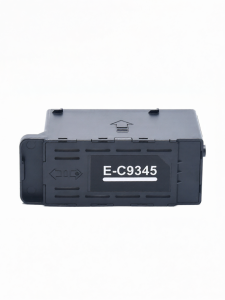
Waste Ink Collector For Epson Printers

Tulco Wooden Screen Printing Frame with 100M

INKSCRIBED NPG68 GPR54 C-EXV50 Toner Cartridge Compatible for Canon IR-1435 IR1435I 1435IF 1435P

Portable Bluetooth Thermal Printer: A6 Printer 203DPI & Photo Printer Phone Compatible