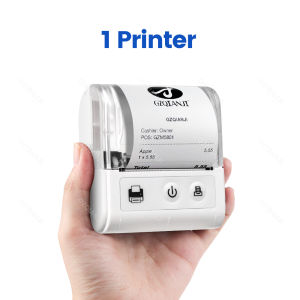
58MM Mini Portable Thermal Printer: A Comprehensive Guide
58MM Mini Portable Thermal Printer: A Comprehensive Guide
Introduction
The 58MM Mini Portable Thermal Printer is a versatile and compact device designed to meet the printing needs of small businesses and individuals alike. It supports both USB and Bluetooth connectivity, allowing seamless integration with iOS and Android devices, as well as computers. In this comprehensive guide, we will explore the key features and benefits of this thermal printer, how to use it, technical specifications, compatibility, after-sale service, and support.
What is a 58MM Mini Portable Thermal Printer?
A 58MM Mini Portable Thermal Printer is a compact device that prints receipts, tickets, and other documents using thermal paper. This printer is perfect for small businesses, personal work management, and other applications that require quick and efficient printing. It has a maximum paper size of 58mm, making it ideal for printing receipts, tickets, and other small documents.
Key Features & Benefits
The 58MM Mini Portable Thermal Printer offers several key features and benefits, including:
- Compact Design: The printer is small and portable, making it easy to carry around.
- Multiple Connectivity Options: It supports both USB and Bluetooth connectivity, allowing seamless integration with various devices.
- Fast Print Speed: With a print speed of up to 40 pages per minute (ppm) and a black print speed of 50-80mm/s, this printer can quickly produce high-quality prints.
- High Resolution: The printer has a maximum resolution of 203 dots per inch (dpi), ensuring clear and sharp prints.
- After-Sale Service: The printer comes with the shop's three guarantees, providing peace of mind for customers.
How to Use the 58MM Mini Portable Thermal Printer
Using the 58MM Mini Portable Thermal Printer is simple and straightforward. Here are some steps to help you get started:
Connecting to iOS & Android Devices
To connect the printer to an iOS or Android device, follow these steps:
- Ensure your device is paired with the printer via Bluetooth.
- Install the printer app on your device.
- Open the app and select the printer.
- Print your desired document or receipt.
Connecting to Computers via USB & Bluetooth
To connect the printer to a computer via USB or Bluetooth, follow these steps:
- Connect the printer to your computer using a USB cable or pair it via Bluetooth.
- Install the printer driver on your computer.
- Open the desired application and select the printer.
- Print your document or receipt.
Printing Bills & Tickets
Printing bills and tickets with the 58MM Mini Portable Thermal Printer is easy. Simply follow these steps:
- Insert thermal paper into the printer.
- Select the desired print settings.
- Click the print button.
- Wait for the printer to finish printing.
Technical Specifications & Compatibility
The 58MM Mini Portable Thermal Printer has several technical specifications and compatibility features that make it suitable for various applications. Here are some of the key specifications:
- Interface Type: The printer supports both USB and Bluetooth connectivity.
- Print Speed: It has a print speed of up to 40 ppm and a black print speed of 50-80mm/s.
- Paper Feed Mode: The printer has a manual paper feed mode.
- Max Paper Size: It supports a maximum paper size of 58mm.
- Power Requirements: The printer requires a voltage of 100-240V.
- Certifications: The printer has CE certification.
After-Sale Service & Support
The 58MM Mini Portable Thermal Printer comes with the shop's three guarantees, providing peace of mind for customers. If you encounter any issues with the printer, here are some troubleshooting tips and FAQs:
Warranty & Guarantees
The printer comes with the shop's three guarantees, which include a warranty period, replacement policy, and return policy. Customers can contact the shop's customer service team for assistance.
Troubleshooting & FAQs
If you encounter any issues with the printer, here are some troubleshooting tips:
- Check if the printer is properly connected to your device.
- Ensure that the printer has enough power.
- Verify that the printer driver is installed correctly.
- Consult the printer manual for further assistance.
Conclusion
In conclusion, the 58MM Mini Portable Thermal Printer is a versatile and compact device that offers several key features and benefits. It is perfect for small businesses, personal work management, and other applications that require quick and efficient printing. With its multiple connectivity options, fast print speed, high resolution, and after-sale service, this printer is a great choice for anyone in need of a reliable and efficient printing solution.
Summary of Key Points
- Compact design
- Multiple connectivity options (USB and Bluetooth)
- Fast print speed (up to 40 ppm and 50-80mm/s black print speed)
- High resolution (203 dpi)
- After-sale service (shop's three guarantees)
Final Thoughts & Recommendations
Overall, the 58MM Mini Portable Thermal Printer is a reliable and efficient printing solution that is perfect for small businesses and individuals alike. Its compact design, multiple connectivity options, fast print speed, high resolution, and after-sale service make it a great choice for anyone in need of a versatile and compact printer.

GZQIANJI Store
Review

You May Also Like
ETQ Compatible Toner Cartridge for Samsung Xpress SCX-3400 SCX-3401 F FH FW SCX-3405 SCX-3407
PPS UV Ink Damper V.2 JV33 DX4 DX5 DX11/XP600 TX800 I3200 Printhead
Premium High-Yield Epson 664 Compatible Ink Bottles – 4 Colors (Black Cyan Magenta Yellow)"
Printing View - CUYI Sublimation Ink 100ML (For EPSON Inkjet Printers)
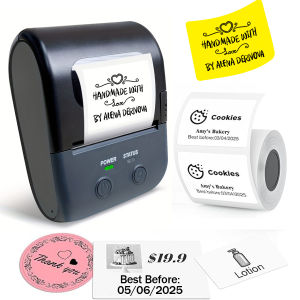
Mini Portable Thermal Printer Self-Adhesive Sticker Label Maker Pocket Printer Labeling Machine Bluetooth similar B1
Mini-printer Thermal Printer Ink-free Portable Sticker Printer Compatible With IOS And Android Wireless Photo Printer For Printing Labels Periodicals Study Notes Memos Photos
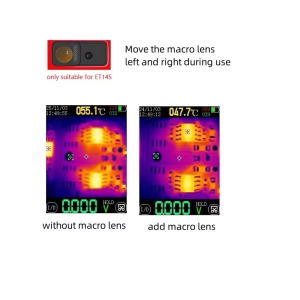
TOOLTOP ET14S Thermal Imager Macro Lens: Unleashing the Potential of Thermal Imaging
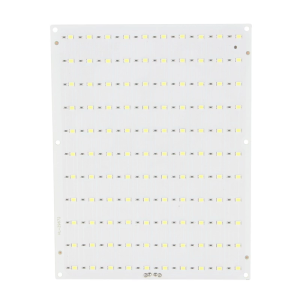
For Lab Lithophane Led Panel CMYK LED Backlight Board CMYK Lithophane Bundle 3D Print Lithophane Photo Accessories
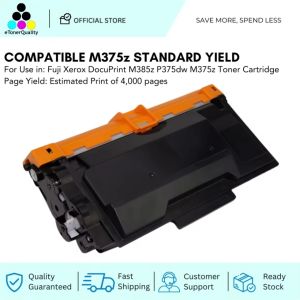
ETQ M375z CT203108 Standard Yield Toner Cartridge Compatible for Fuji Xerox DP M375z Printer
INKSCRIBED TK5234 TK-5234 Compatible Toner Cartridge CMYK for Ecosys M5521cdn M5521cdw P5021cdn P5021cdw
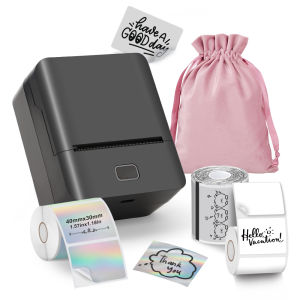
KAYSION Inkless Label Printer Barcode Food Label Clothing Tag Thermal Sticker Small Photo Printer Supermarket Commercial Portable Label Maker APP/CP Wireless