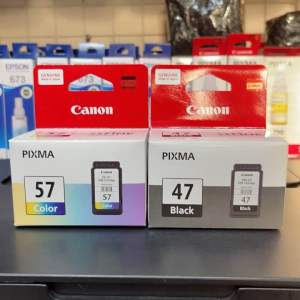
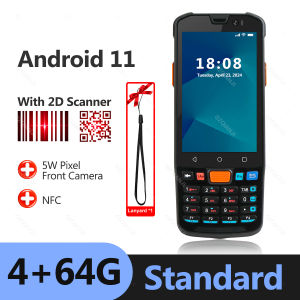
Android 11 PDA Handheld POS Terminal: A Comprehensive Guide
Android 11 PDA Handheld POS Terminal: A Comprehensive Guide
What is an Android 11 PDA Terminal?
An Android 11 PDA terminal is a powerful handheld device that combines the features of a barcode scanner, mobile POS system, and inventory management tool. It is designed specifically for businesses operating in warehouse, logistics, and retail environments. This advanced device offers numerous benefits, including real-time data collection, inventory tracking, and seamless integration with existing systems.
Key Features
- 4G WiFi Barcode Scanner: Equipped with a high-performance 1D/2D/QR barcode scanner, the Android 11 PDA terminal enables businesses to quickly scan and manage their inventory.
- Mobile POS Data Collector: With built-in GPS and wireless connectivity, the device allows for real-time data collection and transmission, streamlining the inventory management process.
- Touchscreen GPS Device: The 4-inch touchscreen display provides an intuitive user interface, while the GPS functionality enables accurate location tracking.
- Inventory Management System: The Android 11 PDA terminal offers robust inventory management capabilities, helping businesses maintain accurate stock levels and improve operational efficiency.
Benefits for Businesses
- Improved Inventory Accuracy: Real-time data collection and inventory tracking minimize errors and discrepancies.
- Enhanced Operational Efficiency: Streamlined processes and automation lead to increased productivity and reduced labor costs.
- Seamless Integration: Compatibility with existing systems ensures a smooth transition and minimal disruption to daily operations.
How to Use an Android 11 PDA Terminal
To maximize the benefits of your Android 11 PDA terminal, follow these steps:
Setting Up Your Device
- Power on the device and connect it to a Wi-Fi network.
- Install any necessary software updates.
- Configure the device settings according to your business requirements.
Scanning Barcodes & Managing Inventory
- Open the inventory management app.
- Scan barcodes using the built-in scanner.
- Update inventory levels and track stock movements.
Connecting to Mobile POS Systems
- Connect the device to your mobile POS system via Bluetooth or Wi-Fi.
- Configure the connection settings.
- Begin processing transactions using the mobile POS system.
Choosing the Right Android 11 PDA Terminal
When selecting an Android 11 PDA terminal, consider the following factors:
- Key Considerations: Think about your business requirements, such as the type of barcode scanning needed, desired connectivity options, and screen size.
- Comparing Top Brands: Research and compare different brands to find the best fit for your business. Consider factors such as durability, battery life, and customer support.
Maintaining & Troubleshooting Your Android 11 PDA Terminal
To keep your Android 11 PDA terminal running smoothly, follow these tips:
Regular Maintenance Tips
- Perform regular software updates.
- Clean the device regularly to prevent dust buildup.
- Charge the battery fully before use.
Common Issues & Solutions
- Issue: Barcode scanner not working.
- Solution: Restart the device and ensure the scanner is properly calibrated.
- Issue: Wi-Fi connectivity issues.
- Solution: Check the Wi-Fi settings and ensure the device is within range of the network.
Conclusion
Summary of Key Points
- An Android 11 PDA terminal offers numerous benefits for businesses, including improved inventory accuracy, enhanced operational efficiency, and seamless integration.
- Proper setup, usage, and maintenance are essential for maximizing the benefits of the device.
- Consider key factors when choosing the right Android 11 PDA terminal for your business.
Final Thoughts
The Android 11 PDA terminal is a valuable tool for businesses looking to streamline their inventory management processes and improve overall efficiency. By following the guidelines outlined in this guide, you can ensure that your device is set up and maintained properly, leading to increased productivity and cost savings.

GZQIANJI Store
Review

You May Also Like
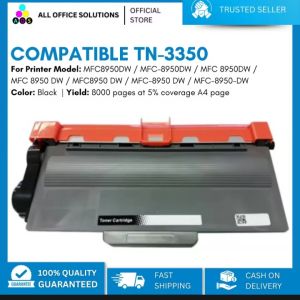
AOS Compatible TN3350 Toner Cartridge for Brother MFC-8910DW Brother MFC8950DW / MFC-8950DW / MFC 8950DW / MFC 8950 DW / MFC8950 DW / MFC-8950 DW / MFC-8950-DW

Date Coding Machine Expiry Date Printer: A Comprehensive Guide
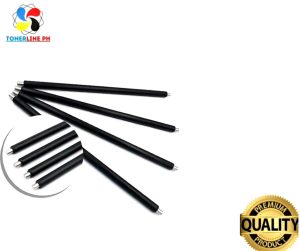
Ricoh Japan PCR for use in MP2014 MP1500 1600 2000 series Compatible
Precise Machined 3D Printing Bed Plate With High Temperature Resistance And Optimized Heat Distribution for X1 P1 H2D
![[COD] Bsuimki Filament Plastic For 3D Printer Multi-colored Optional Rubber Consumables Material](https://img.lazcdn.com/g/p/969147cafc1217caea69c5965885a21e.jpg_300x300q80.jpg)
[COD] Bsuimki Filament Plastic For 3D Printer Multi-colored Optional Rubber Consumables Material
iScan Portable Scanner: Mini Handheld Document Scanner A4 Book Scanner JPG and PDF Format 300/600/900 DPI
Fantasay E Life Peripage A6 Original Mini Portable Printer: On-the-Go Printing & Impeccable Precision
Black Carbon Ribbon for PT-R80B & PT-R80R: A Comprehensive Guide
![[🇵🇭 Stock&COD] Portable Label Printer Bluetooth Thermal Mini Cat Print Photo Pocket Thermal Printer 58mm Printing Wireless Android IOS Printers](https://img.lazcdn.com/g/ff/kf/S460f1825d097454f98feeeb51bd512b5t.jpg_300x300q80.jpg)
[🇵🇭 Stock&COD] Portable Label Printer Bluetooth Thermal Mini Cat Print Photo Pocket Thermal Printer 58mm Printing Wireless Android IOS Printers
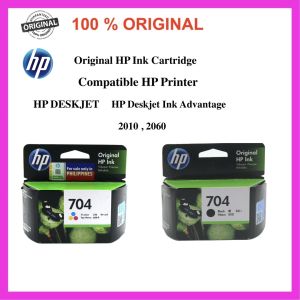
100% Original HP 704 Ink Cartridge For Hp Deskjet Ink Advantage 2010 2060 K110a and K010a
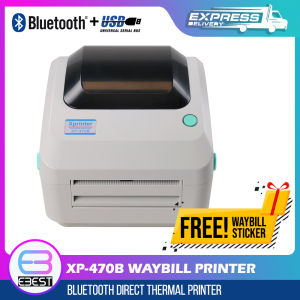
XP-470B Waybill Printer USB/Bluetooth Thermal Printer A6 Size Auto-Peel with 600pcs Waybill Sticker for Labeling Barcode