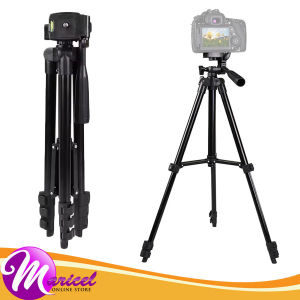
Action Camera SLR DSLR Mirrorless Camcorder Digital Camera Extendable 100cm Lightweight Aluminum Pan Head Photography 4-Leg Section Tripod for Sony Canon Nikon FujiFilm Insta360 DJI Osmo GoPro etc 3120
Action Camera SLR DSLR Mirrorless Camcorder Digital Camera Extendable 100cm Lightweight Aluminum Pan Head Photography 4-Leg Section Tripod for Sony Canon Nikon FujiFilm Insta360 DJI Osmo GoPro etc 3120
Tripods are essential accessories for photographers and videographers who want to stabilize their cameras and capture high-quality images. This article will guide you through understanding the benefits of a lightweight aluminum pan head, choosing the right extendable tripod for your camera, setting up your tripod for maximum efficiency, and maintaining your tripod for long-term use.
Understanding the Benefits of a Lightweight Aluminum Pan Head
A lightweight aluminum pan head is a crucial component of any tripod setup. It offers several advantages, including durability, enhanced camera stability, and easy adjustment for optimal performance.
Exploring the Durability of Aluminum
Aluminum is a strong, lightweight, and corrosion-resistant material that makes it ideal for pan heads. It can withstand harsh weather conditions and resist wear and tear, ensuring that your tripod remains stable and functional for years to come.
Enhancing Camera Stability with a Pan Head
A pan head allows you to rotate your camera horizontally and vertically, providing greater control over your shots. By adjusting the pan head, you can fine-tune the position of your camera to achieve the desired angle and composition.
How to Adjust Your Pan Head for Optimal Performance
To adjust your pan head, start by loosening the tension knobs to allow for smooth movement. Once you have positioned your camera, tighten the knobs to secure it in place. Make sure to adjust the tension knobs to suit your specific needs, as too much tension can make it difficult to move the camera, while too little tension can cause instability.
Choosing the Right Extendable Tripod for Your Camera
Selecting the right extendable tripod for your camera requires careful consideration of several factors, including compatibility with Sony, Canon, Nikon, and other brands, as well as the type of camera you own.
Factors to Consider When Buying a Tripod
When choosing a tripod, consider its weight capacity, height range, leg sections, and compatibility with your camera. It's also important to choose a tripod that is easy to assemble and disassemble, so you can quickly set up and pack away your equipment.
Comparing Tripods for Different Camera Types
SLR DSLR, mirrorless, and camcorder cameras have different weight and size requirements, so it's essential to choose a tripod that can accommodate your specific camera model. For example, a lightweight aluminum tripod may be ideal for a compact mirrorless camera, while a heavier-duty tripod may be necessary for a larger DSLR or camcorder.
The Importance of Compatibility with Sony, Canon, Nikon, and Other Brands
Compatibility with major camera brands like Sony, Canon, Nikon, FujiFilm, Insta360, DJI, Osmo, and GoPro ensures that your tripod will work seamlessly with your equipment. Make sure to check the specifications of your tripod to ensure it is compatible with your camera before making a purchase.
Setting Up Your Tripod for Maximum Efficiency
Proper setup is crucial for maximizing the efficiency of your tripod. Follow these steps to assemble your tripod, secure your camera, and position it for the best shots.
Step-by-Step Guide to Assembling Your Tripod
- Unpack your tripod and remove any protective covers.
- Extend the legs to the desired height, making sure they are locked in place.
- Attach the pan head to the tripod, securing it with the provided screws.
- Connect your camera to the pan head using the appropriate mounting plate.
Tips for Securing Your Camera on the Tripod
To ensure your camera remains stable and secure on the tripod, make sure to use the correct mounting plate and tighten all screws and knobs securely. It's also important to balance the weight of your camera and any accessories, such as lenses or filters, to prevent tipping or wobbling.
Positioning Your Tripod for the Best Shots
Choose a location that provides a stable and level surface for your tripod. Avoid uneven ground or surfaces that may cause instability. Once you have positioned your tripod, adjust the legs to ensure it is level and secure. Finally, use the pan head to position your camera at the desired angle and composition.
Maintaining Your Tripod for Long-Term Use
Regular maintenance is essential for extending the lifespan of your tripod and ensuring it continues to perform optimally. Follow these tips to keep your tripod in top condition.
Cleaning and Storing Your Tripod
After each use, clean your tripod with a soft cloth and mild detergent to remove any dirt or debris. Store your tripod in a dry, cool location away from direct sunlight and extreme temperatures. Make sure to pack it away in its protective case to prevent damage during transport.
Troubleshooting Common Issues
If you experience any issues with your tripod, such as wobbling or instability, check that all screws and knobs are tightened securely. If the problem persists, consult the manufacturer's troubleshooting guide or contact their customer support for assistance.
Extending the Lifespan of Your Tripod
By following these maintenance tips and using your tripod correctly, you can extend its lifespan and ensure it continues to perform optimally for years to come. Remember to always handle your tripod with care and avoid exposing it to harsh weather conditions or rough handling.
In conclusion, a lightweight aluminum pan head and extendable tripod are essential accessories for photographers and videographers who want to stabilize their cameras and capture high-quality images. By choosing the right tripod, setting it up properly, and maintaining it regularly, you can maximize the efficiency of your equipment and achieve stunning results. }

Maricel Online Store
Review

You May Also Like
Nylon Loop Strap For xiaomi Mi Band 10 9 8 Bracelet SmartWatch Wristband Replacement sport pulsera watchband Miband 10 NFC
Acrylic Flip Fold Case: The Ultimate iPad Case Solution
21*23CM Drawstring Travel Bag Large Capacity Headphone Storage Pouch Lightweight Dust-proof Small Item Organizer Women Men Need Bags Draw String Bag Headphone Bags Durable Black Dust-proof Drawstring Bag PU Leather Headset Bag Durable Multi Purpose Storag

Case for Honor X6B/X8B/X8A/X8C 5G Phone Casing Softcase Silicone Shockproof Cover New Design Aesthetic Clear With 9D Soft Film SJMBSWX02
TV Wall Mount Bracket 32-75 inche Swivel Tilt Swivel Monitor LCD Metal Stand Holder Tv Rack Stand Load Capacity 500KG Can be Tilt15°Wall Bracket Swivel Metal stand Bracket for Hanging wall Minimalist modern Tv Rack stand Tv rack
My Three Provinces and My Body Are Suitable for Samsung S24 Phone Case Workers Galaxy Ys23 + Transparent 24ultra Text S22 Soft Case S21 New Arrival S20fe Male Note20 Funny Samsung Case
Computer-Controlled Machine Machine Flat Jumper Spring Industrial Sewing Machine Accessories Machine Flat Standard Brother Yarn Trapper Pick Spring
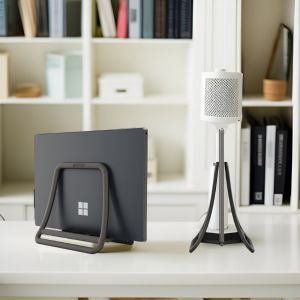
Maximizing Your Workspace: Upright Computer Brackets & Vertical Laptop Stands
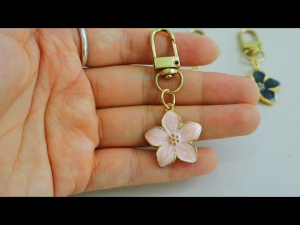
1pc Simple Cherry Blossoms Keyring Women Girls Phone Case Pendant Metal Flower Keychain Solid Color
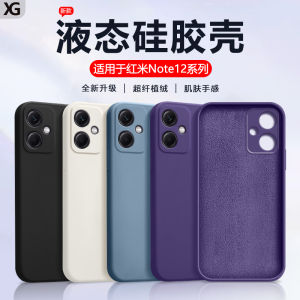
Xiange Li RedmiNote12 Pro+ Liquid Silicone Protective Case Anti-Fall Soft Shell Full Cover Matte Pure Color Phone Case

CrashStar 360° Rotating Stand & Cute Leather Tablet Case: A Comprehensive Guide