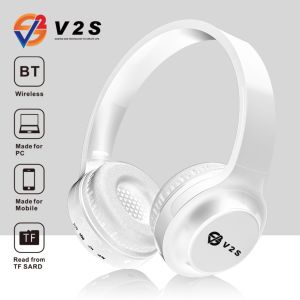
V2S V5 Wireless 5.0 EDR Bluetooth Headphone USB MP3 TF Card FM Radio Function Bass Headset
V2S V5 Wireless 5.0 EDR Bluetooth Headphone USB MP3 TF Card FM Radio Function Bass Headset
The V2S V5 Wireless Bluetooth Headphones offer a versatile and feature-packed experience for users who demand high-quality sound, comfort, and convenience. In this comprehensive guide, we will explore the key features, usage instructions, and reasons why you should choose these headphones.
Key Features
Bass Headset for Gaming
The V2S V5 Wireless Bluetooth Headphones deliver powerful bass performance, making them perfect for gaming enthusiasts who want to immerse themselves in their favorite titles. With deep, rich bass, you can experience every detail of the game's audio, enhancing your gaming experience.
FM Radio Function Headphones
In addition to Bluetooth connectivity, the V2S V5 headphones come equipped with an FM radio function, allowing you to enjoy your favorite radio stations without the need for an external device. Simply tune in to your preferred station and enjoy crystal-clear audio.
USB MP3 TF Card Headset
The V2S V5 headphones support USB and TF card playback, making it easy to listen to your favorite music files stored on external devices. Simply plug in your USB drive or insert a TF card, and enjoy your music library without the need for a smartphone or other device.
How to Use V2S V5 Wireless Bluetooth Headphones
Pairing Headphones with Devices
Pairing the V2S V5 headphones with your smartphone, tablet, or computer is simple and straightforward. Press and hold the power button until the LED light flashes blue, indicating that the headphones are in pairing mode. Then, select the V2S V5 headphones from your device's Bluetooth settings to establish a connection.
Adjusting Volume and EQ Settings
The V2S V5 headphones come with built-in controls for adjusting volume and equalizer settings. Use the volume buttons to increase or decrease the sound level, and access the EQ settings by pressing the EQ button. Experiment with different EQ presets to find the perfect balance for your listening preferences.
Using FM Radio Function
To use the FM radio function, press and hold the power button until the LED light flashes red, indicating that the headphones are in FM mode. Then, use the volume buttons to navigate through the available channels and tune in to your favorite stations.
Why Choose V2S V5 Wireless Bluetooth Headphones
Superior Sound Quality
The V2S V5 headphones deliver superior sound quality, thanks to their powerful bass performance and clear audio reproduction. Whether you're gaming, listening to music, or enjoying the radio, you'll experience every detail of the audio with these headphones.
Comfortable Design
Designed with comfort in mind, the V2S V5 headphones feature soft ear cushions and a lightweight, ergonomic design. The adjustable headband ensures a secure fit, making these headphones perfect for extended listening sessions.
Versatile Connectivity Options
With Bluetooth connectivity, FM radio function, and USB and TF card playback support, the V2S V5 headphones offer a wide range of connectivity options. Whether you're using a smartphone, tablet, computer, or external storage device, these headphones provide a seamless listening experience.

V2S PHILIPPINES
You May Also Like

Robot Speaker RB570 Bass Boosted Stereo 1500mah Battery RGB Lights IPX5 Waterproof Bluetooth Speaker Big 5.3 Original
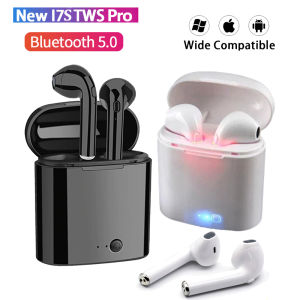
Real Stock i7s TWS Bluetooth Earphone 5.0 Wireless Earbuds & Charging Box
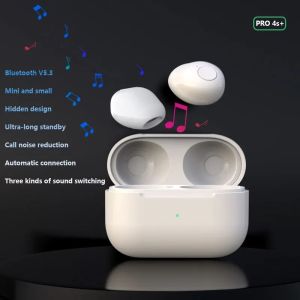
Pro4s+ Mini Invisible Bluetooth Headphones True Wireless Sleep Sports Half-in-ear Headset Long Battery Life High-fidelity
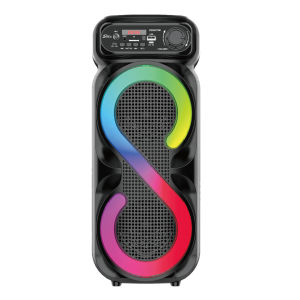
【Local delivery】Bluetooth-Compatible Speaker Karaoke Speaker with RGB Light Portable Boombox USB/TF Outdoor Speaker for Outdoor Camping

QKZ Hi6T Professional Dynamic Earphones Gaming Headphones HIFI Bass Earbuds In Ear Monitor Sport Noise Cancelling Headset With HD Mic
Yoobao M20 Super Bass Wireless Bluetooth V5.3 TWS Speaker with FM Radio TF Card USB Function and RGB Lightning Effect

Jabra Elite 75T True Wireless Headphones: A Comprehensive Guide

Jabra Elite 75t Pro True Wireless Bluetooth Earphones Noise Canceling TWS with Mic Waterproof Earbuds Gaming Earphones 30 Hour Battery Life
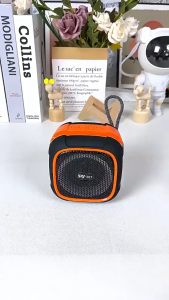
✅100% Original Smilee RGB Disco Bluetooth Speaker Multi-Mode Support (TF/USB/FM) Portable Party Speaker Dynamic

Jabra Evolve 20 Stereo 20 MS USB -A Headset Passive Noise Cancellation
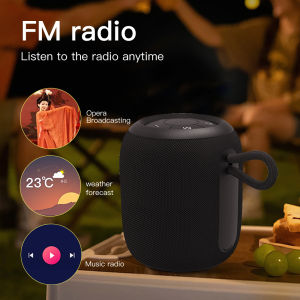
Brifit Portable Mini Wireless Bluetooth Speaker with RGB Light High Quality Stereo Outdoor waterproof speakers with TF Card U-Disk FM Radio Function AUX input