Multi-function Gimbal Stabilizer Q09: A Comprehensive Guide
Multi-function Gimbal Stabilizer Q09: A Comprehensive Guide
Introduction to Multi-function Gimbal Stabilizer Q09
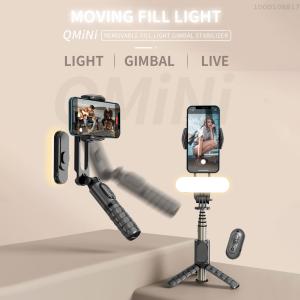
The Multi-function Gimbal Stabilizer Q09 is a cutting-edge device designed to enhance your video production experience. With its 360° rotatable gimbal, remote control functionality, and smart tracking technology, this device is perfect for capturing smooth and stable footage. In addition, it comes equipped with a built-in beauty fill light to ensure your subjects look their best.
Overview of Gimbal Features
The Q09 offers several key features that set it apart from other gimbals on the market. Some of its standout features include:
- 360° rotatable gimbal
- Remote control functionality
- Smart tracking technology
- Built-in beauty fill light
Key Benefits of Using the Gimbal
Using the Multi-function Gimbal Stabilizer Q09 can provide numerous benefits for your video production process. Some of the most notable advantages include:
- Enhanced video quality
- Improved camera stability
- Easy-to-use remote control
- Smart tracking technology for seamless follow shots
Understanding the Multi-function Gimbal Stabilizer Q09
To fully appreciate the capabilities of the Multi-function Gimbal Stabilizer Q09, it's essential to understand its various features and how they work together.
360° Rotatable Gimbal Explained
The 360° rotatable gimbal allows you to capture footage from any angle, making it ideal for creating dynamic and engaging videos. This feature is particularly useful for capturing action shots or creating unique camera movements.
Remote Control Gimbal Functionality
The remote control functionality of the Q09 allows you to control the gimbal from a distance, giving you greater flexibility during filming. This feature is perfect for capturing footage from hard-to-reach locations or for directing the camera remotely.
Smart Tracking Gimbal Technology
Smart tracking technology enables the gimbal to automatically track and follow subjects, ensuring smooth and stable footage even when shooting in motion. This feature is ideal for capturing follow shots or tracking moving subjects.
How to Use Multi-function Gimbal Stabilizer Q09
To get the most out of your Multi-function Gimbal Stabilizer Q09, it's essential to understand how to set it up and use its various features effectively.
Setting Up the Gimbal
To set up the Q09, first attach your camera to the gimbal using the included mounting plate. Next, connect the remote control to the gimbal using the provided USB cable. Finally, power on the gimbal and remote control, and you're ready to start filming.
Using the Remote Control
The remote control allows you to control the gimbal's movements and settings from a distance. To use the remote control, simply press the buttons to adjust the gimbal's movements and settings. For example, you can use the buttons to adjust the gimbal's tilt, pan, and roll angles, or to activate smart tracking mode.
Adjusting Gimbal Settings
The Q09 offers several adjustable settings that allow you to customize its performance to suit your needs. Some of the key settings include:
- Tilt, pan, and roll angles
- Smart tracking mode
- Beauty fill light intensity
Maximizing the Benefits of Multi-function Gimbal Stabilizer Q09
To truly maximize the benefits of your Multi-function Gimbal Stabilizer Q09, it's essential to understand how to utilize its features effectively.
Enhancing Video Quality
By using the Q09's 360° rotatable gimbal and smart tracking technology, you can capture smooth and stable footage that enhances the overall quality of your videos. Additionally, the built-in beauty fill light can help improve the lighting of your subjects, resulting in more visually appealing footage.
Improving Camera Stability
The Multi-function Gimbal Stabilizer Q09 is designed to provide exceptional camera stability, even when shooting in motion. By utilizing the gimbal's smart tracking technology and adjusting its settings to suit your needs, you can ensure that your footage remains smooth and stable throughout the entire shoot.
Utilizing Smart Tracking Technology
Smart tracking technology is one of the standout features of the Multi-function Gimbal Stabilizer Q09. By activating this feature, you can automatically track and follow subjects, resulting in seamless follow shots and improved camera stability. This feature is ideal for capturing action shots or tracking moving subjects.

MKING shop
Review

You May Also Like
Green Background Pink Dot Doll Lanyard for Vivoy200i Phone Case Y53s Protective Case Y100i Crossbody Y77 Silicone Y30/Y76s Drop-Resistant Y78/Y33t Soft Case Y51s/Y52s

Luxury Metal Case & Genuine Leather Strap Mod Kit for Apple Watch
Clear Floor Cover for Backdrops Photography Studio
Sherry Ins Style Floral Phone Case for Apple 17ProMax iPhone 16Pro Sweet Pink Black Girls Heart Simple Fresh Cute Soft Case
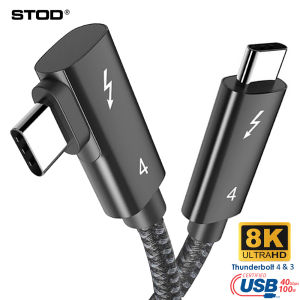
STOD Thunderbolt 4 Cable Right Angle 90 Degree: A Comprehensive Guide
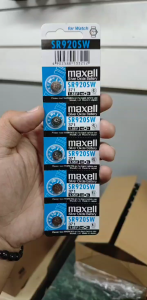
Watch battery SR920 1.55V (5 Pieces/1 Card) Silver Oxide Button Cell 371 370 SR 920 SW G6
20PCS Rubber Belts for Cassettes Players and Video Recorders Turntable Common Bands Repair Belts 30-65mm Mixed

Cute Cartoon Mickey Sticker Stand Shell Compatible with Apple 16ProMax New iPhone 15 Transparent Female Model 360 Rotating Magnetic Absorption Stand 13 Protective Case

Wall Mounted Air Conditioning Cover: Protect & Clean Your AC
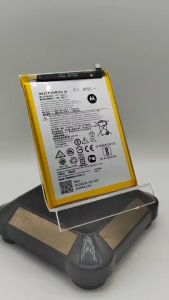
100 New 5000mAh JK50 Motorola Moto G7 Power XT1995 XT 1942-1 Z3 XT1941 G30 P30 Note Mobile Phone Battery
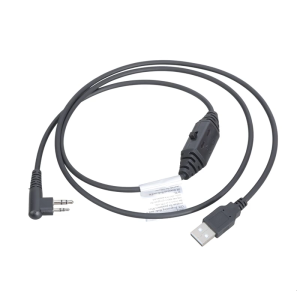
USB Frequency Write Cable Enhances Radio Efficiency For PD500 PD502 PD562 PD565 PD566 PD568 PD580 PD590 Construction Use