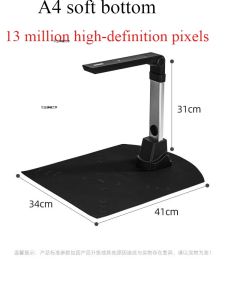
Book & Document Camera: 1300/1400 High-Definition Pixels Definition Professional Book Document Scanner Auto-Flatten
Book & Document Camera: 1300/1400 High-Definition Pixels Definition Professional Book Document Scanner Auto-Flatten
Introduction to High-Definition Professional Scanners
High-definition professional scanners have revolutionized the way we digitize books and documents. These cutting-edge devices offer unparalleled precision and clarity, making them an essential tool for businesses, libraries, and individuals looking to streamline their document management processes. In this article, we will delve into the key features, benefits, and best practices associated with high-definition professional scanners.
Key Features of High-Definition Professional Scanners
High-definition professional scanners come equipped with several key features that set them apart from standard scanning devices. Among these features are:
- High-resolution scanning: With a resolution of 1300/1400 high-definition pixels, these scanners can capture every detail of your documents and books with exceptional clarity.
- Auto-flatten technology: This innovative feature automatically flattens pages, eliminating shadows and wrinkles, resulting in a clean and professional-looking scan.
- High-speed scanning: High-definition professional scanners can process large volumes of documents quickly, saving you time and increasing productivity.
Benefits of High-Definition Professional Scanners
Investing in a high-definition professional scanner offers numerous benefits, including:
- Improved document management: Digitizing your documents allows for easy storage, retrieval, and sharing, streamlining your workflow and enhancing collaboration.
- Enhanced accuracy: High-resolution scanning ensures that every detail is captured accurately, reducing errors and improving data integrity.
- Cost savings: By digitizing documents, you can reduce printing and storage costs, ultimately saving money in the long run.
Book Scanner with Camera: The Ultimate Solution
The book scanner with camera is a versatile and efficient tool designed specifically for scanning books and documents. This device combines the power of high-definition scanning with the convenience of a camera, making it the perfect solution for anyone looking to digitize their collection.
Auto-Flatten Feature Explained
The auto-flatten feature is a game-changer in the world of document scanning. By automatically flattening pages, this technology eliminates shadows and wrinkles, resulting in a clean and professional-looking scan. This feature is particularly useful when scanning bound books or thick documents, as it ensures that every page is captured with the highest level of accuracy.
1300/1400 High-Definition Pixels Scanner Capabilities
With a resolution of 1300/1400 high-definition pixels, the book scanner with camera can capture every detail of your documents and books with exceptional clarity. This level of precision is essential for preserving the integrity of your data and ensuring that every scan is accurate and professional-looking.
Choosing the Right Professional Book Document Camera
Selecting the right professional book document camera requires careful consideration of several factors. Some key considerations include:
- Resolution: Choose a scanner with a high-resolution capability to ensure that every detail is captured accurately.
- Auto-flatten technology: This feature is essential for eliminating shadows and wrinkles, resulting in a clean and professional-looking scan.
- Speed: Consider the scanning speed of the device, as this will impact your productivity and workflow.
Long-Term Benefits of Investing in a Professional Book Document Camera
Investing in a professional book document camera offers several long-term benefits, including:
- Improved document management: Digitizing your documents allows for easy storage, retrieval, and sharing, streamlining your workflow and enhancing collaboration.
- Enhanced accuracy: High-resolution scanning ensures that every detail is captured accurately, reducing errors and improving data integrity.
- Cost savings: By digitizing documents, you can reduce printing and storage costs, ultimately saving money in the long run.
How to Maximize the Potential of Your High-Definition Professional Scanner
To get the most out of your high-definition professional scanner, follow these tips for optimal scanning performance and maintenance:
- Keep the scanner clean: Regularly clean the scanner bed and glass to prevent dust and debris from affecting your scans.
- Use the correct settings: Adjust the scanner settings according to the type of document you are scanning to ensure optimal results.
- Store documents properly: Store your documents in a cool, dry place to prevent damage and ensure that they are in good condition for scanning.
Tips for Optimal Scanning Performance
To achieve the best possible results from your high-definition professional scanner, follow these tips:
- Adjust the resolution: Increase the resolution for more detailed scans or decrease it for faster scanning speeds.
- Use the correct color mode: Choose the appropriate color mode for your document type, such as grayscale for black-and-white documents or color for images.
- Optimize lighting conditions: Ensure that your documents are well-lit and free from shadows to improve scan quality.
Maintenance and Care of Your High-Definition Professional Scanner
To keep your high-definition professional scanner running smoothly, follow these maintenance and care tips:
- Clean the scanner bed and glass regularly: Dust and debris can affect scan quality, so it's essential to keep the scanner bed and glass clean.
- Store the scanner properly: Store the scanner in a cool, dry place when not in use to prevent damage.
- Follow the manufacturer's guidelines: Refer to the user manual for specific maintenance and care instructions for your scanner model.

Daily necessities Shopping PH
Review

You May Also Like
eTONER Compatible Toner Powder for Canon Printer LBP2900 & LBP3000

100CM 3D Printer X Y Z Axes Profile Fixing Bumpers Strips Flexible Protections for 3D Printer and Engraving Machine
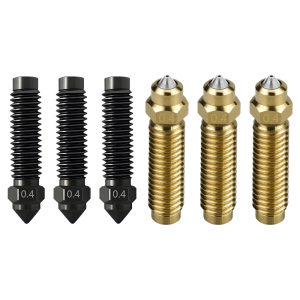
6PCS High Temp Resistant 3D Printer Hotend Nozzle 0.2 0.4 0.6 0.8mm Precisions Printing Accessories
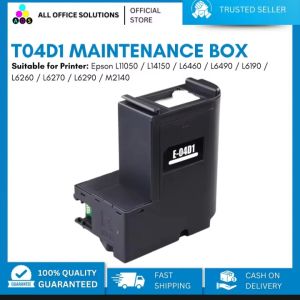
AOS T04D1 Waste Ink Pad for Epson L14150
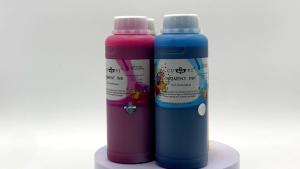
SALEZONE - 500ml Ink for Ep Printer CUYI Pigment Ink & CUYI Sublimation Ink Refillable Ink

250g 500g 1Kg PLA Silk Silver 3D Printer Filament 1.75mm pla silver silk For 3D Printer Material Filament wire Vacuum Packaging
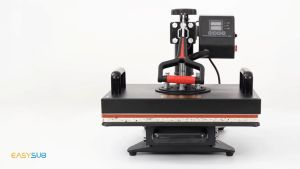
🇵🇭 6 in1 Multifunction Heat Press Machine mini printer for T-Shirt / Mug / Plate / Capprinter for small business Heated Press - Lazada
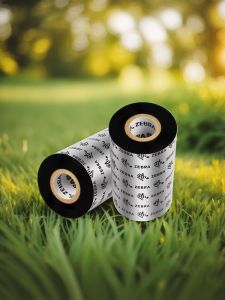
Zebra Wax-Based Carbon Ribbon for SUP0000194 Printer Barcode Printer Carbon Ribbon Roll 110*300 Office Equipment Consumables

Portable Thermal Printer: A Must-Have Learning Tool

INKSCRIBED DR261 DR-261 Compatible Toner Brother HL-3140CW MFC-9140CDW MFC-9330CDW MFC-9340CDW
OPC Drum DR2355 DR2455 DR2255 Compatible for Brother DCP L2540 L2540DW L2550 L2550DW