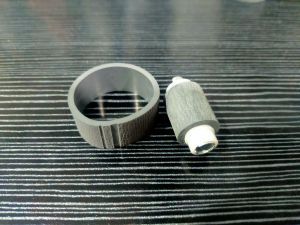
EPSON ROLLER Tire Set For Epson Printers
EPSON ROLLER Tire Set For Epson Printers
Introduction to EPSON ROLLER Tire Set
Epson printers have been a reliable choice for both home and office use, known for their high-quality prints and durability. However, just like any other device, they require maintenance and replacement parts over time. One such essential component is the EPSON ROLLER Tire Set. In this article, we will explore what the EPSON ROLLER Tire Set is, its benefits, how to choose the right one, installation tips, and maintenance strategies.
What is EPSON ROLLER Tire Set?
The EPSON ROLLER Tire Set is a replacement part for Epson printers, specifically designed to ensure smooth paper feeding and accurate printing. This set includes various rollers such as the feed roller, pinch roller, and other related components. Replacing these parts is necessary to maintain optimal printer performance and extend the life of your device.
Benefits of Using EPSON ROLLER Tire Set
Using genuine EPSON ROLLER Tire Sets offers several advantages:
- Improved print quality
- Enhanced paper handling and feeding
- Reduced risk of paper jams
- Extended printer lifespan
- Compatibility with Epson printers
Choosing the Right EPSON ROLLER Tire Set
Selecting the appropriate EPSON ROLLER Tire Set is crucial for ensuring seamless integration with your printer. Here are some factors to consider:
Compatible Printer Supplies for EPSON Printers
It is essential to choose EPSON ROLLER Tire Sets that are compatible with your specific Epson printer model. This ensures proper fitment and optimal performance. Refer to your printer's user manual or visit the official Epson website for a list of compatible supplies.
How to Identify the Correct EPSON ROLLER Tire Set
To identify the correct EPSON ROLLER Tire Set, you will need to know your printer model and the specific components that require replacement. Consult the printer's user manual or visit the Epson website for guidance on identifying the appropriate roller set.
Installing EPSON ROLLER Tire Set
Installing the EPSON ROLLER Tire Set is a straightforward process that requires minimal technical expertise. Follow these steps for a safe and successful installation:
How to Install EPSON ROLLER Tire Set Safely
- Turn off and unplug your printer.
- Open the printer cover and locate the roller components that require replacement.
- Remove the old rollers and install the new ones according to the manufacturer's instructions.
- Close the printer cover and reconnect the power supply.
Tips for Proper Installation of EPSON ROLLER Tire Set
- Refer to your printer's user manual for specific installation instructions.
- Handle the new rollers with care to avoid damaging them.
- Ensure proper alignment and secure attachment of the new rollers.
Maintaining EPSON ROLLER Tire Set
Regular maintenance is essential to extend the life of your EPSON ROLLER Tire Set and maintain optimal printer performance. Here are some tips for maintaining your EPSON ROLLER Tire Set:
EPSON Printer Maintenance Tips
- Clean the rollers regularly using a lint-free cloth and mild cleaning solution.
- Check for wear and tear on the rollers and replace them as needed.
- Follow the manufacturer's guidelines for regular maintenance and servicing.
How to Extend the Life of Your EPSON ROLLER Tire Set
- Use high-quality paper to minimize wear on the rollers.
- Store your printer in a clean, dust-free environment.
- Perform regular cleaning and maintenance tasks as recommended by the manufacturer.
Conclusion
Replacing the EPSON ROLLER Tire Set is an essential part of maintaining your Epson printer's performance and longevity. By choosing the correct roller set, installing it safely, and performing regular maintenance, you can ensure optimal print quality and extend the life of your printer. Remember to consult your printer's user manual or visit the Epson website for guidance on selecting and maintaining the appropriate EPSON ROLLER Tire Set.

JB PARTS & ACCESSORIES
Review

You May Also Like

Epson Ribbon Cartridge LQ-310 S015639/S015634
1D Barcode Scanner Wired USB Type Portable for POS P2P Warehouse Logistic
Heat Resistant 3D Printer Nozzle Hardened Steel 0.4 0.6 0.8mm Size Option For Smooth Consistent Printing
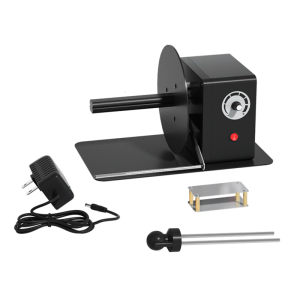
Industrial Label Rewinder Automatic Speed Adjustment 12cm Paper Length Support
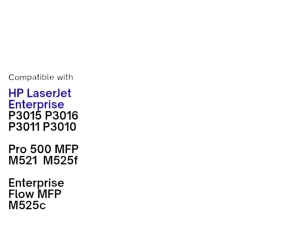
HP 55X/CE255X Toner Cartridge Compatible with HP LaserJet P3015 P3016 P3011 P3010 MFP M521 M525
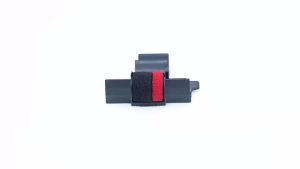
Compatible Calculator Printer Ribbons Ink Roller For Casio For Canon Printing Calculator Cash Regis Black & Red
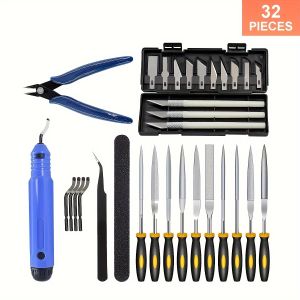
32-Piece 3D Print Tool Kit - Comprehensive Set for Deburbing Cleaning Finishing and Printing - Uncharged Multi-Functional Ac
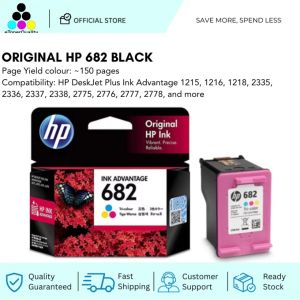
HP 682 Tri-Color Original Ink Advantage Cartridge
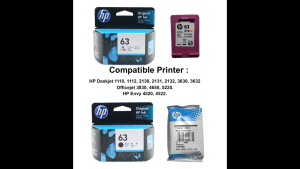
HP 63 100% Original Ink Advantage Cartridge For HP Deskjet 1110 1112 2130 2131 2132 3630 3632. HP Envy 4520 4522. HP Officejet 3830 4650 5220.

+2.0L Heavy Duty Blender - 3-in-1 Juicer Ice Crusher Food Processor - 500W Motor - Philippines.
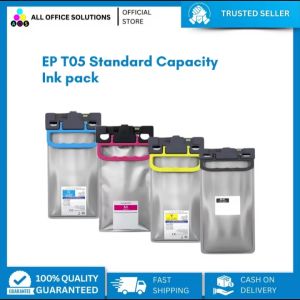
AOS STANDARD CAPACITY INK PACK FOR EPSON T05 C13T05A10N- C13T05A40N for WF-C879R WF-C878R