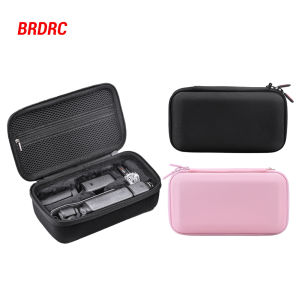
High-Quality Phone Cases & Covers for iPhone, OPPO, and Vivo
High-Quality Phone Cases & Covers for iPhone, OPPO, and Vivo
Discover the Best Phone Cases & Covers
Phone cases and covers are essential accessories to protect your smartphone from damage and enhance its functionality. In this article, we will explore three high-quality phone cases and covers suitable for iPhone, OPPO, and Vivo models: Card Slot Flip Cover, High-Quality Soft TPU Cover, and Magnetic Leather Phone Case Wallet.
Card Slot Flip Cover: The Ultimate Protection
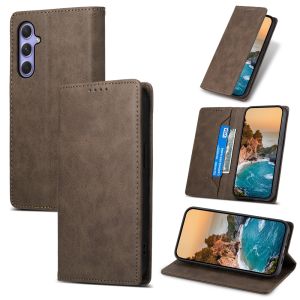
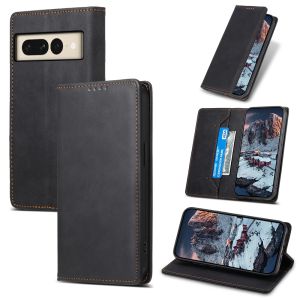
The Card Slot Flip Cover is a versatile and protective accessory for your smartphone. It features a built-in card slot that allows you to store essential cards, such as credit cards, ID cards, and business cards, without compromising any major operation of the fuselage function. This design ensures a secure fit and precise opening position for easy access to your cards.
The combination of soft and hard performance makes this flip cover more durable, providing excellent protection against dust, sticky surfaces, and anti-seismic and anti-fall effects. The high-quality soft PU leather offers a comfortable touch feel, while the soft silicone back cover ensures a secure grip.
High-Quality Soft TPU Cover: Durability & Comfort
The High-Quality Soft TPU Cover is designed to provide all-around protection for your smartphone. This cover is made of luxury PU leather material and soft silicone back cover, which ensures a comfortable touch feel and secure grip. It features a full-scale cover design that enhances the anti-fall protection system, making it ideal for protecting your device from accidental drops and bumps.
The soft TPU material is flexible and lightweight, making it easy to handle and carry. It also features easy stand features that allow you to switch to multi-angle view for reading, watching movies, or facetime. This cover is compatible with various iPhone, OPPO, and Vivo models, providing a perfect fit for your device.
Magnetic Leather Phone Case Wallet: Style & Convenience
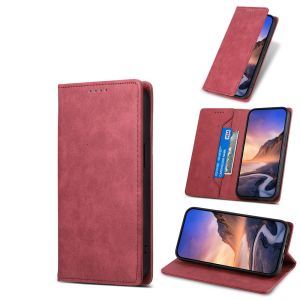
The Magnetic Leather Phone Case Wallet combines style and convenience in one sleek package. This cover features a built-in card slot that allows you to store essential cards, such as credit cards, ID cards, and business cards, without compromising any major operation of the fuselage function. It also features a magnetic closure that ensures a secure fit and precise opening position for easy access to your cards.
The combination of soft and hard performance makes this leather phone case wallet more durable, providing excellent protection against dust, sticky surfaces, and anti-seismic and anti-fall effects. The high-quality soft PU leather offers a comfortable touch feel, while the soft silicone back cover ensures a secure grip.
Key Features & Benefits
All three phone cases and covers offer all-round protection, anti-fall and dust-resistant design, easy stand features, and multifunctional outlets for spare headphones, chargers, and other accessories. They are compatible with various iPhone, OPPO, and Vivo models, providing a perfect fit for your device.
Compatible Models & Customization Options
These phone cases and covers are compatible with the following models:
- iPhone: 16, 15, 14, 13, 11, 12 Pro Max, Plus, SE, X, XR, XS Max
- OPPO: Find X6, X6 Pro, X5, X5 Pro
- Vivo: Y36, Y27, Y04, Y29S, Y03, Y18, Y29, Y02S, Y16, Y02, Y02T, Y02A, Y35, Y22, Y22S, Y33S, Y33T, Y21T, Y21E, Y21, Y21S, Y15S, Y15A, Y01, Y11
Customer Support & Satisfaction Guarantee
Our customer support team is always available to answer any questions you may have about our products. We guarantee 100% new and high-quality original products, and we offer a satisfaction guarantee to ensure your complete satisfaction with your purchase.

Metop Chan Store
Review
You May Also Like
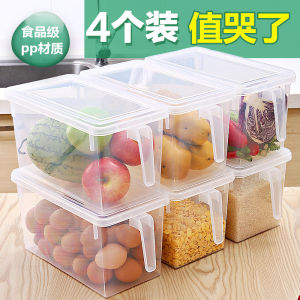
Creative Home Kitchen Supplies Mini Fridge Storage Tools Practical Household Items Japanese Style Other Gift Box Other Gifts

IP68 Waterproof Shockproof Case: Protect Your Samsung & iPhone Devices
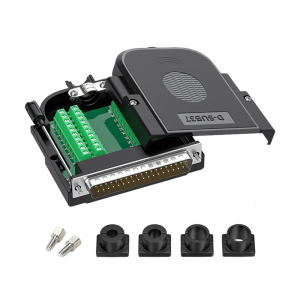
Tool Less DB37 Male Terminal Connector With Environmental Housing For Modem And Barcode Machines

YINSI 1 5Pcs Coffee 750ML Dispenser Syrup Pump Black Liquid Dispenser for Syrup 10Ml Juice Bottle Dispenser Pump
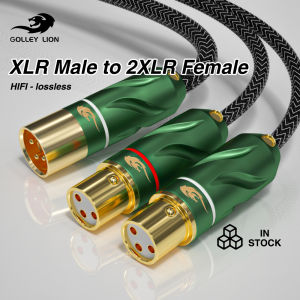
GOLLEY LION 3 Pin XLR Male to Dual Female Y Splitter Adapter Cable for Mixer Amplifier DVD Player for Digital Cables
Webcam 4K Ultra HD EMEET S800 Webcams With HDR Streaming Camera USB Computer Camera 1080P 60fps Perfect for Live Streaming/Laptop/Desktop

LUMISPARK T605 Graphic Tablet: A Comprehensive Guide
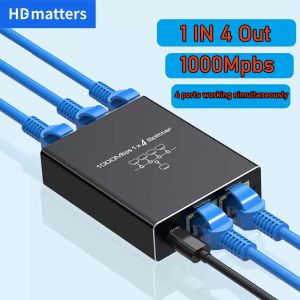
Network Splitter for Ethernet: A Comprehensive Guide\\n\\n Introduction to Network Splitters\\n\\n What is a Network Splitter?\\n\\nA network splitter is a device that allows you to distribute a single Ethernet connection to multiple devices. This is particularly useful if you have limited ports available on your router or switch and want to extend your network coverage. In this comprehensive guide, we will explore the different types of network splitters, how they work, and how to choose the right one for your needs.\\n\\n How Does a Network Splitter Work?\\n\\nNetwork splitters function by taking a single Ethernet connection and splitting it into multiple outputs. This allows you to connect several devices to a single network port, effectively extending your network coverage. There are two main types of network splitters: passive and active. Passive splitters rely solely on the signal strength of the incoming connection, while active splitters amplify the signal to maintain optimal performance across all connected devices.\\n\\n Types of Network Splitters\\n\\nThere are several types of network splitters available, including:\\n\\n- **RJ45 Splitter 1 in 4:** This type of splitter takes a single Ethernet connection and splits it into four outputs, allowing you to connect up to four devices to a single network port.\\n- **Gigabit Ethernet Splitter:** These splitters support speeds up to 1 Gbps, making them ideal for high-speed internet connections and demanding applications such as gaming or video streaming.\\n- **100M 1000M Splitter:** This type of splitter supports both 100 Mbps and 1 Gbps connections, providing flexibility for various network environments.\\n\\n Choosing the Right Network Splitter\\n\\n Key Features to Consider\\n\\nWhen selecting a network splitter, consider the following key features:\\n\\n- **Number of Outputs:** Determine how many devices you want to connect to a single network port.\\n- **Speed:** Choose a splitter that supports the desired speed of your internet connection.\\n- **Compatibility:** Ensure the splitter is compatible with your existing network setup and devices.\\n\\n Differences Between 100M & 1000M Splitter\\n\\nThe main difference between a 100M and a 1000M splitter lies in their supported speeds. A 100M splitter supports connections up to 100 Mbps, while a 1000M splitter supports connections up to 1 Gbps. If you have a high-speed internet connection, a 1000M splitter would be the better choice to ensure optimal performance.\\n\\n Gigabit Ethernet Splitter vs. RJ45 Splitter 1 in 4\\n\\nA Gigabit Ethernet splitter and an RJ45 splitter 1 in 4 differ primarily in their supported speeds and number of outputs. A Gigabit Ethernet splitter supports connections up to 1 Gbps and can have varying numbers of outputs depending on the model. An RJ45 splitter 1 in 4, on the other hand, splits a single Ethernet connection into four outputs and typically supports speeds up to 100 Mbps or 1 Gbps, depending on the model.\\n\\n How to Use a Network Splitter\\n\\n Connecting a Network Splitter to Your PC or Laptop\\n\\nTo connect a network splitter to your PC or laptop, follow these steps:\\n\\n1. Connect one end of an Ethernet cable to the input port of the network splitter.\\n2. Connect the other end of the Ethernet cable to a network port on your router or switch.\\n3. Connect the output ports of the network splitter to your desired devices using Ethernet cables.\\n\\n Setting Up a Network Splitter for Multiple Devices\\n\\nTo set up a network splitter for multiple devices, follow these steps:\\n\\n1. Connect one end of an Ethernet cable to the input port of the network splitter.\\n2. Connect the other end of the Ethernet cable to a network port on your router or switch.\\n3. Connect the output ports of the network splitter to your desired devices using Ethernet cables.\\n\\n Troubleshooting Common Issues with Network Splitters\\n\\nIf you encounter issues with your network splitter, try the following troubleshooting steps:\\n\\n- **Check Connections:** Ensure all Ethernet cables are securely connected to the network splitter and devices.\\n- **Restart Devices:** Restart your router, switch, and connected devices to refresh their network connections.\\n- **Check Network Settings:** Verify that the network settings on your devices are configured correctly.\\n\\n Conclusion\\n\\n Recap of Key Points\\n\\nIn this comprehensive guide, we explored the different types of network splitters, how they work, and how to choose the right one for your needs. We discussed key features to consider when selecting a network splitter, differences between 100M and 1000M splitters, and the distinctions between Gigabit Ethernet splitters and RJ45 splitters 1 in 4. We also provided step-by-step instructions for connecting a network splitter to your PC or laptop, setting up a network splitter for multiple devices, and troubleshooting common issues.\\n\\n Final Thoughts on Network Splitters\\n\\nNetwork splitters are a valuable tool for extending your network coverage and connecting multiple devices to a single network port. By understanding the different types of network splitters and their capabilities, you can choose the right one for your needs and enjoy a seamless networking experience.\n}
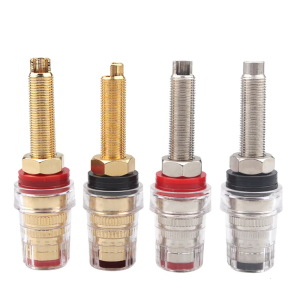
2Pcs Clear Binding Posts HIFI Speaker Terminals for Sound Equipment Feature Copper Construction and Easy Installation
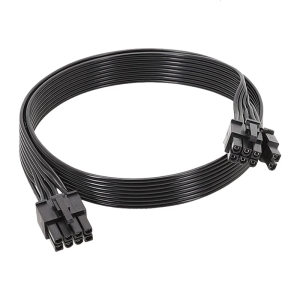
50cm Male to Male 8Pin to 6+2 Pin PCIE GPU Power Cable for GPU Power Supply Compatibility

Long Crossbody Painted Phone Strap Outdoor Travel Anti-loss Chain Camera Cover Durable Nylon Woven Material Vintage Pattern