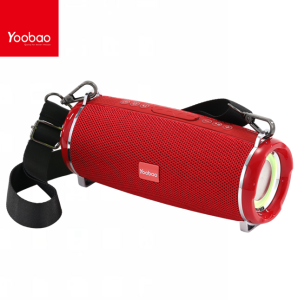
YOOBAO M14 RGB Portable Wireless Stylish Design Stereo Surround Sound Rechargeable Bass Speaker with Strap
YOOBAO M14 RGB Portable Wireless Stylish Design Stereo Surround Sound Rechargeable Bass Speaker with Strap
Overview & Features
The YOOBAO M14 RGB Portable Wireless Speaker is a must-have device for music enthusiasts who want a stylish design and powerful sound performance. This portable wireless speaker comes with a sleek and modern design that will complement any home or office setting.
Key Specifications
Here are some of the key specifications of the YOOBAO M14 RGB Portable Wireless Speaker:
- Bluetooth version: 5.0
- Frequency response: 20Hz - 20KHz
- Power output: 15W
- Battery life: Up to 10 hours
- Charging time: 3 hours
- Dimensions: 9.8 x 4.7 x 2.5 inches
- Weight: 1.2 pounds
Design & Build Quality
The YOOBAO M14 RGB Portable Wireless Speaker features a sleek and modern design that will complement any home or office setting. The speaker has a stylish and compact design, making it easy to carry around wherever you go. The speaker is built with high-quality materials that ensure durability and longevity.
Sound Performance & Audio Features
The YOOBAO M14 RGB Portable Wireless Speaker delivers powerful sound performance with rich bass and clear highs. The speaker features RGB surround sound, which provides a unique and immersive audio experience. Additionally, the speaker has a built-in microphone for hands-free calling and voice commands.
Setup & Usage
Setting up the YOOBAO M14 RGB Portable Wireless Speaker is easy and straightforward. Here are the steps to connect the speaker to your device:
- Turn on the speaker by pressing the power button.
- Press and hold the Bluetooth button until the blue LED light starts flashing.
- On your device, go to the Bluetooth settings and select the YOOBAO M14 speaker from the list of available devices.
- Once connected, you can start playing music or audio files through the speaker.
Controlling the speaker is simple and intuitive. You can use the buttons on the top of the speaker to control volume, play/pause, and skip tracks. Additionally, the speaker has a built-in microphone for hands-free calling and voice commands.
Using the rechargeable battery and charging options is easy. The speaker comes with a micro USB charging cable that you can use to charge the battery. The battery life of the YOOBAO M14 RGB Portable Wireless Speaker is up to 10 hours, which is more than enough for a day's worth of music listening.
Comparison & Competition
The YOOBAO M14 RGB Portable Wireless Speaker stands out from other portable wireless speakers due to its stylish design, powerful sound performance, and built-in microphone for hands-free calling and voice commands. Compared to other stereo speakers with straps, the YOOBAO M14 offers a more compact and lightweight design that makes it easy to carry around.
Compared to other rechargeable bass speakers, the YOOBAO M14 delivers rich and powerful bass that will satisfy even the most discerning music enthusiasts. Additionally, the speaker has a built-in microphone for hands-free calling and voice commands, which is a feature that many other rechargeable bass speakers lack.
In conclusion, the YOOBAO M14 RGB Portable Wireless Speaker is a must-have device for music enthusiasts who want a stylish design and powerful sound performance. With its sleek and modern design, powerful sound performance, and built-in microphone for hands-free calling and voice commands, the YOOBAO M14 is a top contender in the world of portable wireless speakers.

IOS Electronics
Review

You May Also Like
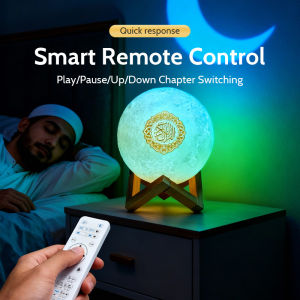
Quran Koran Muslim Islamic Ramadan Arab Azan Wireless Portable Bluetooth Speaker Bright Lamp Night Light Holy Music Sound Box
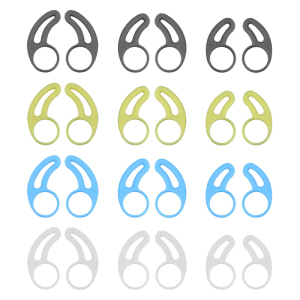
Silicone Earbuds Wingtips Ear Hooks Compatible for Bluetooth-compatible Headphone For Comfortable And Stable Wear
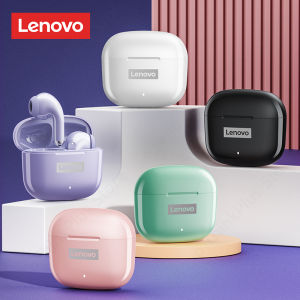
Mezone Lenovo LP40 Pro Wireless Bluetooth Earphone TWS Headphones Gaming Headset Noise With Microphone Waterproof Earbuds Noise Reduction\\n\\n Introduction\\n\\nThe Mezone Lenovo LP40 Pro wireless Bluetooth earphones are a high-quality TWS gaming headset designed for both casual and professional gamers. These earbuds offer exceptional sound quality, noise reduction, and water resistance, making them ideal for gaming, streaming, and everyday use. This comprehensive guide will cover the key features and specifications, how to use the Mezone Lenovo LP40 Pro wireless Bluetooth earphones, and a comparison with competitors.\\n\\n Key Features & Specifications\\n\\n Wireless Connectivity & Sound Quality\\n\\nThe Mezone Lenovo LP40 Pro wireless Bluetooth earphones boast a robust wireless connectivity range of up to 33 feet, ensuring a seamless connection between devices. With support for Bluetooth 5.0, these earbuds provide stable and reliable audio transmission, even in crowded environments. The earphones feature a 10mm dynamic driver that delivers clear, balanced sound with deep bass, making them perfect for gaming, music, and video calls.\\n\\n Microphone & Voice Control\\n\\nEquipped with a built-in microphone, the Mezone Lenovo LP40 Pro wireless Bluetooth earphones offer crystal-clear voice quality during calls and voice commands. The noise-cancellation technology reduces background noise, ensuring that your voice is heard clearly by others. Additionally, these earbuds support voice control, allowing users to easily manage their audio playback and take hands-free calls.\\n\\n Durability & Water Resistance\\n\\nDesigned for durability, the Mezone Lenovo LP40 Pro wireless Bluetooth earphones feature a sturdy build and water-resistant design. With an IPX7 rating, these earbuds can withstand accidental splashes and even short submersion in water, making them perfect for use during workouts or outdoor activities.\\n\\n How to Use Mezone Lenovo LP40 Pro Wireless Bluetooth Earphones\\n\\n Pairing with Devices\\n\\nTo pair the Mezone Lenovo LP40 Pro wireless Bluetooth earphones with your device, simply press and hold the power button on either earbud until the LED light blinks blue, indicating that the earbuds are in pairing mode. Then, open your device's Bluetooth settings and select the Mezone Lenovo LP40 Pro from the list of available devices. Once connected, the LED light will turn solid blue.\\n\\n Charging & Battery Life\\n\\nThe Mezone Lenovo LP40 Pro wireless Bluetooth earphones come with a charging cable and a compact charging case. Each earbud has a battery life of up to 6 hours, while the charging case provides an additional 24 hours of playback time. To charge the earbuds, simply place them back in the charging case and connect the charging cable to a power source.\\n\\n Troubleshooting Common Issues\\n\\nIf you experience issues with the Mezone Lenovo LP40 Pro wireless Bluetooth earphones, such as poor sound quality or connectivity problems, try restarting both the earbuds and your device. If the issue persists, consult the user manual or contact customer support for further assistance.\\n\\n Comparing Mezone Lenovo LP40 Pro with Competitors\\n\\n Sound Quality & Comfort\\n\\nThe Mezone Lenovo LP40 Pro wireless Bluetooth earphones offer superior sound quality compared to many competitors, thanks to their 10mm dynamic driver and noise-cancellation technology. Additionally, these earbuds feature ergonomic designs that provide a comfortable fit, even during extended use.\\n\\n Price & Value\\n\\nPriced competitively, the Mezone Lenovo LP40 Pro wireless Bluetooth earphones offer excellent value for money, considering their high-quality audio performance, durability, and water resistance.\\n\\n Features & Customization\\n\\nWith support for Bluetooth 5.0, voice control, and a compact charging case, the Mezone Lenovo LP40 Pro wireless Bluetooth earphones offer a wide range of features and customization options. Users can easily adjust their audio settings, take hands-free calls, and enjoy seamless connectivity with various devices.\n}
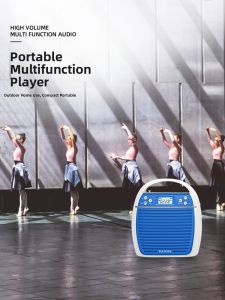
Panda | Panda K31 Portable Loudspeaker Beehive Teacher Special Microphone Large Horn Speaker for Street Vendors And Sales Promotions
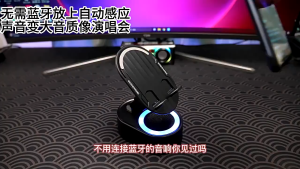
✅100% Original Smilee 5-in-1 Inductive Bluetooth Speaker 360°Rotating Universal Multi-functional Wireless

Awei X660BL Super Bass Dual Dynamic Driver Magnetic IPX4 Bluetooth Wireless Sports Earphone with Microphone

X1 Wireless Mini Bluetooth Speaker: Big Sound in a Small Package
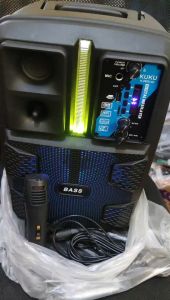
KUKU K-2805 LED BUILT-IN 8.5 Inch Speaker Portable Bluetooth Party Speaker with Microphone
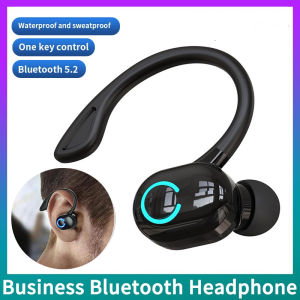
TWS Wireless Earphones Sport Headphones Bluetooth 5.2 Earbuds Handsfree Headset With Mic for IPhone Samsung Xiaomi Smart Phone
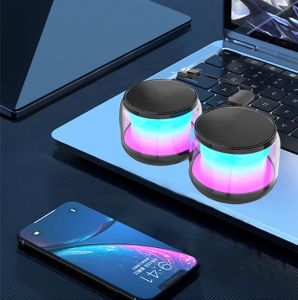
TG NBY226 RGB Lights Wireless Bluetooth V5.2 Computer Speaker: A Comprehensive Guide

Baofeng 5RH-M Walkie Talkie Real 10km Long Range Quick Scan 10W High Power Multi Band Two Way Radio