OFIYAA S2 Triple Laptop Screen Extender: Enhance Work Efficiency with Dual Monitor Setup
OFIYAA S2 Triple Laptop Screen Extender: Enhance Work Efficiency with Dual Monitor Setup
What is OFIYAA S2 Triple Laptop Screen Extender?
The OFIYAA S2 Triple Laptop Screen Extender is a portable dual monitor extender that connects to your laptop via Type-C port, providing a plug-and-play solution for creating a personal workstation. This device supports FHD 1080P IPS display, offering a high-resolution visual experience. It is compatible with various operating systems, including Windows, Mac, Linux, and PS5, making it an ideal choice for users looking to enhance their productivity.
Key Features
- Plug-and-Play: Connect the OFIYAA S2 to your laptop and start working immediately without any complicated setup.
- FHD 1080P IPS Display: Enjoy crystal-clear visuals with a wide color gamut and excellent viewing angles.
- Portable Design: Lightweight and slim, the OFIYAA S2 is easy to carry around and store in the provided bag.
- Adjustable Stand: The built-in kickstand allows you to adjust the screen angle for comfortable viewing.
- Triple Monitor Support: Connect up to three monitors for a seamless multi-tasking experience.
Compatibility
The OFIYAA S2 Triple Laptop Screen Extender is compatible with a wide range of devices, including laptops running Windows, Mac, Linux, and PS5. It supports Type-C ports, ensuring easy connectivity and compatibility with most modern laptops.
Benefits of Using OFIYAA S2
- Improved Productivity: With a dual monitor setup, you can increase your work efficiency by up to 50% by managing multiple tasks simultaneously.
- Space-Saving Design: The compact size of the OFIYAA S2 makes it ideal for users with limited desk space, allowing you to create a personal workstation without taking up too much room.
- Portable Travel Monitor: The lightweight and slim design of the OFIYAA S2 makes it easy to carry around, whether you're traveling for work or leisure.
How to Set Up OFIYAA S2 Triple Laptop Screen Extender
Setting up the OFIYAA S2 Triple Laptop Screen Extender is simple and straightforward. Follow these steps to get started:
Plug and Play Setup
- Connect the Type-C cable to your laptop's Type-C port.
- Connect the other end of the cable to the OFIYAA S2 Triple Laptop Screen Extender.
- Power on your laptop and the OFIYAA S2 will automatically detect and connect to your device.
Connecting to Laptop
The OFIYAA S2 supports various operating systems, including Windows, Mac, Linux, and PS5. Simply connect the Type-C cable to your laptop and the OFIYAA S2, and it will automatically detect and connect to your device.
Adjusting the Kickstand
The built-in kickstand allows you to adjust the screen angle for comfortable viewing. Simply lift the kickstand and adjust it to your desired angle.
Why Choose OFIYAA S2 Triple Laptop Screen Extender?
There are several reasons why you should choose the OFIYAA S2 Triple Laptop Screen Extender:
Space-Saving Design
The compact size of the OFIYAA S2 makes it ideal for users with limited desk space. It allows you to create a personal workstation without taking up too much room.
Portable Travel Monitor
The lightweight and slim design of the OFIYAA S2 makes it easy to carry around, whether you're traveling for work or leisure. It comes with a convenient bag for easy storage and transport.
Versatile Multi-Tasking
With a dual monitor setup, you can increase your work efficiency by up to 50% by managing multiple tasks simultaneously. The OFIYAA S2 supports triple monitor support, allowing you to connect up to three monitors for a seamless multi-tasking experience.
Conclusion
The OFIYAA S2 Triple Laptop Screen Extender is a must-have for anyone looking to enhance their productivity and create a personal workstation. With its plug-and-play setup, FHD 1080P IPS display, and portable design, it is an ideal choice for users who want to improve their work efficiency and enjoy a high-resolution visual experience. Whether you're working from home, traveling for business, or simply looking to upgrade your laptop setup, the OFIYAA S2 Triple Laptop Screen Extender is the perfect solution.

lightnice
![[Lightnice] OFIYAA S2 14" Triple Laptop Screen Extender FHD 1080P IPS Dual Portable Monitor for LaptopType-C Travel Laptop Monitor Extender with KickstandPlug and Play with Windows/Mac/Linux/PS5](https://img.lazcdn.com/g/p/02956c67c80c5a40cc5d421803ff3433.jpg_300x300q80.jpg)
Review

You May Also Like

JGY370 2 RPM to 375 RPM High Torque Speed Reducer 6V/12V24V Metal Reversible Low Speed Worm Gear Motor

V380 Pro Uninterruptible Power Supply Extension cord 12V 1.5A Mini UPS Battery Backup Outdoor CCTV Built-in Battery Working System IP Camera Power Cord For Wifi modem

♀genuine goods Dow Corning DC340 Thermal Conductive Silicone Grease IGBT Module CPU Heat Dissipation Silicone Grease Thermal Conductive Silicone Grease White✱

Thermal Conductivity Pads & Silicon Grease: Enhancing Graphics Card & CPU Heat Dissipation

New Adda Xixi AD0824UX-A71GL Ad0924ub/XB/HB-A71GL 24V Cooling Fan
2025 Slim Office Design i7 Laptop PC 14.1 Intel Core i7 7500U Student Laptop 12 GB RAM 1TB 2 TB SSD Portable Laptop High Configuration Play Games Windows 11
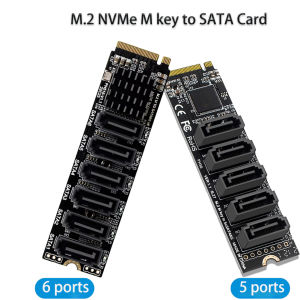
M.2 NVME PCI-E PCIE X4 X8 X16 To 6 Ports 5 Ports 3.0 SATA Adapter Card Riser SATAIII 6Gbps Chassis Server PC Expansion Card
![[COD] E-WOITD 1 Set 2.4Ghz Bluetooth-compatible WIFI Card IPX Connector Card RTL8822CE Dual-Band 802.11ac 1200Mbps M2 Wifi Card](https://img.lazcdn.com/g/p/b395722d9d035aa7a5cd44b5aed90151.jpg_300x300q80.jpg)
[COD] E-WOITD 1 Set 2.4Ghz Bluetooth-compatible WIFI Card IPX Connector Card RTL8822CE Dual-Band 802.11ac 1200Mbps M2 Wifi Card
For EVERFLOW R126015SU 60x60x15mm DC 12V 0.4A 4-Pin PWM High-Speed Cooling Fan
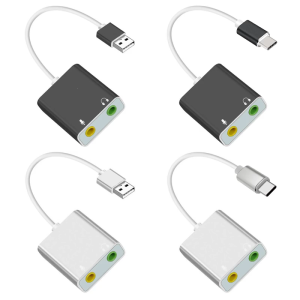
USB Sound Adapter External Stereo Sound with 3.5mm Headphone and Microphones Jacks for Win PC Laptop Desktops
Expose UPS Power Supply Mini 12400mAh for wifi Router modem powerbank For Security Camera CCTV battery DC power