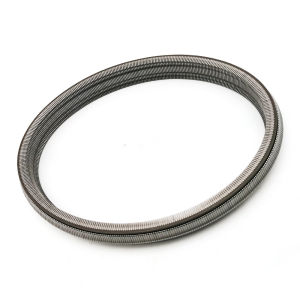
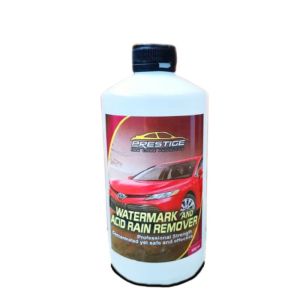
500ml Prestige Watermarks & Acid Rain Remover: A Comprehensive Guide
500ml Prestige Watermarks & Acid Rain Remover: A Comprehensive Guide
What is Prestige Watermarks & Acid Rain Remover?
Prestige Watermarks & Acid Rain Remover is a high-quality car care product designed specifically to address the problem of watermarks, acid rain stains, and grime on vehicle glass surfaces. This 500ml solution is formulated to effectively clean, polish, and restore shine to car windshields, windows, and mirrors, leaving them spotless and crystal clear.
Key Features
- High-performance formula removes watermarks, acid rain stains, and grime
- Restores car shine and clarity for a like-new look
- Acid rain windshield cleaner
- Easy-to-use glass washer
Ingredients
Prestige Watermarks & Acid Rain Remover is made from a blend of powerful cleaning agents and natural ingredients that work together to clean and polish your vehicle's glass surfaces. The formula is designed to be gentle on your car's paint and glass, while still providing powerful cleaning results.
How to Use Prestige Watermarks & Acid Rain Remover
Using Prestige Watermarks & Acid Rain Remover is simple and straightforward. Follow these step-by-step instructions to get the best results:
Step-by-Step Instructions
- Shake the bottle well before use.
- Spray the solution onto the glass surface you want to clean.
- Allow the solution to sit for a few minutes to break down watermarks, acid rain stains, and grime.
- Use a soft cloth or microfiber towel to wipe away the solution and residue.
- Repeat if necessary, especially for stubborn stains.
Application Tips
- For best results, use Prestige Watermarks & Acid Rain Remover on a cool day or in a shaded area to avoid streaking.
- Apply the solution evenly to the entire glass surface.
- Use a clean, dry microfiber towel to buff the glass surface to a brilliant shine.
Benefits of Using Prestige Watermarks & Acid Rain Remover
Using Prestige Watermarks & Acid Rain Remover offers numerous benefits for your vehicle's appearance and performance. Here are some of the top advantages:
Restores Car Shine and Clarity
Prestige Watermarks & Acid Rain Remover is specifically designed to remove watermarks, acid rain stains, and grime from your vehicle's glass surfaces. This helps restore shine and clarity, giving your car a like-new look.
Removes Stains and Grime
The powerful formula in Prestige Watermarks & Acid Rain Remover works to break down and remove stubborn stains and grime from your vehicle's glass surfaces. This helps keep your car looking clean and polished.
Acid Rain Windshield Cleaner
Prestige Watermarks & Acid Rain Remover is formulated to be an effective acid rain windshield cleaner. This helps protect your vehicle's glass surfaces from damage caused by acid rain, which can be especially damaging in areas with heavy industrial pollution.
Comparison with Other Products
When compared to other car care products on the market, Prestige Watermarks & Acid Rain Remover stands out for its effectiveness and cost-effectiveness. Here are some key points to consider:
Effectiveness
Prestige Watermarks & Acid Rain Remover is specifically designed to remove watermarks, acid rain stains, and grime from vehicle glass surfaces. It works quickly and effectively to restore shine and clarity, giving your car a like-new look.
Cost-Effectiveness
Prestige Watermarks & Acid Rain Remover is an affordable option for car owners who want to keep their vehicles looking clean and polished. Its high-quality formula and effective cleaning power make it a great value for the price.
Conclusion
Prestige Watermarks & Acid Rain Remover is a must-have product for any car owner who wants to keep their vehicle looking clean and polished. Its powerful formula removes watermarks, acid rain stains, and grime, restoring shine and clarity to your car's glass surfaces. With its easy-to-use glass washer and acid rain windshield cleaner capabilities, Prestige Watermarks & Acid Rain Remover is a top choice for car care enthusiasts.

Mykart.PH
Review

You May Also Like
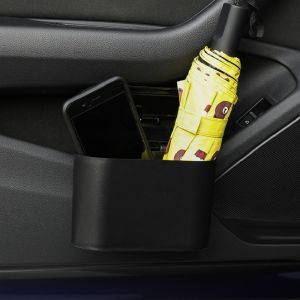
For Geely Preface Azkarra 2020~2025 Car Door Seat Clip Stand Holder Storage Box Portable Hanging Mini Trash Can Trim Accessories
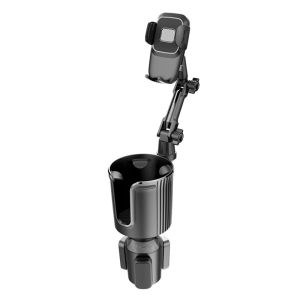
Car Cup Holder Expander 360 Degree Rotating Cup Expander Universal Cup Holder Long Arm Cellphone Mount Adapter for Car

AZDOME M550 MAX 2024: A Comprehensive Guide to the 3 Channel Dash Cam\\n\\n Key Features & Specifications\\n\\nThe AZDOME M550 MAX 2024 is a top-of-the-line 3 Channel Dash Cam designed to provide you with unparalleled safety and security while driving. This advanced dash cam system features a built-in WiFi GPS technology, IR night vision capabilities, and True 4K video quality.\\n\\n 3 Channel Dash Cam System\\n\\nThe AZDOME M550 MAX comes equipped with three cameras: a front camera, a rear camera, and a cabin camera. These cameras work together to provide a comprehensive view of your surroundings, helping you stay aware of potential hazards and protect yourself from false claims.\\n\\n Built-in WiFi GPS Technology\\n\\nThe built-in WiFi GPS technology allows you to easily connect your dash cam to your smartphone or tablet, giving you access to real-time location data and video playback. This feature also enables you to monitor your vehicle remotely, making it ideal for fleet management and personal use.\\n\\n IR Night Vision Capabilities\\n\\nThe AZDOME M550 MAX is equipped with IR night vision capabilities, allowing it to capture clear images even in low-light conditions. This feature ensures that you can stay safe and secure, regardless of the time of day.\\n\\n Installation & Setup\\n\\nInstalling and setting up the AZDOME M550 MAX is a simple process that can be completed in just a few steps.\\n\\n Step-by-Step Installation Process\\n\\n1. Choose a suitable location for the front camera and secure it using the adhesive bracket.\\n2. Install the rear camera and cabin camera in their respective locations.\\n3. Connect the power cable to the car charger and plug it into your vehicle's cigarette lighter socket.\\n4. Insert the microSD memory card into the dash cam and turn it on.\\n\\n Configuring WiFi & GPS Settings\\n\\nTo configure the WiFi and GPS settings, follow these steps:\\n\\n1. Connect your smartphone or tablet to the WiFi network provided by the dash cam.\\n2. Download the AZDOME app from the App Store or Google Play Store.\\n3. Follow the on-screen instructions to connect your device to the dash cam.\\n4. Once connected, you can configure the WiFi and GPS settings through the app.\\n\\n Activating WDR 24H Parking Mode\\n\\nTo activate the WDR 24H parking mode, follow these steps:\\n\\n1. Press the \"Menu\" button on the dash cam's 3.19\" screen display.\\n2. Navigate to the \"Settings\" menu and select \"Parking Mode\".\\n3. Choose the desired parking mode settings and save them.\\n\\n Performance & Functionality\\n\\nThe AZDOME M550 MAX delivers exceptional performance and functionality, thanks to its True 4K video quality, front, rear, and cabin cameras, and user-friendly interface.\\n\\n True 4K Video Quality\\n\\nThe AZDOME M550 MAX captures crystal-clear images in True 4K resolution, providing you with a detailed view of your surroundings. This feature is especially useful for identifying license plates, road signs, and other important details.\\n\\n Front, Rear, & Cabin Cameras\\n\\nThe three cameras included with the AZDOME M550 MAX work together to provide a comprehensive view of your vehicle and its surroundings. The front camera captures a wide-angle view of the road ahead, while the rear camera monitors traffic behind you. The cabin camera keeps an eye on the interior of your vehicle, helping to deter theft and protect against false claims.\\n\\n 3.19\" Screen Display & User Interface\\n\\nThe AZDOME M550 MAX features a 3.19\" screen display and intuitive user interface, making it easy to navigate and configure the dash cam's settings. The screen display also allows you to view recorded footage and adjust the dash cam's settings on the go.\\n\\n Included Accessories & Support\\n\\nThe AZDOME M550 MAX comes with a range of accessories and support resources to help you get the most out of your dash cam system.\\n\\n M550 MAX Components Overview\\n\\nThe AZDOME M550 MAX includes the following components:\\n\\n- Front Camera x1\\n- Rear Camera x1\\n- Cabin Camera x1\\n- Car Charger x1\\n- Power Cable x1\\n- Adhesive Bracket x1\\n- Electrostatic Film x2\\n- Cable Clips x5\\n- Pry Tool x1\\n- User Manual x1\\n- MicroSD Memory Card x1\\n\\n User Manual & Support Resources\\n\\nThe AZDOME M550 MAX comes with a comprehensive user manual that provides step-by-step instructions for installation, setup, and operation. Additionally, AZDOME offers a range of support resources, including FAQs, troubleshooting tips, and technical support, to help you get the most out of your dash cam system.\\n\\n Troubleshooting Tips & FAQs\\n\\nIf you encounter any issues with your AZDOME M550 MAX, refer to the user manual or visit the AZDOME website for troubleshooting tips and FAQs. The AZDOME support team is also available to assist you with any questions or concerns you may have.\\n\"\n}
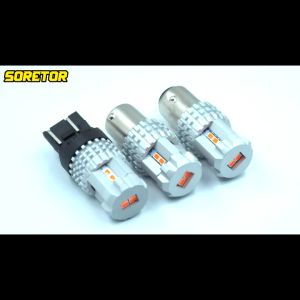
【In-Demand Item】 DriveDynasty TUFFOO 2Pcs T20 7440 7443 W21/5W 1157 P21/5W BAY15D LED Bulb Red Replacement Lamp for Car Strobe Flash Brake Stop Tail Rear Fog
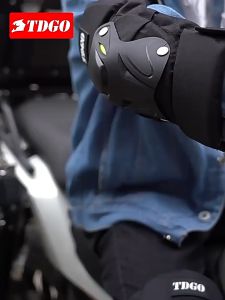
Summer motorcycle equipment protective knee cushion bicycle pedal car racing protector

Anti-Slip Rubber Fuel Tank Stickers for Yamaha FZ1N FZ8N Modification Fishbone Design Scratch-Resistant Decals Motorcycle Accessories
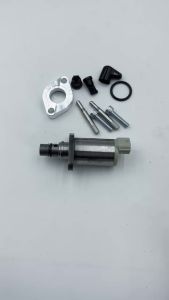
294200-0040 Fuel Pump Suction Control Valve SCV for Toyota Avensis Estate 2.0

Car Handbag Holder Car Mesh Organizer Net Pocket Purse/Book/Phone HolderTissue Box 3-IN-1 Auto Interior Organizers
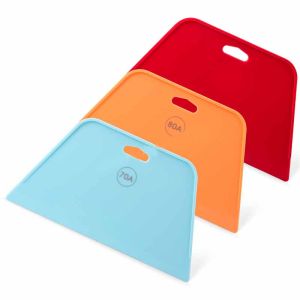
WR-079 Blue Orange Red Plastic Squeegee for Car PPF Macolay Enterprise

Carbon Fiber Anti-Kick Mats for 2024 & 2025 Mustang: A Comprehensive Guide
SUABE TIRE BLACK INTENSE SHINE / Tire Matte Shine / Tire Conditioner / Waterbased Tireblack 100ml