



Portable Micro Body Camera: L8 Mini WiFi Video Camera & HD 1920P Surveillance Camcorder
Portable Micro Body Camera: L8 Mini WiFi Video Camera & HD 1920P Surveillance Camcorder
What is a Portable Micro Body Camera?
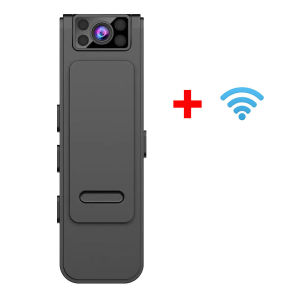
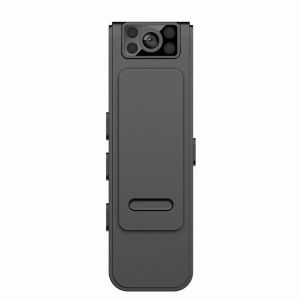
A portable micro body camera, such as the L8 Mini WiFi Video Camera, is a compact and lightweight device designed for discreet recording in various settings. These cameras are equipped with features such as built-in MIC DVR, mini WiFi connectivity, and night vision capabilities, making them ideal for surveillance, security, and personal use.
Key Features: Mini WiFi Video Camera & Built-in MIC DVR
- Mini WiFi Video Camera: The L8 Mini WiFi Video Camera is small enough to fit in your pocket, yet powerful enough to capture high-quality video footage. It connects to your WiFi network, allowing you to remotely access and control the camera.
- Built-in MIC DVR: The built-in MIC DVR ensures clear audio recording along with the video, making it easier to capture conversations and other important sounds.
Applications: Night Vision Body Cam & HD 1920P Surveillance Camcorder
- Night Vision Body Cam: The L8 Mini WiFi Video Camera comes equipped with night vision capabilities, allowing it to capture clear footage even in low-light conditions.
- HD 1920P Surveillance Camcorder: The camera records in HD 1920P resolution, providing crystal-clear video footage for surveillance purposes.
How to Choose the Right Portable Micro Body Camera
When selecting a portable micro body camera, consider the following factors:
Considerations: Size, Connectivity, & Durability
- Size: Choose a camera that is small enough to be discreet while still providing the necessary features.
- Connectivity: Look for a camera with built-in WiFi connectivity to enable remote access and control.
- Durability: Opt for a camera that is water-resistant and shockproof to withstand various environmental conditions.
Comparing Models: L8 Mini WiFi Video Camera vs. Other Options
Compare the L8 Mini WiFi Video Camera with other portable micro body cameras on the market to determine which model best suits your needs.
Setting Up & Using Your Portable Micro Body Camera
Follow these steps to set up and use your L8 Mini WiFi Video Camera:
Installation Guide: Connecting to WiFi & Configuring Settings
- Connect the camera to your WiFi network by following the manufacturer's instructions.
- Configure the settings according to your preferences, such as adjusting the resolution, frame rate, and audio settings.
Recording Techniques: Best Practices for Maximizing Camera Performance
- Position the camera strategically to capture the desired footage.
- Use the built-in MIC DVR to ensure clear audio recording.
- Adjust the settings to optimize the camera's performance based on the lighting conditions.
Maintenance & Troubleshooting
Keep your L8 Mini WiFi Video Camera in good working condition by following these tips:
Cleaning & Storage Tips
- Clean the camera lens regularly to maintain clear footage.
- Store the camera in a dry, cool place to prevent damage.
Common Issues & Solutions
- If the camera is not connecting to WiFi, check the network settings and ensure the camera is within range.
- If the video quality is poor, adjust the resolution and frame rate settings accordingly.
By following these guidelines, you can make the most of your L8 Mini WiFi Video Camera and enjoy the benefits of a portable micro body camera for surveillance, security, and personal use.

Qingyi Electronics
Review

You May Also Like
8mm Single Lens Endoscopic HD Camera – Industrial Sewer Line & Auto Repair Visual Detector for Engine Inspection。
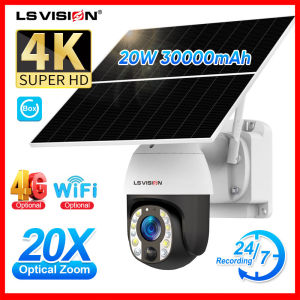
LS VISION UBOX 4K WiFi/4G Solar CCTV Camera 24/7 Recording 20X Optical Zoom Dual Working Mode Waterproof VTwo-way Voice Wireless Camera Full Color Night Vision Motion Detection PTZ Home IP Security Cameras
Childrens Camera Simulation Cartoon Projection Movie Two Modes Baby Educational Toys Luminous Projector
HIKVISION CCTV Camera Connect Cellphone HD 1080P CCTV With Audio And Speaker IP Security Cameras WiFi Mini Indoor Night Vision Baby Monitor CCTV Light Bulb Connect To Cp
V380 PRO Baby Monitor Mini WiFi CCTV Camera HD 1080P Indoor IP Camera Infrared Night Vision AI Motion Detection Two Way Audio And Speaker Portable Home Security Camera

TP-Link Tapo C420 Smart Wire-Free Security Camera System
ICSEE XM R6 Dual Lens WiFi Surveillance Camera: A Comprehensive Guide

Ear Cleaning Endoscope & HD Ear Camera: A Comprehensive Guide
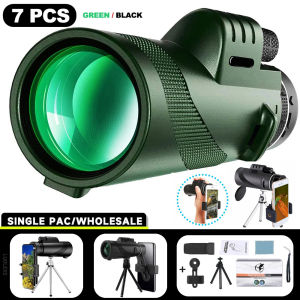
80x100 Portable Zoom HD 5000M Telescope Folding Long Distance Mini Powerful Telescope for Hunting Sports Outdoor Camping Travel
Hikvision 2MP 5MP/3K Smart Hybrid Light with ColorVu Fixed Bullet Camera With Audio CCTV Camera IP67
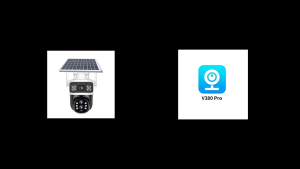
V380 3 Screens: A Comprehensive Guide to Solar-Powered Wireless Home Security
![[Ready Stock] Hidden Camera Full HD 1080P Wireless Mini Camera Charger Appearance Voice Video Recording Small Camera](https://img.lazcdn.com/g/ff/kf/S14966d2fbc9c4a6191006ad115127d741.jpg_300x300q80.jpg)


















