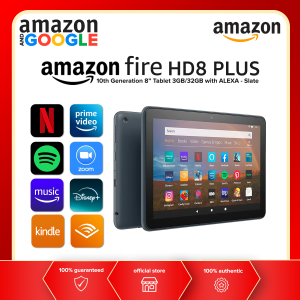
Amazon Fire HD 8 Plus 10th Generation 8\" Tablet 3GB/32GB with Alexa - Slate
Amazon Fire HD 8 Plus 10th Generation 8" Tablet 3GB/32GB with Alexa - Slate
The Amazon Fire HD 8 Plus 10th Generation Tablet is a sleek, modern device that delivers an exceptional experience for users who enjoy entertainment, productivity, and staying connected. This 8-inch tablet with Alexa comes in a stunning Slate color, making it an eye-catching addition to any tech enthusiast's collection. In this article, we will explore the key features, setup process, Alexa integration, and tips for maintaining optimal performance.
What is the Amazon Fire HD 8 Plus 10th Generation Tablet?
The Amazon Fire HD 8 Plus 10th Generation Tablet is a powerful device designed for everyday use. It boasts a 3GB RAM and 32GB storage, allowing users to enjoy seamless multitasking and store a vast collection of media files. The Slate color adds a touch of elegance to the device, making it a perfect fit for users who appreciate both style and functionality.
Key Features
- 8-inch HD display
- 3GB RAM and 32GB storage
- Alexa voice assistant
- Built-in rechargeable battery
- Personalized special offers and sponsored screensavers
Included Accessories
- 1x Slate Fire HD 8 Plus tablet (10th Gen)
- 1x Amazon Power Adapter
- 1x USB charging cable
How to Set Up Your New Amazon Fire HD 8 Plus Tablet
Setting up your new Amazon Fire HD 8 Plus Tablet is a straightforward process that involves connecting to Wi-Fi and personalizing your device.
Connecting to Wi-Fi
To connect your new tablet to Wi-Fi, follow these steps:
- Turn on your device by pressing the power button located on the side.
- On the home screen, tap the Wi-Fi icon to open the Wi-Fi settings.
- Select your preferred Wi-Fi network from the list of available networks.
- Enter your Wi-Fi password if prompted.
- Tap the Connect button to establish a connection.
Personalizing Your Device
Once connected to Wi-Fi, you can personalize your device by setting up your Amazon account and customizing the home screen.
- Open the Amazon App Store and sign in with your Amazon account credentials.
- Download and install your favorite apps from the App Store.
- Customize your home screen by adding widgets, shortcuts, and app icons.
How to Maximize Your Experience with Alexa
Alexa, the voice assistant built into the Amazon Fire HD 8 Plus Tablet, offers a wide range of capabilities to enhance your experience.
Voice Commands for Everyday Tasks
Use Alexa to perform everyday tasks such as setting reminders, checking the weather, and controlling smart home devices. Simply say, "Alexa, set a reminder for..." or "Alexa, what's the weather like today?" to get started.
Using Alexa to Stream Music and Videos
Alexa can also help you stream music and videos from popular services such as Spotify, Netflix, and Amazon Music. To stream music, say, "Alexa, play..." followed by the name of the song, artist, or playlist. For videos, say, "Alexa, watch..." followed by the name of the show, movie, or video.
Tips for Maintaining Optimal Performance
To keep your Amazon Fire HD 8 Plus Tablet running smoothly, follow these tips:
Battery Care
- Charge your device regularly using the included USB charging cable and power adapter.
- Avoid exposing your tablet to extreme temperatures, as this can affect battery performance.
- Turn off Wi-Fi and Bluetooth when not in use to conserve battery life.
Software Updates
- Keep your device updated by downloading and installing software updates from the Amazon App Store.
- Enable automatic updates to ensure your tablet always has the latest features and security patches.
Conclusion
The Amazon Fire HD 8 Plus 10th Generation Tablet is a versatile device that combines style, functionality, and Alexa integration to deliver an exceptional experience for users. By following the setup process, maximizing your experience with Alexa, and maintaining optimal performance, you can make the most of your new Slate color tablet.

Amazon and Google
Review
You May Also Like
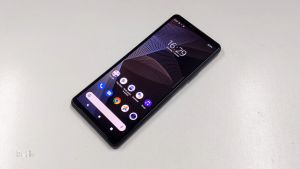
Original Sonys Xperias 10 III XQ-BT52 Octa-core 6.0Inches 6GB RAM 128GB ROM LTE 5G 12MP 3 Camera Android Mobile Phone Unlocked Cellphone
Special Offer Now! Value-packed Y28s | 5000mAh Battery | 33W Fast Charge | 8+8GB RAM + 256GB ROM | IP64 | 90Hz Refresh Rate

Fashion Cute Cellphone Lanyard Bracelet Mobile Phone Strap Elegant Colorful Beaded Pendant Antilost Wrist Chain

SOYES S10Max: A Comprehensive Guide to the 8GB RAM 256GB Storage Smartphone
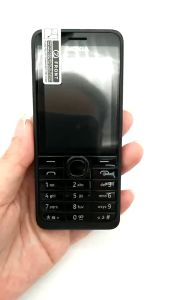
For Nokia 301 Mobile Phone Original Unlocked 3MP 2.4 Dual Sim Card
Unlocked Nokia 5130 XpressMusic: A Comprehensive Guide
CXC Applicable to Redmi K70 Extreme Edition K70PRO Mobile Phone Model Simulation Toy Bright Screen Props Display K70E

Delicate Floral Smartphone Charm Bracelets Short Anti Drop Cord Soft Material Universal Compatibility Ergonomic Design

Cubot TAB KINGKONG Rugged Tablet 10.1" FHD+ 16GB+256GB Tablet Smartphone Octa-core Android 13 IP68/IP69K 10600mAh 4G Tablet PC

HONOR X9b 5G - (12GB+8GB RAM + 256GB ROM 108MP Lossless Camera)
Beaded Phone Lanyard Kois Fish Star Pendant Wrist Strap Detachable Phone Chains Keyring Portable Accessory for Women