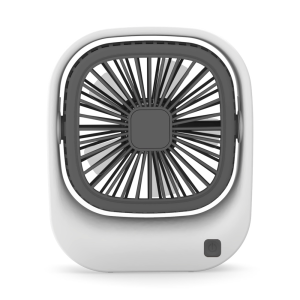
Popcorn Mini USB Desktop Fan: A Quiet & Portable Cooling Solution
Popcorn Mini USB Desktop Fan: A Quiet & Portable Cooling Solution
Introduction to Portable Office Fans
What Are Portable Office Fans?
Portable office fans are small, lightweight fans designed to provide efficient air circulation in confined spaces like home offices, cubicles, or small rooms. These compact devices offer a convenient solution for maintaining a comfortable working environment, especially during warmer months.
Benefits of Using Portable Office Fans
Using portable office fans offers numerous benefits:
- Energy efficiency: Most portable fans, such as the Popcorn Mini USB Desktop Fan, are powered by USB, making them energy-efficient and easy to use.
- Space-saving design: Compact and lightweight, these fans can fit easily on desks or shelves without taking up much space.
- Improved air circulation: Portable fans help circulate air in small spaces, reducing stuffiness and enhancing comfort.
- Noise reduction: Many portable office fans, including the Popcorn Mini USB Desktop Fan, operate quietly, ensuring minimal disruption to work or study.
Popcorn Mini USB Desktop Fan Overview
Features & Specifications
The Popcorn Mini USB Desktop Fan boasts several noteworthy features:
- Quiet operation: Designed to minimize noise, the Popcorn Mini USB Desktop Fan operates at a whisper-quiet level, allowing users to concentrate on their work without distraction.
- USB-powered: This fan runs on USB power, making it energy-efficient and eliminating the need for batteries.
- Two-speed adjustment: Users can choose between two fan speeds to customize their cooling experience.
Design & Build Quality
The Popcorn Mini USB Desktop Fan features a sleek, compact design that complements any home office setup. Its sturdy build quality ensures durability and reliability, making it a long-lasting addition to your workspace.
Two-Speed Adjustment Functionality
The Popcorn Mini USB Desktop Fan offers two adjustable fan speeds, allowing users to customize their cooling experience according to their preferences. This flexibility ensures optimal comfort and efficiency.
How to Use the Popcorn Mini USB Desktop Fan
Setup & Installation
Setting up the Popcorn Mini USB Desktop Fan is simple:
- Plug the fan into a USB port on your computer or power bank.
- Adjust the fan speed using the built-in control switch.
Adjusting the Fan Speed
To adjust the fan speed on the Popcorn Mini USB Desktop Fan:
- Locate the control switch on the side of the fan.
- Toggle the switch to select between the two available speeds.
Maintaining the Fan
To ensure optimal performance and longevity of the Popcorn Mini USB Desktop Fan:
- Clean the fan blades regularly using a soft cloth or brush.
- Store the fan in a dry place when not in use.
Popcorn Mini USB Desktop Fan vs. Other Portable Office Fans
Comparison with Similar Products
Compared to other portable office fans, the Popcorn Mini USB Desktop Fan stands out due to its quiet operation, energy-efficient design, and two-speed adjustment functionality.
Why Choose the Popcorn Mini USB Desktop Fan?
Choosing the Popcorn Mini USB Desktop Fan provides users with a reliable, energy-efficient, and quiet cooling solution tailored for home office environments. Its compact design and two-speed adjustment make it an ideal choice for anyone seeking a comfortable working environment.
Conclusion
Summary of Key Points
The Popcorn Mini USB Desktop Fan is a portable, energy-efficient, and quiet cooling solution designed specifically for home offices. Its compact size, two-speed adjustment functionality, and whisper-quiet operation make it an excellent choice for anyone seeking optimal comfort during work or study.
Final Thoughts
In conclusion, the Popcorn Mini USB Desktop Fan offers a convenient, energy-efficient, and quiet cooling solution tailored for home office environments. Its compact design, two-speed adjustment functionality, and whisper-quiet operation make it an ideal choice for anyone seeking optimal comfort during work or study.

PCTECH Store
You May Also Like

Kemei Professional Barber Trimmer LED Display Charging Mini Trimmer KM-658
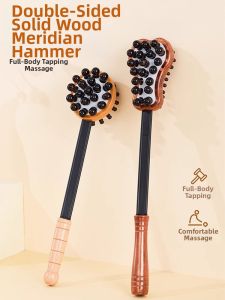
Handheld Hammer Massage Tool Fitness Back Shoulder Neck Kneading Percussion Therapeutic Massager Fitness Health Care Equipment
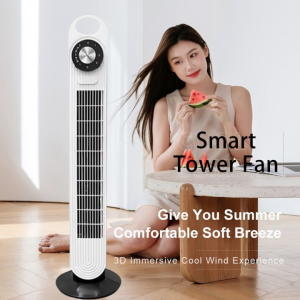
The Ultimate Guide to COD Leafless Tower Fans
BIOSKIN Smart Shoulder Massager & Hipbone Care Brace: A Comprehensive Guide
GLANXI Japanese Robot Vacuum CleanerCleaning For Hard Floor and Thin CarpetStrong Suction Power SweepAutomatic sweeping robot intelligent vacuum cleaner Lazy Household Cleaning Machine
JameMirs Mini Fan With Cooling Effect Strong Wind 199 High-Speed Portable Handy Fan Rechargeable

Portable Acupoint Massage Device Foot Bottom Stimulation Foot Therapy Meridian Massage Instrument Convenient Lazy Person Tool
【Hot】Jiditech 6 Solar fan with LED light built-in battery large wind quiet portable AC desktop fan

GPowerxWehomelife Mini Turbo Fan 100 Gear High Speed Pocket Fan Portable Strong Wind Electric Jet Hand Fan with LED Display
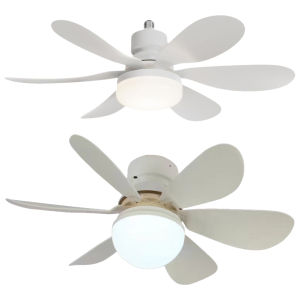
【New Arrival】E26/27 Socket Fan LED Light Light Bulb Fan with Remote 40W/30W Warm Light Ceiling Fan Dimmable Timing for Garage Kitchen
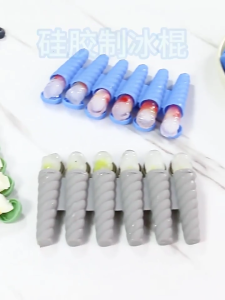
Flexible Silicone Ice Lolly Molds for Kids and Adults Creative 6 Cavity and Single Popsicles Tray Ice Cream Molds