


TCL Infrared Remote Control RC902V FMR Smart TV Controller Silicone Remote Case Shockproof
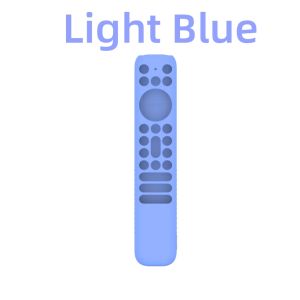
🌹 Thank you for coming Lots Retail Store!🚛 We Shipped out within 36hrs from Manila.📦All items are in good condition before shipping.﹊﹋﹊﹊﹋﹊﹋﹊﹋﹊Features:1. Thickening design: The middle keys are fully covered, the corners are thickened, effective cushioning, and 360 degree comprehensive protection. Fluorescent green and lake blue have luminous effect at night, making it easier for you to find your remote control at night2. Anti slip design: The anti slip texture on the back allows you to firmly grasp the remote control, effectively protect your TV stick and reduce the falling probability. The unique design at the bottom allows your remote control to stand freely, reducing space and making it easier and better to place it3. Anti lost design: The protective sleeve is equipped with a detachable anti lose nylon lanyard, which is of good quality and is not easy to break. You can hang and easily find the TV remote control4. High quality material: Silicone material, strong and soft, comfortable and anti-skid, can be bent at will. Shockproof, durable, skin friendly, non-toxic, and repeatable washing5. Easy to use: Installation and disassembly are very simple. The precise mold will not affect your use of the TV stick. It provides full access to all ports, buttons and functions.Specifications:Material: SiliconeColor: Black, Red, Navy Blue, Light Blue, Green (optional)Features: Protection, storage, waterproof, fall proof and loss proofApplicable model: For TCL RC902V RemoteWeight: 50gSize: 21.2x2.2x4.3cm/8.35x0.87x1.69inPackage Includes:1 x Silicone case-----remote------Condition: New OriginalBrand: For TCLModel: RC902V FMR1Material: ABS MaterialCompatible with:TCL 50P725G 55C728 75C728 X925PRO X925iFFALCON 75H720To pair the remote:1. In Google TV mode, press and hold the “HOME” and “OK” buttons on your remote at the same time.2. Keep your remote within 3 feet of your TV during the pairing process. How to Use the Remote Controla. Before using the Google Assistant button, you must finish pairing the remote with the TV first.b. This Google Assistant function is only available for content search from certain apps.c. Set languages in the Settings > System > Language to your local language or official language to en hance voice search successfully. Installing Batteries1. Push to open the back cover as illustrated.2. Insert two AAA batteries according to the polarities marked on the battery case.3. Replace the back cover as illustrated.Package Includes:1 * TCL remote control﹊﹋﹊﹊﹋﹊﹋﹊﹋﹊⚠️If you have any damage when you receive the product, do not Click to receive, please contact us in time, we will deal with it as soon as possible.⚠️💖If you are satisfied with our products and services, please give us a five-star rating.Thank you!💖

Lots.rt
You May Also Like

MUGG | Desk Organizer Shelf Stand for Monitor Tablet Laptop
Pro camera plain case for Redmi 12 black blue green maroon pink brown case cover
RICHUS Polished Case 43mm Watch Case Sapphire Glass With Crown Fit ETA6497 6498 ST3600 Movement Watch Accessories
QUZHI | Wireless Bluetooth & Wired Keyboard with Cherry MX Blue/Green Teas Switch for iPad
Premium ALL CLEAR Tempered Glass Screen Protector FOR NUBIA AIR
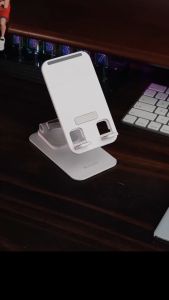
360 Rotation Foldable Phone Holder Pad Tablet Universal Mount High Quality Desktop Stand Adjustable Metal Bracket Support for Mobile Phones

GOFIDIN Realistic Light-up Helmet Keychain Cool Lightweight Helmet Bag Charm Unique Versatile Mini Night Light Pendant Key/Backpack Decor
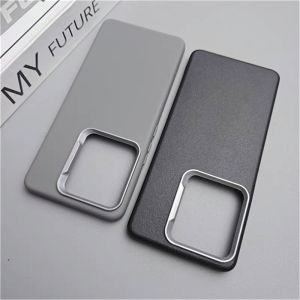
Case Case For Vivo V50 V40 V30 Pro V29 Lite V27 V25 E 5G Y39 Y29 Luxury PU Silicone Cover Soft Protect Shell Shockproof Bumper
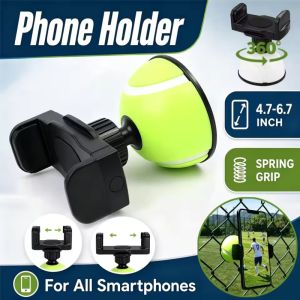
Portable Outdoor Phone Fence Mount Multi-Angle Adjustable for Recording Baseball Basketball Softball Tennis Games
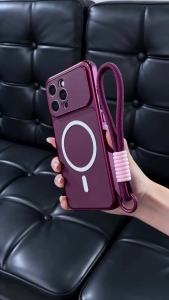
PBZZ Case for OPPO Reno 8 5G Reno8 pro 5g RENO 8 4G 2022 phone casing Softcase Silicone shockproof Cover new design aesthetic Magnetic cute wine red with lanyard for girls KNDBS2
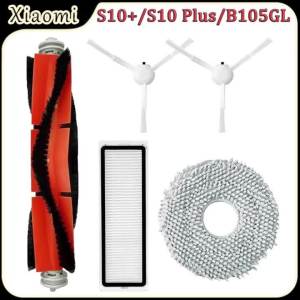
For Xiaomi S10+/S10 Plus/B105GL Robot Vacuum Cleaner Accessories Main Brush HEPA Filter Side Brush Mop Cloth Replacement Parts