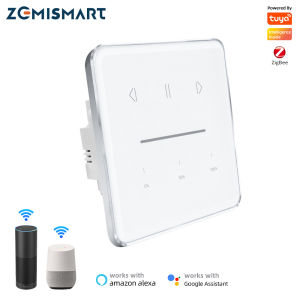
Zemismart Tuya Zigbee Smart Curtain Switch Roller Shade Motor Shutter Switch with Percentage Control Alexa Google HomeHomekit Control via ZHMK01 HubZigbee Hub Need
Zemismart Tuya Zigbee Smart Curtain Switch Roller Shade Motor Shutter Switch with Percentage Control Alexa Google HomeHomekit Control via ZHMK01 HubZigbee Hub Need
What is the Zemismart Tuya Zigbee Smart Curtain Switch?
Overview of the Device
The Zemismart Tuya Zigbee Smart Curtain Switch is a cutting-edge smart home device designed to control motorized curtains and roller shades. This innovative curtain switch offers seamless integration with popular voice assistants like Alexa and Google Home, as well as HomeKit-compatible devices via the ZHMK01 hub. Its compact design and Zigbee connectivity make it an ideal addition to any smart home setup.
Key Features
- Percentage Control for Curtains: Customize the position of your curtains or shades to suit your preferences.
- Roller Shade Motor Control: Effortlessly control motorized roller shades with ease.
- HomeKit Compatibility: Connect to HomeKit via the ZHMK01 hub for a smooth user experience.
- Alexa and Google Home Integration: Voice control your curtains and shades effortlessly.
How to Install & Set Up the Zemismart Tuya Zigbee Smart Curtain Switch
Connecting the Device to Your Network
To connect the Zemismart Tuya Zigbee Smart Curtain Switch to your network, follow these steps:
- Connect the device to your motorized curtains or roller shades.
- Power on the device.
- Download the Tuya Smart app on your smartphone.
- Sign up or log in to your account.
- Tap on the '+' icon to add a new device.
- Follow the on-screen instructions to connect the device to your network.
Pairing with Alexa & Google Home
Pairing the Zemismart Tuya Zigbee Smart Curtain Switch with Alexa and Google Home is simple:
- Make sure your Amazon Echo or Google Home device is connected to the same Wi-Fi network.
- Open the Alexa app or Google Home app on your smartphone.
- Tap on the '+' icon to add a new device.
- Search for 'Zemismart' and select the appropriate device.
- Follow the on-screen instructions to pair the device with Alexa or Google Home.
Using Percentage Control for Curtains & Roller Shade Motor Control
Customizing Curtain Position
The Zemismart Tuya Zigbee Smart Curtain Switch allows you to customize the position of your curtains or shades to suit your preferences. Here's how:
- Open the Tuya Smart app on your smartphone.
- Select the Zemismart Tuya Zigbee Smart Curtain Switch from your device list.
- Adjust the percentage slider to set the desired position.
Controlling Motorized Shades
Controlling motorized roller shades with the Zemismart Tuya Zigbee Smart Curtain Switch is straightforward:
- Open the Tuya Smart app on your smartphone.
- Select the Zemismart Tuya Zigbee Smart Curtain Switch from your device list.
- Tap on the roller shade icon to control the motorized shades.
Integrating Zemismart Tuya Zigbee Smart Curtain Switch with HomeKit
Setting Up the ZHMK01 Hub
To integrate the Zemismart Tuya Zigbee Smart Curtain Switch with HomeKit, you'll need to set up the ZHMK01 hub. Here's how:
- Connect the ZHMK01 hub to your Wi-Fi network.
- Download the Tuya Smart app on your smartphone.
- Sign up or log in to your account.
- Tap on the '+' icon to add a new device.
- Follow the on-screen instructions to connect the ZHMK01 hub to your network.
Connecting to HomeKit
Once the ZHMK01 hub is set up, connecting the Zemismart Tuya Zigbee Smart Curtain Switch to HomeKit is simple:
- Open the Home app on your iPhone or iPad.
- Tap on the '+' icon to add a new accessory.
- Search for 'Zemismart' and select the appropriate device.
- Follow the on-screen instructions to connect the device to HomeKit.
Troubleshooting Common Issues with the Zemismart Tuya Zigbee Smart Curtain Switch
Connectivity Problems
If you're experiencing connectivity issues with the Zemismart Tuya Zigbee Smart Curtain Switch, try the following solutions:
- Check Wi-Fi Connection: Make sure your device is connected to the same Wi-Fi network.
- Restart Device: Power off and power on the device to reset its connection.
- Update App: Ensure you're using the latest version of the Tuya Smart app.
Device Not Responding
If the Zemismart Tuya Zigbee Smart Curtain Switch isn't responding, try these troubleshooting steps:
- Check Motor Connection: Verify that the motorized curtains or roller shades are properly connected to the device.
- Restart Device: Power off and power on the device to reset its connection.
- Reset Device: Follow the instructions in the Tuya Smart app to reset the device to its factory settings.

Zemismart
Review

You May Also Like
2 Way Wireless Smart Home: A Guide to WiFi Mini Smart Switches
R6 Smart Ring IP68 Swimming Diving Sports & Health Records Control Video Photo Shooting
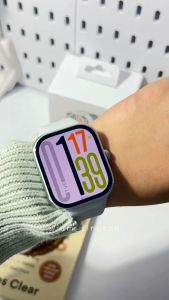
Redmi Watch 5: A Smartwatch for Fitness Enthusiasts
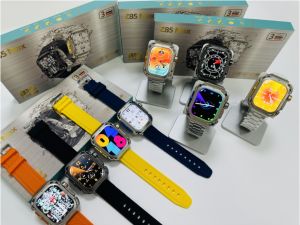
🎁 【Readystock】 + FREE Shipping 🎁 2025 SmartWatch Z85 Max With 2 Different Straps Square Screen Waterproof Compass NFC Heart Rate Inteligente Smart Watch
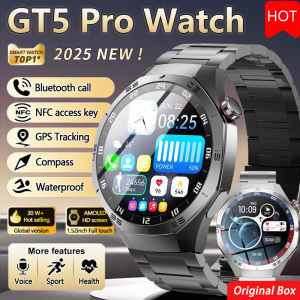
2025 New Watch 5 Pro Smartwatch Men AMOLED HD Outdoor Sport NFC GPS Compass Heart rate IP68 Waterproof Bluetooth Call Watches
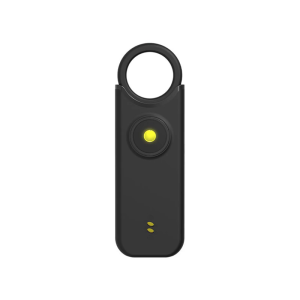
Keychain Defense Supplies Flash Alarm Security Device Anti Wolf Alarm 135Db Vibration Induction Alarm Charging
not Slip Silicone Shell Dustproof Trackers Protector Wearable Device Cover Shockproof Storage for Tile by Life360
Rechargeable Anti-Lost Device: The Ultimate Solution for Car Keys & Smartphones
Reinforced Smartwatch Metal Guard Cover Full Body Protective Impact Resistant Shell For Active Lifestyles And Daily Wear
BWOO WA-03: A Comprehensive Guide to the 1.39 Inch IP67 Waterproof Smart Watch
2024 New Kids Watch Android 9.0 4G Smart Watch SIM Card Children GPS Location Phone Watch Wifi Internet Video Call SOS Function Boy Girl Pedometer