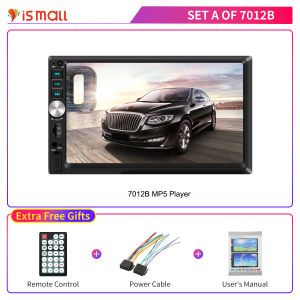
7 Inch 2Din Car Radio & MP5 Player: A Comprehensive Guide
7 Inch 2Din Car Radio & MP5 Player: A Comprehensive Guide
Introduction
Welcome to our comprehensive guide on the 7 Inch 2Din Car Radio & MP5 Player, a top-of-the-line audio system designed to enhance your driving experience. This guide aims to provide you with all the necessary information to choose, set up, and use this device effectively.
Key Features
The 7 Inch 2Din Car Radio & MP5 Player offers a range of features, including:
- MP5 Player with Bluetooth: Enjoy wireless connectivity and play music from your smartphone effortlessly.
- USB TF FM Audio Player: Access your favorite tunes stored on USB drives, SD cards, or FM radio stations.
- Touch Screen Multimedia Player: Navigate through menus and controls with ease using the intuitive touch screen interface.
- Double Din Car Stereo: Fit seamlessly into most vehicles with a double DIN car stereo system.
Target Audience
This guide is primarily aimed at American drivers who are looking to upgrade their vehicle's audio system. Whether you're a tech enthusiast or simply want a reliable and user-friendly car radio, this guide has something for everyone.
How to Choose the Right 7 Inch 2Din Car Radio & MP5 Player
When selecting a 7 Inch 2Din Car Radio & MP5 Player, consider the following factors:
- MP5 Player with Bluetooth: Look for a device that supports Bluetooth connectivity, allowing you to stream music from your smartphone without the need for wires.
- USB TF FM Audio Player: Make sure the device supports multiple audio sources, such as USB drives, SD cards, and FM radio stations.
Setting Up Your 7 Inch 2Din Car Radio & MP5 Player
Once you've chosen the right device, it's time to set it up. Follow these steps:
Installation Process
- Prepare the vehicle: Remove the existing car stereo system and ensure there's enough space for the new device.
- Install the device: Carefully install the 7 Inch 2Din Car Radio & MP5 Player into the designated space.
- Connect power and audio cables: Connect the power and audio cables to ensure proper functionality.
Connecting External Devices
To connect external devices, such as smartphones or USB drives, follow these steps:
- Enable Bluetooth: Turn on Bluetooth on both the device and your smartphone.
- Pair devices: Follow the on-screen instructions to pair your smartphone with the device.
- Connect USB drives: Insert the USB drive into the designated port and navigate through the menu to access the files.
Enhancing Your Driving Experience with a 7 Inch 2Din Car Radio & MP5 Player
With your device set up, it's time to customize settings and enjoy the full range of features:
Customizing Settings
- Volume control: Adjust the volume to your desired level.
- Equalizer settings: Fine-tune the sound quality by adjusting the equalizer settings.
- Screen brightness: Set the screen brightness to your preference.
Using Touch Screen Multimedia Player
- Navigate menus: Use the touch screen interface to navigate through menus and controls.
- Access audio sources: Easily switch between audio sources, such as Bluetooth, USB drives, SD cards, and FM radio stations.
Conclusion
The 7 Inch 2Din Car Radio & MP5 Player is a fantastic choice for anyone looking to enhance their driving experience. By following this guide, you'll be able to choose, set up, and use this device effectively, enjoying a wide range of features and audio sources. Remember to consider factors such as MP5 player with Bluetooth, USB TF FM audio player, touch screen multimedia player, and double din car stereo when selecting the right device for your needs.

IS MALL
Review
You May Also Like
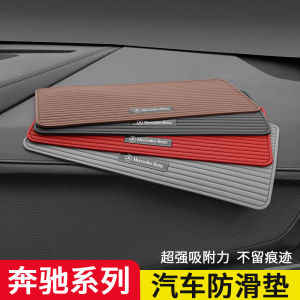
Anti-Slip Pad for Mercedes-Benz Car Interior Decoration Perfume Seat Heat Resistant Sun Protection Dashboard Ornament PVC Material

Car Engine Compartment Cleaner - Shine Protector and Detail Degreaser Deeply Removes Oil from the Chamber Suitable for Hoods
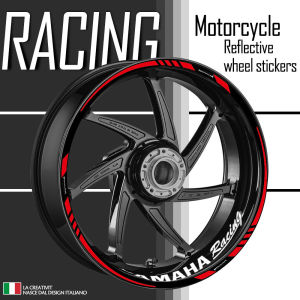
Reflective Motorcycle Accessories Wheel Sticker Inside of Hub Decals Rim Stripe Tape For YAMAHA MT03 MT07 MT09 YZF R1 R3 R6 FZ07
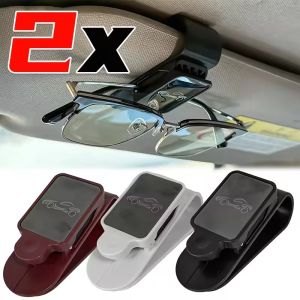
2PCS Car Sun Visor Glasses Holder Clip Stainless Steel Sunglasses Mount For Auto Ticket Card Storage Organizer Interior Accessories

MUD GUARD TOYOTA HIACE 200 2012-2018 BLACK
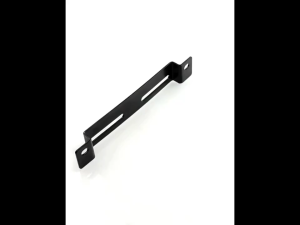
Universal Metal Motorcycle License Plate Holder Light Bracket Mount Tail Light Holder
air cleaner housing toyota hiace 2.5L engine commuter grandia 2011-2018
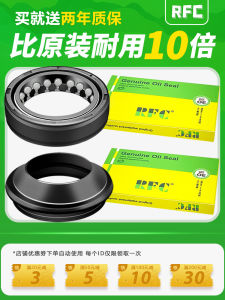
Motorcycle Front Damping Oil Seal for Suzuki GS Diamond Leopard 125K-2A Huangjia Silver Leopard 30-40-10.5 Shock Absorber Part
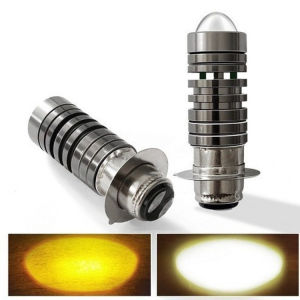
Electric car motorcycle headlight Fish headlight Bicolor small steel gun yellow white headlight
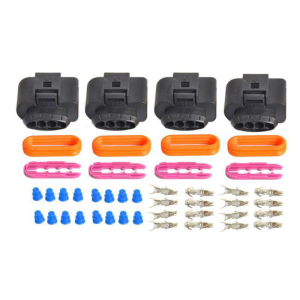
Auto Car Ignition Coil Connector Repair Kit IC39 for A4 A6 A8 Passat Jetta Touran Transporter
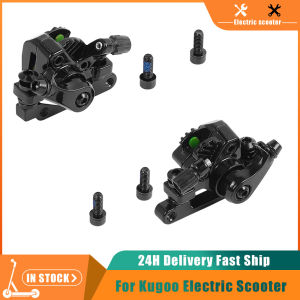
Electric Scooter Front & Rear Disc Brake for Kugoo KuKirin G2 Pro/G2 Max Kickscooter Disc Brake Caliper Brakes Base Accessories