EX102: A Compact Smartwatch with Voice Dialing & AI Assistant
EX102: A Compact Smartwatch with Voice Dialing & AI Assistant
What is the EX102 Smartwatch?
The EX102 is a compact smartwatch designed with a 1.43 inch AMOLED screen, offering excellent display quality and a sleek appearance. This smartwatch supports Bluetooth music playback, voice dialing, and an AI voice assistant, making it a versatile device for daily use.
Key Features
- 1.43 inch AMOLED screen
- Bluetooth music playback
- Voice dialing and SOS function
- AI voice assistant integration
Design & Build Quality
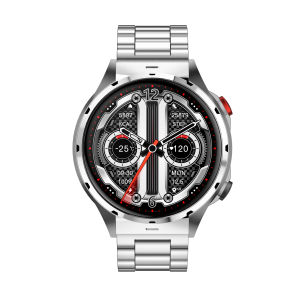
The EX102 smartwatch boasts a compact design, making it comfortable to wear throughout the day. The watch face is equipped with a 1.43 inch AMOLED screen, which provides a vibrant display with accurate colors. The build quality is solid, with a durable frame and scratch-resistant glass, ensuring the watch can withstand daily wear and tear.
How to Use Voice Dialing & SOS Function
Voice dialing and the SOS function are two essential features of the EX102 smartwatch. These features provide users with a quick and convenient way to make calls and request emergency assistance when needed.
Setting Up Voice Commands
To set up voice commands, follow these steps:
- Open the EX102 app on your smartphone.
- Navigate to the settings menu.
- Select 'Voice Commands' and enable the feature.
- Customize your voice commands by assigning specific phrases to different actions, such as 'Call Mom' or 'Send Text to Dad'.
Activating SOS Distress Alerts
In case of an emergency, the EX102 smartwatch allows users to activate the SOS distress alert feature. To enable this feature:
- Open the EX102 app on your smartphone.
- Navigate to the settings menu.
- Select 'SOS Function' and enable the feature.
- Set up the list of contacts who will receive the distress alert message.
When activated, the watch will send a pre-set message to the designated contacts, notifying them of your location and the situation.
Bluetooth Music Playback on EX102
Enjoy your favorite tunes on the go with the Bluetooth music playback feature of the EX102 smartwatch. This feature allows users to control their music directly from the watch, eliminating the need to constantly check their phone.
Pairing with Your Phone
To pair the EX102 smartwatch with your phone, follow these steps:
- Turn on Bluetooth on your smartphone.
- Open the EX102 app and navigate to the 'Pairing' section.
- Select your phone from the list of available devices.
- Confirm the pairing process on both devices.
Controlling Music Playback
Once paired, you can control your music playback using the buttons on the EX102 smartwatch. Use the up and down buttons to adjust the volume, and the play/pause button to start and stop playback. Swipe left or right to skip tracks.
AI Voice Assistant Integration
The EX102 smartwatch is compatible with popular AI voice assistants like Alexa and Google Assistant, providing users with a hands-free way to manage their daily tasks.
Connecting with Alexa or Google Assistant
To connect your EX102 smartwatch with Alexa or Google Assistant, follow these steps:
- Open the EX102 app on your smartphone.
- Navigate to the settings menu.
- Select 'AI Voice Assistant' and choose your preferred assistant (Alexa or Google Assistant).
- Follow the on-screen instructions to complete the setup process.
Using Voice Commands for Daily Tasks
Once connected, you can use voice commands to perform various tasks, such as setting reminders, checking the weather, and controlling smart home devices. Simply press and hold the voice button on the EX102 smartwatch, then speak your command.
Conclusion & Final Thoughts
The EX102 smartwatch is a compact device packed with useful features, including voice dialing, Bluetooth music playback, and AI voice assistant integration. With its sleek design and robust build quality, the EX102 smartwatch is perfect for users who want a reliable and versatile device to enhance their daily lives.

FIDI Watch
Review

You May Also Like

SQUARE Type Tag GPS Tracker Find My up to 365 days Battery Life "WORLD WIDE RANGE"
![[NEW] Xiaomi Watch S4 41mm Slim&Elegant Design Female Cycle Prediction 5ATM Waterproof Smart Watch](https://img.lazcdn.com/g/ff/kf/Scb85f88124d24f278c3167a3f8a3d005Y.png_300x300q80.png)
[NEW] Xiaomi Watch S4 41mm Slim&Elegant Design Female Cycle Prediction 5ATM Waterproof Smart Watch
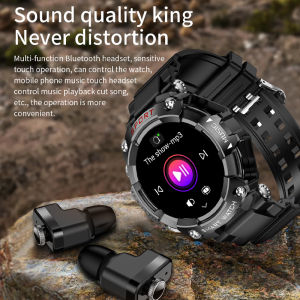
T96 Smart Watch with Earbuds: A Comprehensive Guide
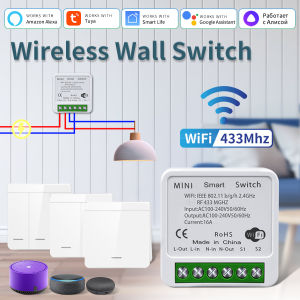
Wireless Tuya Smart Switch 433Mhz+WIFI Relay Receiver 1/2/3 Gang 86 Wall Panel Switch Voice Control Work with Alexa Google Home
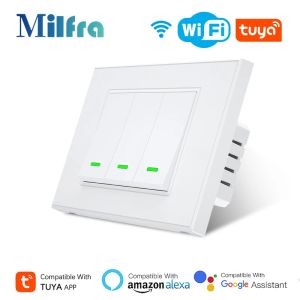
Milfra Smart Wifi Switch IT KR Standard Wireless Home Wall Button Switches 1/2/3 Gang Timer Voice Control for Alexa Google Home
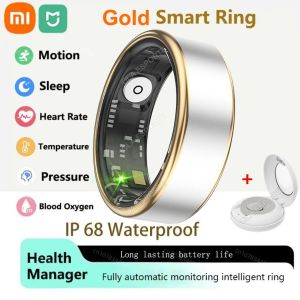
2025 New Smart Ring Gold Photos Control Health Monitior Smartring for Men Women Bluetooth Health Ring Waterproof 5ATM Gift
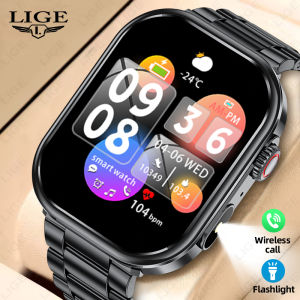
LIGE New Smart Men Watch IP68 Waterproof Outdoor Sports Fitness Tracker Watches For Men Health Monitor Bluetooth Call Smart Watch + Box

Leather Case For Apple AirTag Apple Locator Tracker Air Tag With Keychain Anti-lost Cover Protective Casing Airtags Holder Top Sale
Aolon Tetra R4 Smart Watch for Men: Features & Benefits

Awei WH1 PRO Smartwatch Multi Sports Mode HD Screen Sleep Heart-Rate Monitoring Touch Control IP68 Waterproof
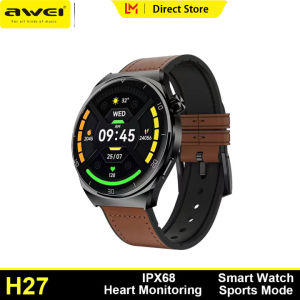
Awei H27 Sport Smart Watch for Men Girl 128 Memory Skin Friendly Material Wirst Watch 1.43inch AMOLED HD Screen Outdoors Watch Sleep Monitoring Bluetooth Calling Heart Rate Sports Watch