



1080P Adapter Cable Anycast for Non Smart TV Plus/M2plus HDMI WiFi Dongle Receiver Phone To HDMI Google Chrome Home For Laptop To HDTV Monitor Projector Car
1080P Adapter Cable Anycast for Non Smart TV Plus/M2plus HDMI WiFi Dongle Receiver Phone To HDMI Google Chrome Home For Laptop To HDTV Monitor Projector Car
What is a 1080P Adapter Cable & HDMI WiFi Dongle Receiver?
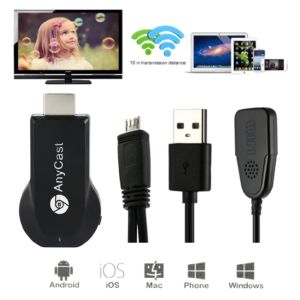
The 1080P Adapter Cable & HDMI WiFi Dongle Receiver is a versatile device designed to enable wireless streaming from various devices to an HDTV monitor, projector, or car display. This compact adapter allows users to easily connect their laptops, smartphones, tablets, and other supported devices to a larger screen for an enhanced viewing experience.
M2plus & M9plus: Same Product, Different Packaging
It is important to note that the M2plus and M9plus models are essentially the same product, with only the packaging differing. Both devices have identical features and functions, so if you're not concerned about the appearance of the packaging, either model will serve your needs.
How to Power the Device
To power the 1080P Adapter Cable & HDMI WiFi Dongle Receiver, connect it to a USB power source, preferably a DC 5V charging head. Make sure the product lights up to confirm that it has been powered correctly.
Connection Methods for Android Phones
When connecting an Android phone to the adapter, there is no need to connect the device to WiFi. Instead, simply open the built-in screen mirroring function on your phone and search for available connections. Do not use downloaded screen mirroring software, as this may result in poor performance or compatibility issues.
Key Features of Mirascreen
Mirascreen is a powerful WiFi display receiver product that offers several key features:
-
Advanced WiFi 802.11 b/g/n Support: Mirascreen supports both 2.4GHz and 5GHz WiFi frequencies, allowing users to switch between channels to avoid crowded 2.4GHz networks.
-
Multi-Platform Compatibility: Mirascreen supports a wide range of devices, including Android, Windows, iOS, Mac OS X, and more. It is compatible with devices running Android 4.2+, iOS 7.0+, Windows 8.1+, and Mac OS X 10.9+.
-
External WiFi Antenna for Stronger Signal Transmission: The external WiFi antenna included with Mirascreen ensures strong signal transmission, even in challenging environments.
How to Use the 1080P Adapter Cable & HDMI WiFi Dongle Receiver
Connecting Your Laptop to an HDTV Monitor
To connect your laptop to an HDTV monitor using the 1080P Adapter Cable & HDMI WiFi Dongle Receiver, simply follow these steps:
-
Connect the HDMI cable to your laptop and the adapter.
-
Power on the adapter using a USB power source.
-
On your laptop, enable the screen mirroring function and search for available connections.
-
Select the Mirascreen device and begin streaming your content.
Connecting Your Phone to an HDMI Port
To connect your phone to an HDMI port using the 1080P Adapter Cable & HDMI WiFi Dongle Receiver, follow these steps:
-
Connect the HDMI cable to your phone and the adapter.
-
Power on the adapter using a USB power source.
-
On your phone, enable the built-in screen mirroring function and search for available connections.
-
Select the Mirascreen device and begin streaming your content.
Using the Car HDMI Adapter
The 1080P Adapter Cable & HDMI WiFi Dongle Receiver can also be used with a car HDMI adapter to stream content from your smartphone or tablet to your car's display. Simply follow the instructions provided with the car HDMI adapter to set up the connection.
Conclusion
The 1080P Adapter Cable & HDMI WiFi Dongle Receiver is a versatile device that enables wireless streaming from various devices to an HDTV monitor, projector, or car display. With its advanced WiFi capabilities, multi-platform compatibility, and external WiFi antenna, it offers a powerful and reliable solution for enhancing your viewing experience.

Power Playhub
Review

You May Also Like
Asina | Anti-shock Magnetic Stand Case for iPhone
For Tineco Floor One S3 Tineco iFloor 3 Accessories Brushes Hepa Filter Roller Brush Cordless Wet Dry Vacuum Cleaner Spare Parts
Refrigerator Washing Machine Mobile Base Stand 2PCS Set Extendable Easily Move for Appliance Furniture(White/Black)
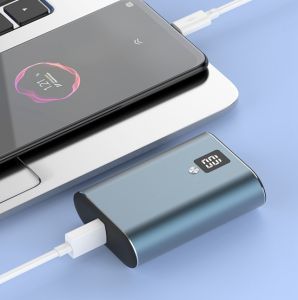
PX712 Fully Compatible Super Charge with LCD Display 10000mAh Type-C Input and Output Power Bank
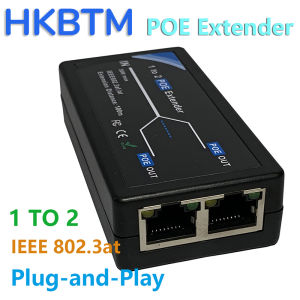
HKBTM 2 Port POE Extender 100Mbps with IEEE 802.3af Standard for NVR IP Camera AP IP VOICE POE Extend 100 meters for POE range
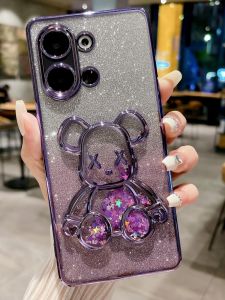
Oppo Reno9 Full Cover Anti-Fall Creative Flash Powder Flowing Sand Cartoon Silicone Soft Shell Electric Plating K11 for Reno10pro New Model Reno11pro
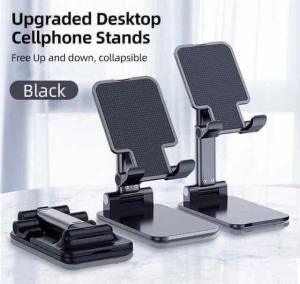
Universal Phone Stand Foldable Desk Phone Holder Telescopic Adjustable Angle Mobile Pad Stand
lpg Tank Roller Stand Gasul Stand with Wheels Patungan Ng Gasul Base Propane Tank Stand with Wheels Gas Cylinder Storage Base Tank Roller Stand

block Refrigerator Magnets imanes para manualidades for Refrigerator Office DIY 20x10x2 20x10x3 5x5x5 20x10x5mm
Crocodile Pattern Phone Cases: Protection & Style for Sony, Samsung, and Huawei Devices

ANAMA Removeable Headphone Diameter Buckle DIY Zircon Headphone Decoration Clip Creative Gift Dog Animal Earbud Accessories


















