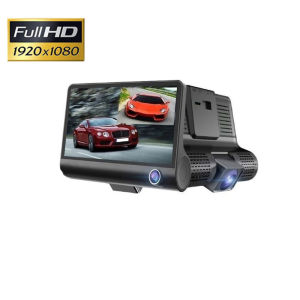
Lenovo Dashcam With Night Vision 360 Dash Cam Set With Rear Camera Set 1944P HD GPS 140 24 Hours Parking Monitor Dashcam
Lenovo Dashcam With Night Vision 360 Dash Cam Set With Rear Camera Set 1944P HD GPS 140 24 Hours Parking Monitor Dashcam
Introduction
Lenovo has recently launched its new dashcam with night vision, designed to provide drivers with a seamless driving experience and added safety. This article will delve into the features, installation process, and advanced functionalities of the Lenovo Dashcam With Night Vision 360 Front & Back.
Key Features of the Lenovo Dashcam
Three High-Quality Lenses Recording Simultaneously
One of the standout features of this dashcam set is its ability to record footage from three high-quality lenses simultaneously. This setup ensures comprehensive coverage of your surroundings, allowing you to capture important details from multiple angles. The dashcam supports picture-in-picture display, providing a clear view of both the front and rear cameras at once.
4.0" IPS HD Screen for Clear Playback
The Lenovo Dashcam comes equipped with a 4.0" IPS HD screen that makes playback more clear and delicate. This feature enhances the viewing experience, making it easier to review recorded footage and identify any potential issues.
1944P HD Ultra Wide Angle Lens Design
With its 1944P HD ultra-wide angle lens design, the Lenovo Dashcam offers a perfect combination for multi-angle, high-resolution video shooting. This feature is ideal for capturing clear footage in various driving conditions.
Installation & Setup Guide
Step-by-Step Installation Process
To install the Lenovo Dashcam With Night Vision, follow these steps:
- Unpack the dashcam set and locate all the components.
- Mount the front camera on your windshield using the provided adhesive tape.
- Connect the rear view camera to the dashcam unit using the provided cable.
- Plug the car charger into the dashcam and connect it to your vehicle's power outlet.
How to Connect the Rear View Camera
Connecting the rear view camera is straightforward. Simply attach the camera to the rear of your vehicle and connect it to the dashcam unit using the provided cable.
Setting Up the TF Memory Card
To set up the TF memory card, follow these steps:
- Insert the TF memory card into the dashcam unit.
- Power on the dashcam and navigate to the settings menu.
- Configure the recording settings according to your preferences.
Advanced Features & Customization
Motion Detection & Automatic Recording
The Lenovo Dashcam With Night Vision supports motion detection and automatic recording. When someone moves in front of the DVR or car, the dashcam will automatically start recording, ensuring you never miss an important event.
Car Boot Video Function
Another useful feature of the Lenovo Dashcam is the car boot video function. This feature allows you to record footage when your vehicle is parked, providing added security and peace of mind.
G-Sensor Support
The dashcam also supports G-sensor technology, which detects sudden movements or impacts and automatically saves the recorded footage to prevent data loss.
Conclusion
The Lenovo Dashcam With Night Vision 360 Front & Back offers a range of advanced features and customization options, making it an excellent choice for drivers looking to enhance their driving experience and safety. With its three high-quality lenses recording simultaneously, 4.0" IPS HD screen, and 1944P HD ultra-wide angle lens design, this dashcam set is sure to meet the needs of even the most discerning drivers.

OriginaI Car Camera Mall
You May Also Like
Bosch Advantage Wiper Blade Set: Perfect Fit for Mitsubishi Strada 2016
PLASTIC RACING CAMSHAFT HYBRID (SILENT TYPE)

2Pcs Car Portable Hanging Trash Can For Suzuki Vitara LY 2015 2016 2017 2018 2019 2020 2021 2022 2023 2024 2025 2026 Accessories
Easy Installation Rear Bumper Tow Hook Cover Tow Hook Caps Automotive Accessories for W212 E200 E220 E250 E300 2010-2013
For Refreshed Tesla Model Y anti kick pads on both sides of the trunk and suede protective pads on the trunk. 2-piece set

Toyota Alphard Special Car Cover 2025 Thickened Sunscreen Rainproof Heat Insulation Ice Proof Flame Retardant Vehicle Cover
LF481Q3-3802100C LF48103-3802100C LF481Q33802100C YT01-1030 LF481033802100C YT011030 Speed Sensor FOR LIFAN SOLANO 620 X60 SMILY
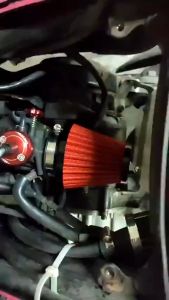
Philibs Original Motorcycle & Scooter Mushroom Head Air Filter: Large Air Volume & Foxi Element
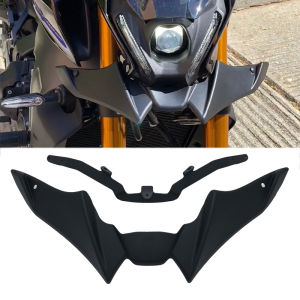
Fit For YAMAHA MT-09 MT09 MT 09 SP 2021 2022 2023 Motorcycle Sport Downforce Naked Forntal Spoilers Aerodynamic Wing Deflector
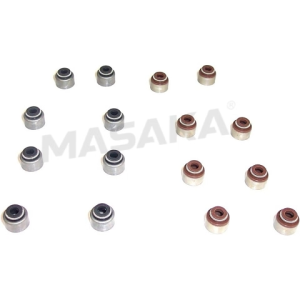
16x YD25 Engine Valve Stem Seal For Nissan Navara NV350 Presage 2.5 1998-13 13207-EB70A 13207-D4201
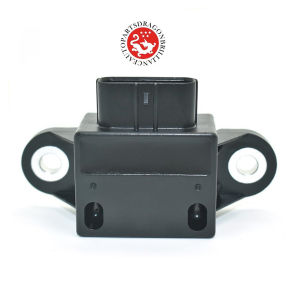
Yaw Rate Control Module Acceleration Sensor OEM GJ6E-43-7Y1 EWTS53BB 6929004 GJ6E437Y1 GJ6E 43 7Y1 For Mazda 6 2.3L Driver Side