Connect Cellphone CCTV Camera: XIAOMI Dual Lens CCTV Camera & IP Security Cameras
Connect Cellphone CCTV Camera: XIAOMI Dual Lens CCTV Camera & IP Security Cameras
What is the XIAOMI Dual Lens CCTV Camera?
The XIAOMI Dual Lens CCTV Camera is a high-quality outdoor security camera that offers exceptional features such as 8MP resolution, 4mm lens, and a variety of connectivity options. It comes equipped with a sensor resolution of 1/2 9'' SC2006, making it suitable for capturing clear images even in low-light conditions. The camera supports Wi-Fi network connection and AP hotspot, providing seamless connectivity to your smartphone.
Key Specifications
- Resolution: 8MP
- Sensor Resolution: 1/2 9'' SC2006
- Lens: 4mm
- Wi-Fi Network Connection: Supports both Wi-Fi and AP hotspot
- Night Vision: IR-CUT automatic switch, approximately 10-20 meters (varies by environment)
- White LED Control: Can be controlled remotely via the app
- Audio: Built-in speaker and microphone, supports two-way audio and real-time transmission
How to Connect to Your Smartphone
To connect your XIAOMI Dual Lens CCTV Camera to your smartphone, follow these steps:
- Download the official XIAOMI app from the App Store or Google Play Store.
- Power on the camera and ensure it is connected to the Wi-Fi network.
- Open the app and log in using your XIAOMI account credentials.
- Follow the on-screen instructions to add your camera to the app.
Once connected, you can monitor live video feeds, receive notifications, and control various camera settings through the app.
Setting Up Your XIAOMI Dual Lens CCTV Camera
Setting up your XIAOMI Dual Lens CCTV Camera involves configuring Wi-Fi and AP hotspot, as well as adjusting night vision settings.
Configuring Wi-Fi & AP Hotspot
To configure Wi-Fi and AP hotspot:
- Connect the camera to a power source.
- Open the XIAOMI app and follow the on-screen instructions to connect the camera to your Wi-Fi network.
- Once connected, you can also configure the AP hotspot if needed.
Night Vision: IR-CUT & White LED Control
The XIAOMI Dual Lens CCTV Camera features IR-CUT automatic switch and remote control of White LED via the app. This allows you to capture clear images even in low-light conditions.
Enhancing Security with Two-Way Audio
The XIAOMI Dual Lens CCTV Camera comes equipped with a built-in speaker and microphone, enabling two-way audio communication. This feature supports real-time transmission and ADPCM audio compression, ensuring clear and uninterrupted communication.
Built-In Speaker & Microphone
The camera's built-in speaker and microphone allow you to communicate with people in the monitored area. This is particularly useful for deterring potential intruders or communicating with family members.
Real-Time Transmission & ADPCM Audio Compression
Real-time transmission and ADPCM audio compression ensure clear and uninterrupted communication. This feature is essential for maintaining security and peace of mind.
IP Security Cameras No Need Internet
IP security cameras, such as the XIAOMI Dual Lens CCTV Camera, can operate without internet connectivity. This makes them ideal for remote locations or areas with limited internet access.
Benefits of IP Security Cameras Without Internet
Operating without internet connectivity offers several benefits, including:
- Cost Savings: No need to pay for internet services
- Reliability: No dependence on internet connectivity
- Privacy: Reduced risk of data breaches
How to Set Up an IP Security Camera Without Internet
To set up an IP security camera without internet connectivity:
- Connect the camera to a local network using Ethernet cable or Wi-Fi.
- Configure the camera settings through the app or web interface.
- Monitor live video feeds and control various camera settings through the app or web interface.

Electrical Corridor
You May Also Like
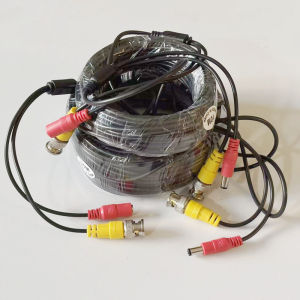
2 In 1 BNC Cable BNC+DC Connector Coaxial Power AHD Cameras Extension Video Cable 5M/10M/20M/30M For DVR System
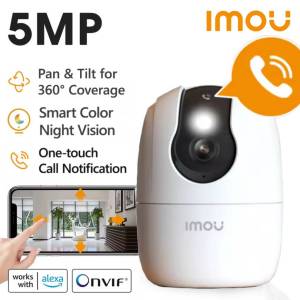
Imou Ranger 2C PRO 5MP 3K Wifi One-Touch Calll Human/Pet Detection Smart Full-Color Night Vision Security Surveillance IP Camera

Waterproof CCTV Surveillance Camera: Infrared Night Vision & Auto Motion Tracking
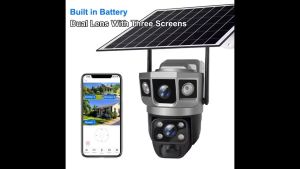
Bytebeat V380 Solar CCTV Two lens Three screen 1080P Wireless WIFI/4G Outdoor CCTV Solar Dual Lens 3 Picture Full Color Night Vision Movement Tracking Detection Alarm Voice intercom CCTV Solar 4G Security Camera 360 Panoramic Camera
Industrial Endoscope HD1080P Automotive Borescope Inspection Camera 8MM/5.5MM Lens for Iphone IOS Phone Cars Checking Waterproof
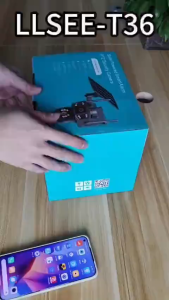
V380 pro 12MP Solar CCTV Cell Camera Dual lenses three-screen Night Color Image Solar cctv camera outdoor cctv 4G/Wifi cctv solar light outdoor waterproof solar cctv camera cctv solar connect to cellphone
10X50 HD High Power Binoculars Military Marine Nitrogen Waterproof Telescope Distance Powerful Binoculars fo Tourism
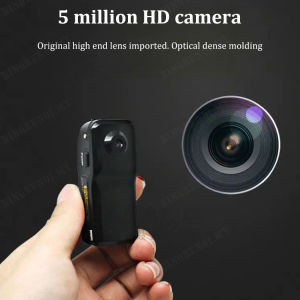
Portable Mini Digital Camera: A Comprehensive Guide
Reolink CX810 4K 8MP PoE IP Bullet CCTV Security Camera ColorX Tech Night Vision Detection
Endura 16 Port HD Video Transceiver in 1U Rack Mounting Panel
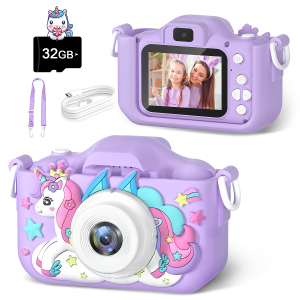
Purple Unicorn Kids Digital Camera 1080P HD Toy Cameras With 2-Inch IPS Screen 32GB Card for Girls Birthday Christmas Gift