SKMEI 1335 Men's Sports Watch: A Comprehensive Guide
SKMEI 1335 Men's Sports Watch: A Comprehensive Guide
Introduction to SKMEI 1335 Men's Sports Watch
The SKMEI 1335 Men's Sports Watch is a versatile timepiece designed for sports enthusiasts and daily wear. This watch comes equipped with a range of features that cater to various needs, making it a must-have accessory for anyone looking for a reliable and stylish watch.
Key Features
The SKMEI 1335 Men's Sports Watch offers several notable features, including:
- Dual Time Display
- Daily Alarm & Snooze Function
- Hourly Chime Timer
- Countdown Timer
- Calendar Function
- Chronograph Mode
- Backlight Feature
- 50m Water Resistance
Package Contents
When you purchase the SKMEI 1335 Men's Sports Watch, you will receive:
- 1 x SKMEI 1335 Watch (Without Gift Box, Need Additional Payment)
- 1 x English User Guide
How to Use Dual Time Daily Alarm & Snooze Hourly Chime Timer
The SKMEI 1335 Men's Sports Watch allows you to set dual time zones, daily alarms, snooze function, hourly chime timer, and timed reminders. Here's how to use them:
Setting Up Dual Time
To set dual time, follow these steps:
- Press the mode button until you reach the dual time display.
- Adjust the time using the crown.
- Press the mode button again to save and exit.
Configuring Daily Alarms
To set daily alarms, follow these steps:
- Press the mode button until you reach the alarm display.
- Adjust the alarm time using the crown.
- Press the mode button again to save and exit.
Using the Snooze Function
To activate the snooze function, simply press the snooze button when the alarm goes off. The alarm will temporarily stop and resume after the snooze duration has elapsed.
Backlight Countdown Calendar & 50m Waterproof Chronograph
The SKMEI 1335 Men's Sports Watch also features a backlight, countdown timer, calendar function, and chronograph mode. Here's how to use them:
Using the Backlight Feature
To activate the backlight, press the backlight button. The backlight will illuminate the watch face for a few seconds before turning off automatically.
Setting Up the Countdown Timer
To set up the countdown timer, follow these steps:
- Press the mode button until you reach the countdown timer display.
- Adjust the countdown duration using the crown.
- Press the mode button again to start the countdown.
Utilizing the Calendar Function
To view the calendar, press the mode button until you reach the calendar display. The watch will show the current date and day of the week.
Exploring the Chronograph Mode
To access the chronograph mode, press the chronograph button. You can use this mode to measure elapsed time during sports activities or other timed events.
Additional Tips & Maintenance
To ensure your SKMEI 1335 Men's Sports Watch remains in good condition, follow these tips:
Cleaning & Care
To clean your watch, use a soft cloth and mild soap solution. Avoid exposing the watch to harsh chemicals or extreme temperatures.
Troubleshooting Common Issues
If you encounter any issues with your SKMEI 1335 Men's Sports Watch, refer to the user guide for troubleshooting tips. If the issue persists, contact SKMEI customer support for assistance.

SKMEIMall

You May Also Like
Camellia Pearl Waist Chain & Adjustable Ladies Necklace: Perfect for Special Occasions & Daily Wear
Lace Wreath Hair Band – Women's Bun Hair Accessory with Stick Hair Ornament
Women's Bowknot Hair Net & Hairpins: A Comprehensive Guide
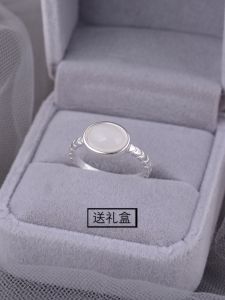
925 Sterling Silver Oval Agate Ring: A Minimalist Design for Your Index Finger
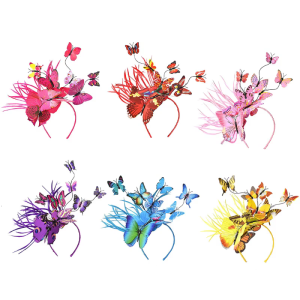
Festival Crown Fair Wings Headband Novelty for Butterfly Hair Hoop Wedding Hairband Halloween for Creative Party Costume
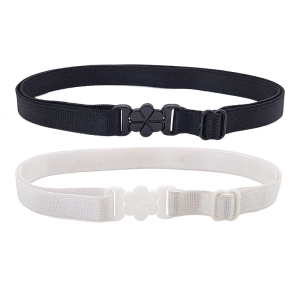
JK Accessory Quick Release Buckles System Extension Perfect For School And Office Outfits Adjustable Length
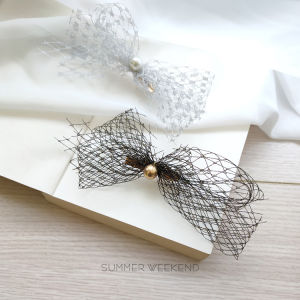
Fashionable Korean Style Butterfly Knot Hair Clip: Versatile Netted Hair Accessories, Elegant Personality Stand out Hairpins
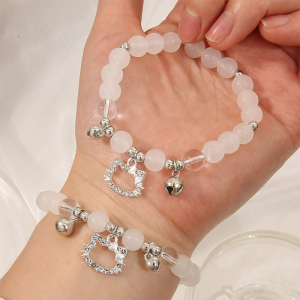
Corinna Cute Kitty Candy Color Bracelet: A Versatile Student Accessory

UNITED NATION — SASH WITH GOLD TRIMMINGS

Elegant Hair Claw Clip High Quality Material Suitable for Thin Hair Luxury Hair Accessories for Women Fashionable Hair Grips

Couples S925 Sterling Silver Cross Zircon Earrings Unique Design Minimalist Luxury Fashionable Jewelry for Men And Women