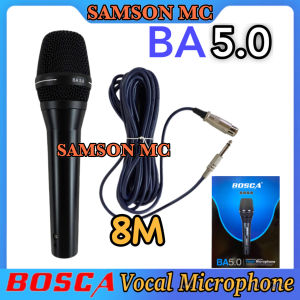
BOSCA BA 5.0 Vocal Microphone: High-Quality Dynamic Microphone Accentuates the Warmth and Clarity of Lead Backup Vocals
BOSCA BA 5.0 Vocal Microphone: High-Quality Dynamic Microphone Accentuates the Warmth and Clarity of Lead Backup Vocals
Introduction to Bosca BA 5.0
The Bosca BA-5.0 Vocal High Quality Dynamic Microphone (Black) is a top-tier microphone designed to capture warm and clear vocals for both lead and backup performances. This professional audio recording device offers a wide range of features and settings to ensure optimal sound quality.
Overview of Bosca BA 5.0 Microphone
The Bosca BA 5.0 is a dynamic microphone that delivers exceptional sound quality and reliability. It is designed specifically for vocalists who want to capture the warmth and clarity of their voice in both live and studio settings. The microphone is built with high-quality components and materials, ensuring durability and longevity.
Key Features of Bosca BA 5.0
The Bosca BA 5.0 boasts several key features that make it stand out from other vocal microphones:
- Warm and Clear Vocals: The microphone captures the warmth and clarity of lead and backup vocals, making it ideal for professional audio recording.
- High-Quality Dynamic Microphone: The dynamic design ensures reliable performance and consistent sound quality.
- Professional Audio Recording: The Bosca BA 5.0 is perfect for both live performances and studio recordings, providing exceptional sound quality in any setting.
Professional Audio Recording with Bosca BA 5.0
To achieve the best results with the Bosca BA 5.0, it is essential to set up your recording environment properly, capture warm and clear vocals, and optimize vocal microphone placement.
Setting Up Your Recording Environment
Creating a professional recording environment is crucial for capturing high-quality audio. Consider the following tips:
- Choose a quiet location with minimal background noise.
- Use acoustic treatment to minimize echoes and reverberation.
- Position the microphone at the appropriate distance from the vocalist.
Capturing Warm and Clear Vocals
The Bosca BA 5.0 excels at capturing warm and clear vocals. To ensure optimal sound quality, follow these guidelines:
- Adjust the microphone settings to match the vocalist's voice.
- Experiment with different mic placements to find the sweet spot.
- Use a pop filter to reduce plosive sounds and improve clarity.
Optimizing Vocal Microphone Placement
Proper microphone placement is critical for achieving the desired sound. Here are some tips for optimizing vocal microphone placement:
- Place the microphone at a 45-degree angle to the vocalist's mouth.
- Keep the microphone at a comfortable distance from the vocalist.
- Use a shock mount to reduce handling noise and vibrations.
Maximizing Bosca BA 5.0 Performance
To get the most out of your Bosca BA 5.0, fine-tune the settings, maintain optimal sound quality, and explore advanced techniques for lead backup vocals.
Fine-Tuning Bosca BA 5.0 Settings
Adjusting the settings on the Bosca BA 5.0 can significantly impact the sound quality. Experiment with the following settings to find the perfect balance:
- Sensitivity: Adjust the sensitivity to match the vocalist's voice and performance style.
- EQ: Use equalization to shape the sound and enhance specific frequencies.
- Gain: Set the gain to achieve the desired volume level without introducing distortion.
Maintaining Optimal Sound Quality
To ensure consistent sound quality, follow these maintenance tips:
- Clean the microphone regularly to prevent dirt and debris from affecting the sound.
- Store the microphone in a protective case when not in use.
- Replace worn-out components, such as cables and connectors, to maintain optimal performance.
Exploring Advanced Techniques for Lead Backup Vocals
The Bosca BA 5.0 is versatile enough to handle a wide range of vocal styles and techniques. Experiment with the following advanced techniques to elevate your lead backup vocals:
- Layering: Record multiple takes and layer them to create a richer, more complex sound.
- Effects: Use effects processors to add depth and texture to your vocals.
- Vocal harmonies: Create vocal harmonies to add interest and dimension to your performances.

SAMSON MC
Review

You May Also Like
MUSICER TX-SUB3 3\" Dual Cone Car Speaker 100 Watts 4 Ohms
🔥【24 hours shipping】12V MP3 Player Decoder Board Wireless MP3 Player Amplifier Bluetooth 5.0 Receiver Car Kit FM Radio TF USB 3.5mm AUX Audio With Remote Control

50W Handheld Megaphone Speaker with Siren Record Alarm and Bluetooth USB Type-C Charging TF Card

Yoobao M16 Desktop Wireless Bluetooth V5.3 Super Bass Sound Multi Function with Colorful RGB Lightning Effect Speaker
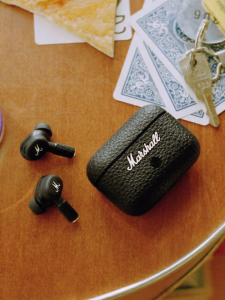
Marshall | True Wireless In-Ear Active Noise Cancellation Bluetooth Headphones
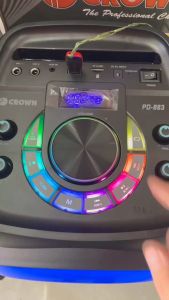
CROWN PD-883 BLUETOOTH SPEAKER

BAVIN BA66 TWS Earphone Wireless Bluetooth HiFi Stereo Audio Sounds Noise Reduction Earbuds W/ Microphone
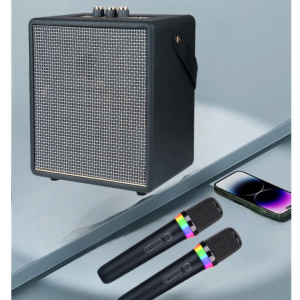
V11 Pro Stereo Surround Bass KARAOKE Wireless Bluetooth Compact Speaker with Two Wireless Microphone

Crown HT-126 Horn Tweeter 180Watts Driver Unit

Anker Soundcore Sport X10 Bluetooth 5.2 Headphones Sports Rotating Ear Hooks Deep Bass IPX7 Waterproof Sweatproof Sport Earbuds

Omnidirectional Conference Microphone & Zoom Meeting Speaker: A Comprehensive Guide