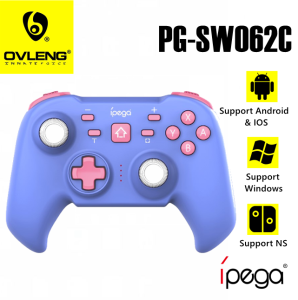
IPEGA PG-SW062C Bull Demon Gamepad Joystick Controller Type C Interface with Telescopic Stand and Turbo Function
IPEGA PG-SW062C Bull Demon Gamepad Joystick Controller Type C Interface with Telescopic Stand and Turbo Function
Introduction to the IPEGA PG-SW062C Gamepad
The IPEGA PG-SW062C is a versatile and portable gaming controller designed to enhance your gaming experience on various devices, including smartphones, tablets, and computers. This comprehensive guide will provide you with an overview of its key features, comparison with other portable gaming controllers, and step-by-step instructions on how to set up and utilize the turbo function and telescopic stand.
Key Features of the PG-SW062C
-
Type C Interface Joystick: The PG-SW062C comes equipped with a Type C interface joystick, making it compatible with a wide range of devices. This feature ensures seamless connectivity and compatibility, allowing you to enjoy your favorite games on different platforms.
-
Turbo Function: The gamepad's turbo function allows you to perform rapid button presses with ease, providing a competitive edge in fast-paced games. This feature is perfect for gamers who want to optimize their performance and enjoy a more immersive gaming experience.
-
Telescopic Stand: The PG-SW062C includes a telescopic stand that can be adjusted to your desired height and angle. This feature provides optimal viewing and gaming comfort, allowing you to customize your setup according to your preferences.
Comparison with Other Portable Gaming Controllers
Compared to other portable gaming controllers, the IPEGA PG-SW062C stands out due to its unique combination of features, including the Type C interface joystick, turbo function, and telescopic stand. While other controllers may offer similar features individually, the PG-SW062C provides a comprehensive package that caters to the needs of both casual and serious gamers.
How to Set Up Your PG-SW062C Gamepad
Setting up your IPEGA PG-SW062C gamepad is a straightforward process that can be completed in just a few minutes. Follow these steps to get started:
Connecting the Type C Interface Joystick
- Connect the Type C USB cable to the gamepad's joystick port.
- Plug the other end of the cable into your device's Type C port.
- If prompted, install the necessary drivers or software to ensure proper connectivity.
Charging and Battery Life
The PG-SW062C gamepad comes with a built-in rechargeable battery that provides up to 30 hours of continuous gameplay. To charge the gamepad, simply connect the Type C USB cable to the charging port and plug it into a power source. The battery indicator lights will turn green once the charging process is complete.
Utilizing the Turbo Function and Telescopic Stand
Once your gamepad is set up, you can start enjoying the benefits of the turbo function and telescopic stand.
Enhancing Your Gaming Experience with Turbo Function
To activate the turbo function, hold down the designated button (usually marked with a lightning bolt icon) while pressing another button on the gamepad. This will trigger rapid button presses, providing a competitive edge in fast-paced games.
Adjusting the Telescopic Stand for Optimal Viewing
The telescopic stand allows you to adjust the height and angle of your device for optimal viewing and gaming comfort. To adjust the stand, simply loosen the locking screw and slide the stand up or down to your desired position. Once you have reached your preferred height and angle, tighten the locking screw to secure the stand in place.
User Manual & Support
For more information on the IPEGA PG-SW062C gamepad, refer to the Chinese and English user manual included in the package. If you encounter any issues during setup or gameplay, consult the troubleshooting guide provided in the user manual or contact our customer support team for assistance.

Ovleng Philippines
Review

You May Also Like
XUNDD XDHO-018 ORIGINAL Magnetic Phone Stand Holder 360 Rotate
Ultra Light Wrist Rest Mouse Pad Ergonomic Comfortable Mouse Pad Mat With Foam Support Protect
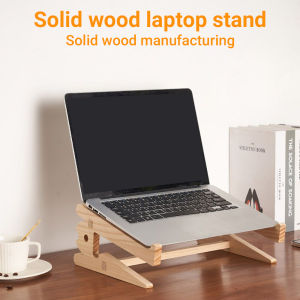
Wooden Laptop Stand Laptop Stand Laptop Wooden Computer Stand Wooden Laptop Cooling Stand for 10-15inches Bracket Folding Portable Macbook Laptop HolderDuable layer
![[COD] KOQZM KITCHEN 34.4mm 44.4mm 51.4mm 51.5mm Audio Driver Speaker Titanium Film Treble Voice Reel Tweeter](https://img.lazcdn.com/g/p/f8ecf06927dd2985f1e9b7c295c22f87.jpg_300x300q80.jpg)
[COD] KOQZM KITCHEN 34.4mm 44.4mm 51.4mm 51.5mm Audio Driver Speaker Titanium Film Treble Voice Reel Tweeter
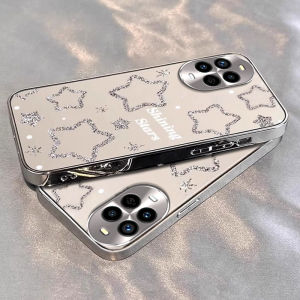
Huawei Nova13Pro Phone Case Fashionable Electroplated Mirror Surface Star Design Full Cover Protective Shell for Women Anti-Fall
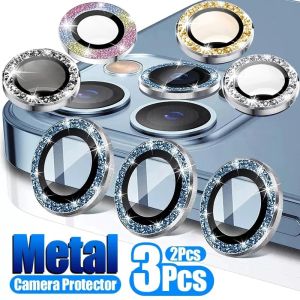
【 1 Set 2PCS-3PCS】Sparkling Diamond Camera Lens Protector For iPhone 15 14 Pro Max Plus 13 Pro Max 12 Pro Max Mini 11 Pro Max Bling Rainbow Metal HD Tempered Glass Camera Film Screen Protection Top Seller
Transparent Crystal Silicone Case for Apple iPhone 13 pro 6.1 Inch Anti-Friction Edge Protection Lightweight Fresh Style
XUNDD XDCH-054 PD 20W 10000MAH Magnetic Wireless Fast Charging Power Bank w/ built in cable Powerbank
Oppo A3 Vitality Edition Phone Case Egg Fry KT Cat 5G Full Edge Soft Silicone Protective Cover Cute Cartoon Style Anti-Fall
C12C890191 Maintenance Tank Chip Resetter: A Comprehensive Guide
HUAWEI NOVA 12 SE / NOVA 12i Privacy Tempered Glass Screen Protector\\n\\n Introduction to Privacy Screen Protectors\\n\\nPrivacy screen protectors have become increasingly popular among smartphone users, offering an additional layer of security and privacy while using their devices. These screen protectors limit the viewing angle of the display, making it difficult for others to peek at sensitive information on your phone. In this article, we will explore the features and benefits of the HUAWEI NOVA 12 SE / NOVA 12i Privacy Tempered Glass Screen Protector.\\n\\n What is a Privacy Screen Protector?\\n\\nA privacy screen protector is a transparent film or glass sheet that adheres to your device's screen, restricting the viewing angle to a narrow range, typically around 28 degrees. This ensures that only the person directly in front of the screen can view its contents, protecting your privacy in public spaces.\\n\\n Benefits of Using a Privacy Screen Protector\\n\\n1. Enhanced privacy: With a privacy screen protector, you can enjoy browsing through your emails, social media, or sensitive documents without worrying about prying eyes.\\n2. Protection against accidental exposure: When using public transportation or working in crowded areas, a privacy screen protector helps prevent unintended exposure of your personal data.\\n3. Improved concentration: By limiting distractions from people around you, a privacy screen protector allows you to focus better on your tasks.\\n\\n Features of HUAWEI NOVA 12 SE / NOVA 12i Privacy Tempered Glass Screen Protector\\n\\n AGC Glass Material & 9H Hardness\\n\\nThe HUAWEI NOVA 12 SE / NOVA 12i Privacy Tempered Glass Screen Protector is made from AGC glass material imported from Japan, providing excellent defense against scratches and impacts. With a hardness rating of 9H, this screen protector offers superior protection against accidental damage.\\n\\n Anti-Glare & Oleophobic Coatings\\n\\nThe screen protector features an anti-glare coating that effectively reduces reflections and glare, making it easier to view your device in bright environments. Additionally, an oleophobic coating has been applied to the surface to prevent fingerprints, oil, and other residues from accumulating on the screen.\\n\\n Thinness & Comfort\\n\\nAt just 0.33mm thick, the HUAWEI NOVA 12 SE / NOVA 12i Privacy Tempered Glass Screen Protector provides an almost seamless touch experience, maintaining the original feel of your device's screen. Using CNC cutting techniques and a 2.5D edge grinding process, the screen protector offers a smooth and comfortable edge for your fingers.\\n\\n Installation & Usage Tips\\n\\n Easy Installation Process\\n\\nInstalling the HUAWEI NOVA 12 SE / NOVA 12i Privacy Tempered Glass Screen Protector is simple and straightforward. Follow these steps:\\n1. Clean your device's screen thoroughly.\\n2. Peel off the protective film from the screen protector.\\n3. Align the screen protector with your device's screen.\\n4. Slowly press down on the center of the screen protector and gradually work your way outwards to remove any air bubbles.\\n\\n Maintaining Your Screen Protector\\n\\nTo ensure the longevity of your HUAWEI NOVA 12 SE / NOVA 12i Privacy Tempered Glass Screen Protector, follow these maintenance tips:\\n1. Clean the screen regularly using a microfiber cloth and mild cleaning solution.\\n2. Avoid using abrasive materials or harsh chemicals to clean the screen protector.\\n3. If you notice any scratches or damage, consider replacing the screen protector.\\n\\n Conclusion & Final Thoughts\\n\\nThe HUAWEI NOVA 12 SE / NOVA 12i Privacy Tempered Glass Screen Protector offers an excellent combination of privacy, durability, and comfort. By limiting the viewing angle and protecting your device's screen from scratches and impacts, this screen protector ensures that your personal data remains secure while providing a seamless touch experience. With its easy installation process and maintenance tips, the HUAWEI NOVA 12 SE / NOVA 12i Privacy Tempered Glass Screen Protector is an ideal choice for anyone seeking enhanced privacy and protection for their smartphone.\n}