Nintendo Switch & Pokemon Legends Arceus: A Preloved Perspective
Nintendo Switch & Pokemon Legends Arceus: A Preloved Perspective
Understanding the Preloved Gaming Console Market
What is a Preloved Gaming Console?
A preloved gaming console, also known as a pre-owned or used gaming console, is a previously owned video game system that has been purchased and used by someone else before being resold. In this case, we will focus on the Nintendo Switch, a popular gaming device that offers a wide range of games, including the highly anticipated Pokemon Legends Arceus.
Benefits of Buying a Preloved Nintendo Switch
Buying a preloved Nintendo Switch comes with several benefits:
-
Cost-effective: Preloved consoles are often cheaper than brand new ones, allowing you to save money while still enjoying top-notch gaming experiences.
-
Eco-friendly: Purchasing a preloved gaming console reduces waste and minimizes the environmental impact associated with manufacturing new devices.
-
Variety: Preloved consoles offer a wider selection of models and accessories, allowing you to find the perfect fit for your gaming needs.
Tips for Buying a Preloved Nintendo Switch
When shopping for a preloved Nintendo Switch, keep the following tips in mind:
-
Inspect the console: Carefully examine the device for any signs of damage or wear and tear. Check the screen, buttons, and ports for any issues.
-
Test the console: If possible, test the console before purchasing to ensure it functions properly.
-
Check the warranty: Some preloved consoles may still have a valid warranty, so inquire about the remaining coverage before making a purchase.
Nintendo Switch & Pokemon Legends Arceus: An Overview
What is Pokemon Legends Arceus?
Pokemon Legends Arceus is an action role-playing game developed by Game Freak and published by The Pokémon Company for the Nintendo Switch. Set in the Sinnoh region, players embark on a journey to explore the vast wilderness, capture and train Pokemon, and uncover the mysteries surrounding the ancient god-like creature, Arceus.
How to Get Started with Pokemon Legends Arceus on Nintendo Switch
To begin your adventure in Pokemon Legends Arceus, follow these steps:
-
Purchase the game either physically or digitally from the Nintendo eShop.
-
Insert the game cartridge into your Nintendo Switch console or download the digital version.
-
Power on your Nintendo Switch and launch the game.
-
Follow the on-screen instructions to create a new save file and start your journey.
Essential Tips for Playing Pokemon Legends Arceus
To make the most out of your Pokemon Legends Arceus experience, consider the following tips:
-
Explore: Take the time to thoroughly explore the Sinnoh region, as there are numerous hidden treasures, rare Pokemon, and secret areas to discover.
-
Train: Focus on training your Pokemon to become stronger and better equipped for battles.
-
Customize: Customize your avatar and equipment to suit your playstyle and preferences.
Maximizing Your Preloved Nintendo Switch Experience
Enhancing Battery Life
To prolong the battery life of your preloved Nintendo Switch, try the following tips:
-
Adjust screen brightness: Lowering the screen brightness can significantly extend battery life.
-
Use power-saving mode: Enable power-saving mode to reduce energy consumption.
-
Limit background apps: Close unnecessary apps to conserve battery power.
Maintaining Console Performance
Keep your preloved Nintendo Switch running smoothly with these maintenance tips:
-
Regularly update the system: Ensure your console is running the latest software updates.
-
Clean the console: Wipe down the console and accessories with a soft, lint-free cloth to remove dust and debris.
-
Manage storage: Delete unnecessary files and games to free up storage space.
Extending Console Lifespan
Extend the lifespan of your preloved Nintendo Switch by following these best practices:
-
Handle with care: Be gentle when handling the console and accessories to prevent damage.
-
Store properly: Keep the console and accessories in a cool, dry place when not in use.
-
Avoid extreme temperatures: Protect the console from extreme heat or cold, which can cause damage or affect performance.

CHRESTUFF ONLINE SHOP
![Nintendo Switch Pokemon Legends Arceus [PRELOVED]](https://img.lazcdn.com/g/ff/kf/S8f207406a6984b8e866e0149122cfe60v.jpg_300x300q80.jpg)
You May Also Like
Handheld Video Game Console 3.5-inch LCD Mini Portable Brick Game Machine Built-in 23+26 Games
Game Cartridge Holder Compartment Slot fitting for NES SNES N64 Easy to use replacement
M8 4K video game console classic 20000 games supporting multiple players 32GB/64GB
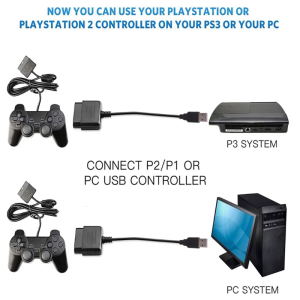
High Stability Video Game Controller Adapter Converter Easy Connection for PS1 Joypad Gamepad to PC
R36H Game Console ARK OS 64GB with 15000+ Games
2Pcs/set 3D Analog Axis Joystick Module Potentiometer Thumbsticks Module For for for 360 Controller Repair
V10 4K Virtual Reality VR Glasses 3D Glasses Google Cardboard Box Headset Helmet for IOS Android Phone 4-6.7"Support Joysticks
Nintendo Switch Little Nightmares III (ASI)
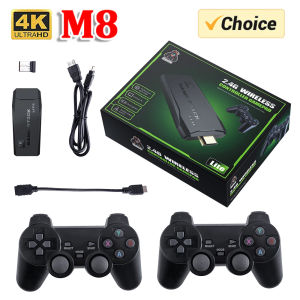
Video Game Stick Lite 4K HD Video Game M8 Console 64GB Double Wireless Controller For 10000 Retro Games Kid Xmas Gift
Retro Portable Mini Handheld Video Game Console 8 Bit 3.0 Inch Color LCD Game Player Built in 500 Games For Kid Gift 17 Ratings
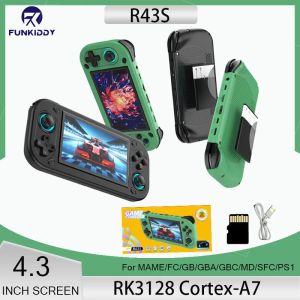
2025 NEW R43S Retro Handheld Video Game Console Linux System 4.3 Inch Screen 1920*1080 Portable Pocket Video Player HDMI Out 64G