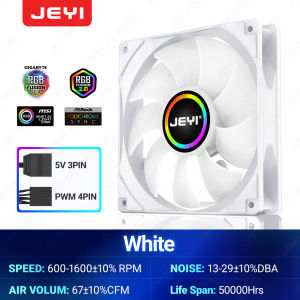
JEYI 120mm PC ARGB Cooling Fan: AURA SYNC RGB & Ultra Silent Heatsink Ventilator
JEYI 120mm PC ARGB Cooling Fan: AURA SYNC RGB & Ultra Silent Heatsink Ventilator
Introduction to JEYI 120mm ARGB Cooling Fan
The JEYI 120mm ARGB Cooling Fan is a high-quality cooling solution designed to enhance the performance and aesthetics of your PC. This ultra-silent heatsink ventilator is compatible with both 4PIN PWM and 5V 3PIN ARGB connectors, allowing for seamless integration with various motherboards and RGB lighting systems. With its AURA SYNC RGB technology, the fan offers customizable lighting effects that can be synchronized with other compatible components.
Key Features & Specifications
The JEYI 120mm ARGB Cooling Fan boasts several features that make it a top choice for PC enthusiasts:
- Ultra Silent Operation: This fan utilizes advanced cooling technology to provide a whisper-quiet performance, making it ideal for users who value a peaceful computing environment.
- Compatibility: The fan supports both 4PIN PWM and 5V 3PIN ARGB connectors, ensuring compatibility with a wide range of motherboards and RGB lighting systems.
- AURA SYNC RGB: With this feature, users can customize the lighting effects of their fan and synchronize them with other compatible components, creating a cohesive and visually appealing setup.
Understanding the Benefits of Ultra Silent Computer Fans
Ultra silent computer fans offer numerous advantages, including:
- Reduced Noise Pollution: By minimizing noise levels, these fans help create a more comfortable and peaceful computing environment.
- Improved Cooling Efficiency: Ultra silent fans often feature advanced cooling technologies that enhance their performance, ensuring your PC remains cool even under heavy workloads.
- Enhanced Aesthetics: Many ultra silent fans, like the JEYI 120mm ARGB Cooling Fan, come equipped with RGB lighting options, allowing users to customize the appearance of their setup.
How to Choose the Right Fan for Your PC
When selecting a fan for your PC, consider the following factors:
- Compatibility: Ensure the fan is compatible with your motherboard and any existing RGB lighting systems.
- Cooling Capacity: Choose a fan that can effectively cool your system, taking into account its size, airflow, and noise level.
- Aesthetics: If you value a visually appealing setup, look for fans with customizable RGB lighting options.
Performance Comparison with Other Popular Fans
The JEYI 120mm ARGB Cooling Fan stands out among its competitors due to its ultra-silent operation, AURA SYNC RGB technology, and compatibility with both 4PIN PWM and 5V 3PIN ARGB connectors. Compared to other popular fans, the JEYI 120mm ARGB Cooling Fan offers superior cooling efficiency and customization options.
Setting Up AURA SYNC RGB Fans
To set up AURA SYNC RGB fans, follow these steps:
- Connect the fan to your motherboard using the appropriate connector (4PIN PWM or 5V 3PIN ARGB).
- Install the AURA SYNC software on your PC.
- Configure the lighting effects according to your preferences.
Customizing RGB Lighting Effects
With AURA SYNC RGB technology, users can customize the lighting effects of their JEYI 120mm ARGB Cooling Fan in several ways:
- Color Selection: Choose from a wide range of colors to match your setup's aesthetic.
- Effect Types: Select from various effect types, such as static, breathing, or wave patterns.
- Synchronization: Synchronize the lighting effects with other compatible components for a cohesive appearance.
Maximizing the Cooling Efficiency of JEYI 120mm ARGB Cooling Fan
To maximize the cooling efficiency of your JEYI 120mm ARGB Cooling Fan, follow these tips:
- Optimal Placement: Position the fan in a location that allows for optimal airflow, such as near the CPU or GPU.
- Configuration: Adjust the fan's settings according to your PC's cooling needs, taking into account factors such as noise level and airflow.
Troubleshooting Common Issues
If you encounter any issues with your JEYI 120mm ARGB Cooling Fan, try the following troubleshooting steps:
- Check Connections: Ensure all connections are secure and properly seated.
- Update Firmware: Check for firmware updates and install them if available.
- Contact Support: If the issue persists, contact JEYI's customer support for assistance.

JEYI Official Store
You May Also Like
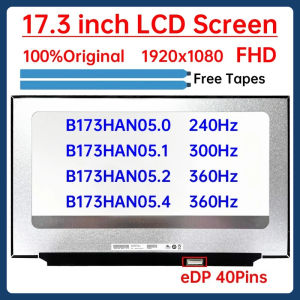
17.3" Laptop LCD Screen B173HAN05.0 B173HAN05.1 B173HAN05.2 B173HAN05.4 Display Matrix Panel Replacement 1920x1080 eDP 40 Pins

X100 Live Broadcast Sound Card: A Comprehensive Guide

icx AVR Automatic Voltage Regulator 1500Watts
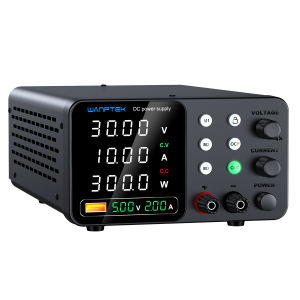
30V 10A Laboratory Power Supply 60V 5A Voltage Regulator with Three Data Stores OCP Short Circuit Warning Preset Voltage Current
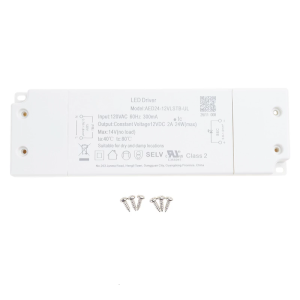
12V 24W Dimmable LED Driver Power Supply Adapter Converter Dimming LED Power Supply Converter Easy to Install

Eyoyo 12 Inch Small HDMI Monitor Eyoyo Mini Monitor Portable IPS Display External Monitor for Laptop Security Camera Raspberry pi 1366x768 HD Monitor Built-in Speaker
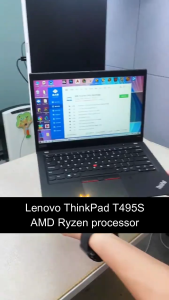
Lenovo Laptop/Lenovo ThinkPad T495S/14 inch/AMD Ryzen processor/Integrated AMD Radeon Vega 8 Graphics
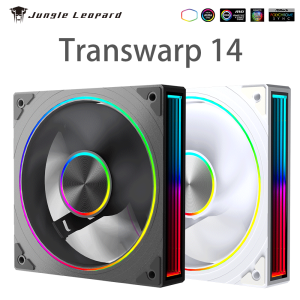
Jungle Leopard Transwarp 14 Star Ring 140mm PC Case Fan 5V 3Pin ARGB Cyclic Mirror Light Effect PWM 650 to 1800RPM Cooling Fan
Circuitrocks Buck/Step Down DC 7.5V-35V to 5V L7805 For Regulator Buck Power Supply Module
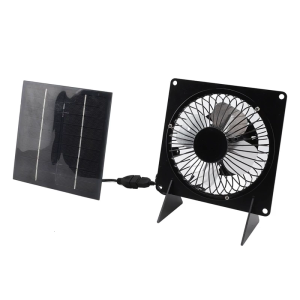
Monocrystalline Solar Panel Waterproof Exhaust Fan Cooling Ventilation Solution for Pet Houses Greenhouses and Sheds
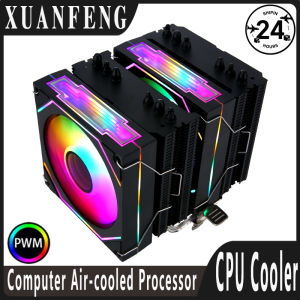
XUANFENG Twin Towers 6 Heat Pipe CPU Cooler Argb 90mm Fan White/Black Themed Radiator install LGA1200 1700 115x AMD X79 X99 2011