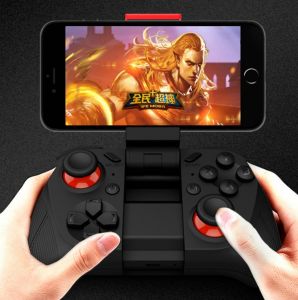
IN 1 R Portable Handheld Game Console: A Fun Gift for Kids
IN 1 R Portable Handheld Game Console: A Fun Gift for Kids
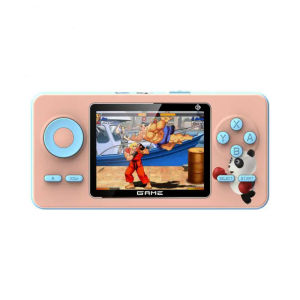
The IN 1 R Game Player is a compact, portable handheld game console designed specifically for kids aged 5-12 years old. This mini handheld player offers an array of features and specifications that make it a perfect gift for children. In this article, we will discuss what the IN 1 R Game Player is, how to use it, its benefits as a gift for kids, and troubleshooting tips.
What is the IN 1 R Game Player?
The IN 1 R Game Player is a portable handheld game console that supports over 520 games. It has a 2.4-inch LCD screen with a resolution of 320x240 pixels and runs on the Opendinglinux operating system. The device comes with a standard HDMI port, allowing users to connect it to their TVs using an AV out cable. Additionally, the IN 1 R Game Player has a Type-C charging interface and a Mini USB external controller interface.
Key Features & Specifications
- Games Type: Handheld Game Players
- Games Included: 520
- Category: Handheld Game Players
- External Controller Interface: Mini USB
- HDMI: Standard HDMI
- Charging Interface Type: Type-C
- Screen Resolution: 320x240
- Screen Type: LCD screen
- Operating System: Opendinglinux
- Supporting Language: English
- Package: Yes
- Communication: USB
- Touch Screen: No
- Color Display: Yes
- Display Size: 2.4"
- Brand Name: centechia
- Origin: Mainland China
- Certification: CE
Why Choose the IN 1 R Game Player?
The IN 1 R Game Player is an excellent choice for parents looking for a fun and educational gift for their kids. With its extensive library of games, the device offers hours of entertainment while promoting creativity and imagination. Additionally, the IN 1 R Game Player is easy to use and maintain, making it a great option for busy families.
How to Use the IN 1 R Game Player
Using the IN 1 R Game Player is simple and straightforward. Here are some steps to get started:
Connecting to TV via AV Out
To connect the IN 1 R Game Player to your TV, you will need an AV out cable. Connect one end of the cable to the HDMI port on the device and the other end to your TV's HDMI input. Turn on your TV and select the appropriate input source to start playing games on the big screen.
Charging & Power Management
The IN 1 R Game Player has a built-in rechargeable battery that can be charged using a Type-C cable. To charge the device, simply plug the cable into the charging interface and connect it to a power source. The device will automatically begin charging, and the LED indicator will turn green when fully charged.
Controlling the Game Player
The IN 1 R Game Player comes with a built-in controller that allows users to navigate through menus and play games. The device also supports external controllers, which can be connected via the Mini USB interface.
IN 1 R Game Player as a Gift for Kids
The IN 1 R Game Player is an ideal gift for kids during Christmas, birthdays, or any other special occasion. Here are some reasons why:
Perfect for Christmas & Birthday Gifts
With its compact size and extensive library of games, the IN 1 R Game Player is an excellent gift for kids. It is easy to carry around, making it perfect for travel or long car rides. Plus, the device's wide range of games ensures that there is something for everyone.
Educational Benefits of Handheld Game Players
Handheld game players like the IN 1 R Game Player offer numerous educational benefits for kids. They promote problem-solving skills, critical thinking, and hand-eye coordination. Additionally, many games are designed to teach kids about history, science, and math.
Encouraging Creativity & Imagination
The IN 1 R Game Player offers a variety of games that encourage creativity and imagination. From puzzle games to role-playing games, the device provides endless opportunities for kids to explore their interests and develop their imaginations.
Troubleshooting & Support
If you encounter any issues with your IN 1 R Game Player, here are some common solutions:
Common Issues & Solutions
- Device Not Turning On: Make sure the device is fully charged before attempting to turn it on. If the issue persists, try resetting the device by holding down the power button for 10 seconds.
- Games Not Loading: Try restarting the device or reinstalling the game. If the issue persists, contact customer service for further assistance.
Customer Service & Warranty Information
If you have any questions or concerns about your IN 1 R Game Player, you can contact customer service at any time. The device comes with a warranty that covers defects in materials and workmanship for up to one year from the date of purchase.
Tips for Optimal Performance
- Keep the Device Clean: Regularly clean the device's screen and buttons to ensure optimal performance.
- Update the Firmware: Check for firmware updates regularly to ensure the device is running the latest version.
- Store the Device Properly: When not in use, store the device in a cool, dry place away from direct sunlight.

ToKerNew
Review

You May Also Like
Customize Rate Army in the Field Basketball Jersey Design Source File
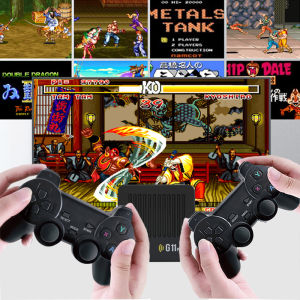
G11 Pro Game Box 4K HD TV Game Stick Video Game Console 128G Built in 40000+ Retro Games 2.4G Wireless Gamepad For PS1/GBA/FC
![Nintendo Switch The Legend Of Zelda Tears Of The Kingdom [PRELOVED]](https://img.lazcdn.com/collect/social-img/43484f048fed41eca0239b80309ae550_ee9848384cfc49e492d2bbcb63f1a021.png_300x300q80.png)
Nintendo Switch The Legend Of Zelda Tears Of The Kingdom [PRELOVED]
Carnival Games : In Action - Xbox 360
Skull & Co. Nintendo Switch/OLED/Lite Joy-Con Lever Cap Anti-Slip Hat Official Standard Configuration Gaming Accessories
M8 30000+Games 4K Video Game Console 2.4G Wireless Controller Portable TV Game Stick Retro Handheld Game Player For Xmas Gift
Game Console Dust Plug for Steam Deck Headsets Interface Silicone Anti Dust Cover with Thumbstick Cap Dust Net Stickers
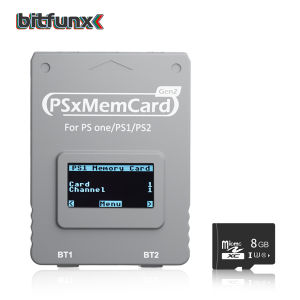
Bitfunx PSxMemCard Gen2 Store Game Saves for PS1 and PS2 Games for PlayStation1 PS one Playstation2 Game Consoles
10 Smart Glasses Bluetooth Audio Sunglasses for Men Women with Dual Stereo Speakers
Accessories For Oculus Quest2 Quest 2 Cable Link Smart 3D Virtual Reality VR Glasses USB A To Type C 3 5M Headset Oculis Helmet

FINAL FANTASY XIV HEAVENSWARD Playstation 4 Game PS4 Games Mint Condition HEGEY