F-B12 120mm Computer Case Fan: RGB Aperture Silent Cooling Solution
F-B12 120mm Computer Case Fan: RGB Aperture Silent Cooling Solution
What is the F-B12 Fan?
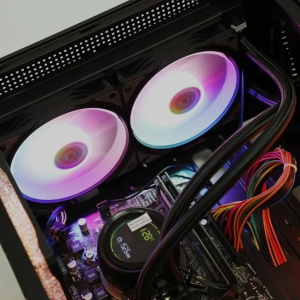
The F-B12 fan is a top-tier 120mm computer case fan designed specifically for RGB aperture silent cooling. As a cutting-edge solution, this fan offers exceptional performance, durability, and aesthetics, making it the perfect choice for enthusiasts looking to enhance their system's cooling capabilities.
Key Features
- Aperture Technology: The F-B12 fan utilizes advanced aperture technology, which significantly improves airflow and reduces noise levels compared to traditional fans.
- RGB Lighting: The fan features customizable RGB lighting, allowing users to personalize their setup and add a touch of style to their build.
- Silent Operation: The F-B12 fan operates at a whisper-quiet level, ensuring a peaceful computing experience without compromising on performance.
- Durable Construction: Built with high-quality materials, the F-B12 fan is designed to withstand the rigors of daily use and provide reliable cooling for years to come.
Comparison with Other Fans
When comparing the F-B12 fan to other fans on the market, it stands out due to its superior aperture technology, RGB lighting capabilities, and silent operation. While some fans may offer similar features, none can match the combination of performance, style, and durability offered by the F-B12 fan.
How to Choose the Right Aperture Cooling Fan
Selecting the right aperture cooling fan for your computer case can be a daunting task, but by understanding aperture technology and considering the factors below, you'll be well-equipped to make an informed decision.
Understanding Aperture Technology
Aperture technology refers to the design of the fan blades, which are strategically positioned to optimize airflow and reduce noise levels. This innovative approach allows the F-B12 fan to deliver superior cooling performance while maintaining a low noise profile.
Factors to Consider When Selecting a Fan
- Airflow Requirements: Determine the airflow requirements of your computer case and components to ensure the fan can effectively cool your system.
- Noise Level: Consider the desired noise level for your computing environment, as some fans may produce more noise than others.
- Size Compatibility: Verify that the fan will fit within your computer case and is compatible with your existing components.
- Budget: Set a budget for your fan purchase, keeping in mind that higher-end models may offer better performance and features.
RGB Silent Cooling Fan Benefits
Investing in an RGB silent cooling fan like the F-B12 offers numerous advantages, from enhancing system performance to customizing your setup.
Enhancing System Performance
By providing optimal cooling, the F-B12 fan helps maintain stable temperatures within your computer case, ensuring reliable operation and extending the lifespan of your components.
Customizing Your Setup
The customizable RGB lighting of the F-B12 fan allows you to personalize your build and add a touch of style to your gaming or work environment.
Installation Guide for Per Piece Unit Fan
Installing the F-B12 fan is a straightforward process that requires only a few basic tools and a bit of patience.
Tools Needed
- Screwdriver
- Thermal paste (optional)
Step-by-Step Instructions
- Unpack the F-B12 fan and verify that all components are included.
- Remove the existing fan from your computer case, if applicable.
- Position the F-B12 fan in the desired location within your case.
- Secure the fan using screws and ensure it is properly aligned.
- Connect the fan's power cable to the appropriate connector on your motherboard or power supply.
- Apply thermal paste to the CPU and GPU, if necessary.
- Reassemble your computer case and test the fan's functionality.
Frequently Asked Questions
Troubleshooting Tips
If you encounter issues with your F-B12 fan, refer to the troubleshooting guide included with the product or contact customer support for assistance.
Additional Resources
For more information about the F-B12 fan and its features, visit the manufacturer's website or consult online forums dedicated to computer hardware enthusiasts.

HANAMI Gadget Store
Review

You May Also Like
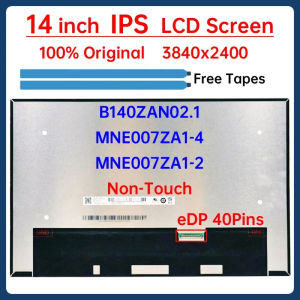
14 Inch Laptop LCD Screen B140ZAN02.1 MNE007ZA1-4 MNE007ZA1-2 For Lenovo ThinkPad X1 Carbon 9th 10th Gen Display Matrix Panel
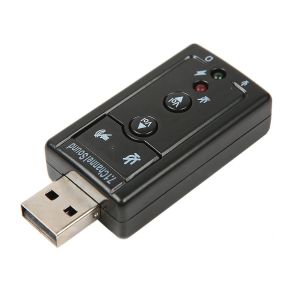
Mini USB 2.0 7.1 Channel Audio Sound Card Adapter USB To 3.5mm Jack Aux headset Adapter Stereo Audio sound card For Speaker PC Mic
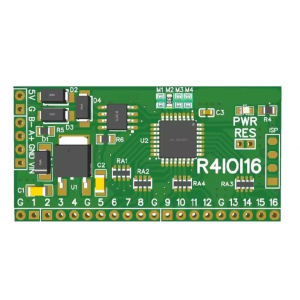
Digital IO RS485 2.54mm Pin Cores Board Module Replacement for 8266 Home 16DI/16DO/8DI-8DO/4DI-12DO/12DI-4DO

16" Laptop LCD Touch Screen N160JCN ELK N160JCN-ELK B160UAK01.2 For Lenovo ThinkBook 16 G6 IRL ABP IML ARP Display Matrix Panel
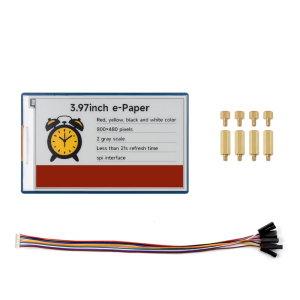
3.97in E Paper Ink Screen Module For RPi Compatible Supports 3.3V/5V Conversion For Development Projects
Huayuke DR-CV-20: ETL Certified 20W Constant Dimming Silicon Controlled Rectifier
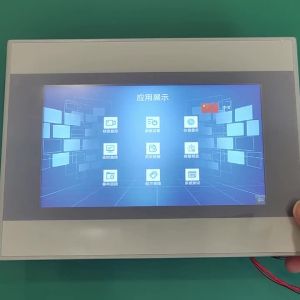
AMSA MOTION HMI Touch Screen AMX-070iE Ethernet Port Touch Panel RS232 for Weinview Delta Siemens Samkoon Xinjie Schneider LS PLC
264x276mm Double Sided PEI Build Plate Plate For S1 3D Printer PEI Spring Steel Sheet Hotbed Part
Picoboot Pi Pico Board Replacement Modchip SD2SP2 Adapter GC2SD with Flexible Digital Interface Modules
12V 2A 5A 10A 15A 20A Centralized Power Supply 12V 60W Power Adapt AC TO DC for Led Sign CCTV Camera
Inno3d Innovision Gtx1060 Black Gold God of War Graphics Card Fan Twin Fan Temperature Control HA9010H12F-Z