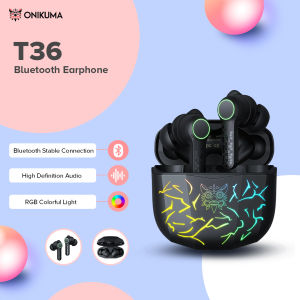
Onikuma T36 TWS Gamer Ear Buds Wireless Stereo Magnetic Charging Earphone In Ear Gaming Headphones Earbud Headset
Onikuma T36 TWS Gamer Ear Buds Wireless Stereo Magnetic Charging Earphone In Ear Gaming Headphones Earbud Headset
What Are TWS Gaming Earbuds?
TWS gaming earbuds, short for True Wireless Stereo gaming earbuds, are wireless earbuds designed specifically for gaming. They offer superior audio quality, low latency, and a comfortable fit, making them ideal for gamers who want to enjoy their favorite games without the hassle of wires.
Key Features of TWS Gaming Earbuds
- Wireless: TWS gaming earbuds are wireless, eliminating the need for cables and providing greater freedom of movement during gameplay.
- Low Latency: They have low latency, ensuring that audio and visual cues are synchronized, enhancing the gaming experience.
- Comfortable Fit: TWS gaming earbuds are designed to fit comfortably in the ear, reducing fatigue during extended gaming sessions.
- Sound Quality: They offer high-quality sound with clear audio and immersive bass, providing an engaging gaming experience.
How TWS Gaming Earbuds Work
TWS gaming earbuds work by connecting wirelessly to a device via Bluetooth. Once connected, they stream audio directly to the earbuds, providing a seamless gaming experience. The earbuds also feature magnetic charging, which allows them to be charged quickly and easily.
Battery Capacity & Charging
Battery life is crucial for gaming earbuds, especially during long gaming sessions. The Onikuma T36 TWS Gamer Ear Buds have a battery capacity of 35mAh for both the left and right earbuds, with a case battery capacity of 300mAh.
Magnetic Charging Headphones Explained
Magnetic charging headphones, such as the Onikuma T36 TWS Gamer Ear Buds, feature a magnetic connection between the earbuds and the charging case. This allows the earbuds to be charged quickly and easily, simply by placing them back in the case.
Battery Life Expectancy
The battery life expectancy of the Onikuma T36 TWS Gamer Ear Buds is approximately 6 hours per charge, with an additional 10 charges available from the case. This provides a total of 66 hours of battery life, making them ideal for extended gaming sessions.
Connectivity & Sound Quality
Connectivity and sound quality are essential factors when choosing gaming earbuds. The Onikuma T36 TWS Gamer Ear Buds offer wireless Bluetooth connection, version 5, ensuring a stable and reliable connection during gameplay.
Bluetooth Version 5 Connectivity
Bluetooth version 5 offers improved range, faster data transfer rates, and lower power consumption compared to previous versions. This means that the Onikuma T36 TWS Gamer Ear Buds will have a stable connection during gameplay, even at longer distances from the device.
Frequency Response Range & Sensitivity
The frequency response range of the Onikuma T36 TWS Gamer Ear Buds is 20Hz-20kHz, providing a wide range of audio frequencies. They also have a sensitivity of 93dB/mW ± 3dB, ensuring clear and crisp audio quality.
Design & Comfort
Design and comfort are important factors when choosing gaming earbuds. The Onikuma T36 TWS Gamer Ear Buds feature an in-ear design, which provides a secure fit and reduces fatigue during extended gaming sessions.
In-Ear Gaming Headphones
In-ear gaming headphones, like the Onikuma T36 TWS Gamer Ear Buds, fit snugly inside the ear canal, providing a secure fit and reducing external noise. This design also allows for better sound isolation, enhancing the audio experience.
Material & Driver Unit
The Onikuma T36 TWS Gamer Ear Buds are made of ABS material, which is lightweight and durable. They feature a 10mm driver unit, providing high-quality sound with clear audio and immersive bass.
How to Use TWS Gaming Earbuds
Using TWS gaming earbuds is simple and easy. Here are some tips for connecting your earbuds to devices and charging and maintaining them.
Connecting Your Earbuds to Devices
To connect your Onikuma T36 TWS Gamer Ear Buds to a device, turn on the Bluetooth function on your device and select the earbuds from the list of available devices. Once connected, they will stream audio directly to the earbuds, providing a seamless gaming experience.
Charging & Maintenance Tips
To charge your Onikuma T36 TWS Gamer Ear Buds, simply place them back in the charging case. The magnetic connection will ensure they are charged quickly and easily. To maintain your earbuds, keep them clean and dry, and avoid exposing them to extreme temperatures or moisture.

Onikuma Flagship Store
Review
You May Also Like
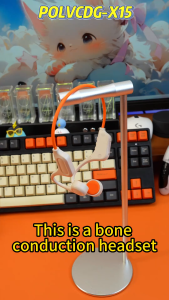
POLVCDG-X15 64G IPX6 Waterproof Earbuds Bone Conduction Headset Wireless Earbuds Bluetooth Earphone Professional Sports Headphones Cycling Headphones Suitable For Outdoor Activities Openrun
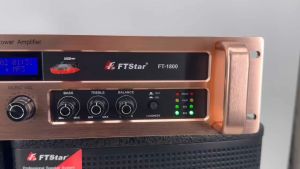
The FTStar FT-1800: A High-End Power Amplifier for Professional Audio Equipment

Wireless Bluetooth Neckband Earphones In-Ear Sports High Quality 4 Speakers Long Battery Life High Capacity 876 Digital Audio
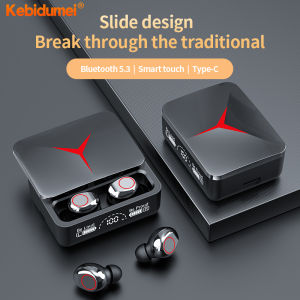
Kebidumei M90 TWS Gaming Wireless Bluetooth 5.3 Earphones Headset Low latency Gaming Earbuds with Mic HD HiFi Stereo Headphones Water-resistant Touch Headsets

Karaoke YS111 K Song Bluetooth speaker microphone audio integrated intelligent KTV mini audio super long standby outdoor portable charging
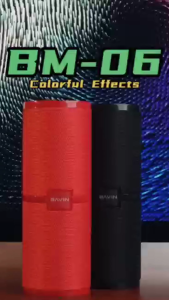
IDEAL1 BAVIN BM06 Bluetooth 5.3 Speaker Portable Travel Outdoor Music Surround Stereo Speaker Support USB TF Card AUX Cable
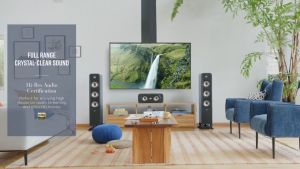
Polk Audio Signature Elite Series ES50 Floorstanding Speakers- for home theater and hifi - brown Polk ES50 (tower)

带2个麦克风低音炮的无线扬声器、大型Boombox扬声器、立体声扬声器、低音炮、户外无线扬声器、派对迪斯科灯、TWS、TF、

🎧 Digital Display Rotatable Earbuds: The Ultimate Guide
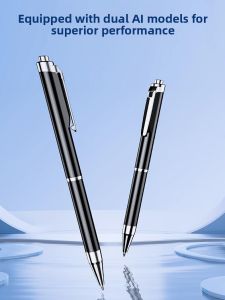
SHINCO | Shinco AI Multifunctional High Definition Noise Reduction Long Battery Life Meeting Business Office Recording Pen 310
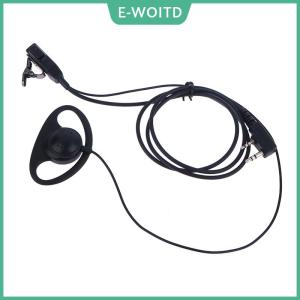
【E-WOITD】 Single Wire Earpiece Headset Kit MIC PTT Mic D Shaped 2 Pin Radio Earphone Walkie Talkie for KENWOOD BAOFENG TYT Ear Hook