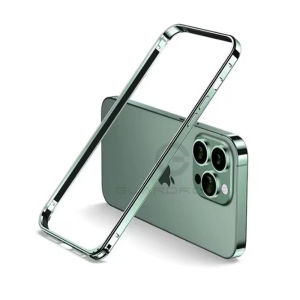
R-just Luxury Light Aluminum Metal Frame For iPhone 16 Pro Max 15 14 Plus 13 12 Pro Max Bumper Case Ultra Thin Alloy Protective Back Accessories
R-just Luxury Light Aluminum Metal Frame For iPhone 16 Pro Max 15 14 Plus 13 12 Pro Max Bumper Case Ultra Thin Alloy Protective Back Accessories
Welcome to our comprehensive guide on the R-just Luxury Light Aluminum Metal Frame Bumper Case for iPhone 16 Pro Max, 15, 14 Plus, 13, and 12 Pro Max. This article will provide you with valuable insights into what makes this case unique, how to choose the right case for your iPhone, and tips for installation and maintenance.
What Makes This Case Unique?
Lightweight & Durable Design
The R-just Luxury Light Aluminum Metal Frame Bumper Case is designed to offer a perfect balance between lightweight and durability. Made from premium aluminum alloy, this case provides excellent protection against accidental drops and scratches without adding unnecessary weight to your iPhone.
Premium Quality Materials
Crafted with premium quality materials, this case ensures that your device remains protected and stylish. The ultra-thin design allows easy access to all ports and buttons, while the precise cutouts guarantee a seamless experience.
Sleek & Stylish Appearance
With its sleek and stylish appearance, the R-just Luxury Light Aluminum Metal Frame Bumper Case complements your iPhone's design perfectly. Available in various colors, this case adds a touch of luxury to your device, making it stand out from the crowd.
How to Choose the Right Case for Your iPhone
Consider Your Needs & Preferences
When choosing a bumper case for your iPhone, consider your needs and preferences. Do you prioritize protection, style, or both? Understanding what matters most to you will help you make an informed decision.
Compare Different Options
Research different options available in the market, comparing features, materials, and prices. This will help you find the best fit for your budget and requirements.
Read Reviews & Testimonials
Before making a purchase, read reviews and testimonials from other users. This will give you an idea of the product's performance and reliability, helping you make an informed decision.
Installation & Maintenance Tips
Proper Installation Techniques
To ensure a proper installation, follow these steps:
- Clean your iPhone's surface using a soft cloth.
- Align the case with your iPhone's ports and buttons.
- Gently press the case onto your iPhone, ensuring a snug fit.
Cleaning & Care Instructions
To keep your R-just Luxury Light Aluminum Metal Frame Bumper Case in top condition, follow these care instructions:
- Clean the case regularly using a soft cloth.
- Avoid exposing the case to extreme temperatures or direct sunlight.
- Store the case in a cool, dry place when not in use.
Troubleshooting Common Issues
If you encounter any issues with your case, refer to the troubleshooting guide below:
- Case not fitting properly: Check if the case is aligned correctly with your iPhone's ports and buttons. If necessary, try removing and reattaching the case.
- Scratches or damage: If you notice any scratches or damage on the case, consider replacing it with a new one.
- Dirt or debris: Clean the case using a soft cloth to remove any dirt or debris that may be blocking the ports or buttons.
In conclusion, the R-just Luxury Light Aluminum Metal Frame Bumper Case is a great choice for those who want a stylish and protective case for their iPhone. By considering your needs and preferences, comparing different options, and reading reviews, you can make an informed decision about whether this case is right for you. Remember to follow proper installation techniques and care instructions to ensure the longevity of your case.

Yuhang
You May Also Like
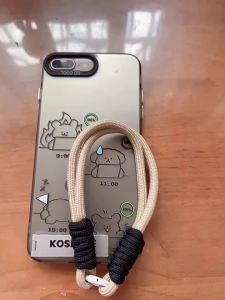
Case for iphone x s iphone xr iphone xs max phone casing hard case TPU Protector shockproof Cover new design aesthetic with holder and Lanyard for girl CYSTCBZJ01
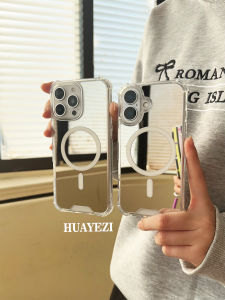
MagSafe Mirror Surface iPhone 17 Phone Case Suitable for Apple 16 New Huawei Mate70Pro Wireless Charging Nova13 Compact Mirror Xiaomi 15 Anti-Fall Hard Case
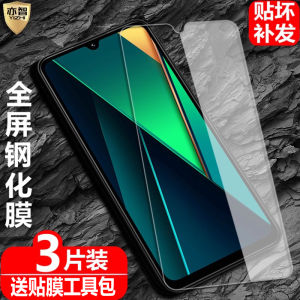
High Definition Full Screen Tempered Glass Film for Xiaomi Poco C85/C75/C71 2410FPCC5G Anti Blue Light Eye Protection Fingerprint Resistant

PBZZ Jelly color 2 in 1 Case for honor x8c x6c X7A X7C X7B x6s x5b x5c plus X8B x7d X8A X6B X6A x6 x6s x8 5G phone casing new design aesthetic hard case cute with holder & magnetic orange GDMSZJ02
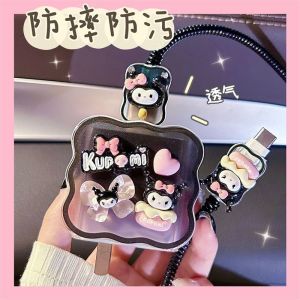
Honor Power Data Cable Protection Cover Compatible with 80W Charger Case Honor GT pro Charging Cable Cover 90W Digital Accessories

Soft TPU Phone Cases: Solid Color & Fashion Casing for Vivo Y100, Y03 & Realme Note 50
Keyboard Cloud Wrist Rest PU High Density Memory Foam with Non-Slip Base Ergonomic Keyboard Pad with Wrist Support for Home Office/Computer/Laptop/Gaming/Mac

FS40-6DR Electric Fan Circuit Board with New Remote Control\\n\\nWelcome to our blog! Today, we'll discuss the FS40-6DR electric fan circuit board with a new remote control. This article aims to provide a comprehensive understanding of the product, its features, installation process, compatibility, and ordering information.\\n\\n What is the FS40-6DR Electric Fan Circuit Board?\\n\\nThe FS40-6DR electric fan circuit board is a high-quality replacement circuit board designed specifically for electric fans. It offers improved performance, reliability, and energy efficiency compared to older models. This circuit board is perfect for those looking to upgrade their existing electric fan or repair one with a faulty circuit board.\\n\\n How does the FS40-6DR circuit board work?\\n\\nThe FS40-6DR circuit board works by controlling the motor speed and direction of the electric fan. It receives signals from the remote control or manual switches and adjusts the fan's speed accordingly. The circuit board also includes safety features such as overheat protection and short-circuit prevention, ensuring the longevity and reliability of your electric fan.\\n\\n What are the features of the FS40-6DR circuit board?\\n\\nSome notable features of the FS40-6DR circuit board include:\\n\\n- High-quality components for reliable performance\\n- Energy-efficient design for reduced power consumption\\n- Overheat protection and short-circuit prevention\\n- Compatible with various electric fans\\n\\n How to Use the New Remote Control with the FS40-6DR Circuit Board\\n\\nThe FS40-6DR electric fan circuit board comes with a new remote control, allowing you to adjust fan settings without physically interacting with the device. Follow these steps to use the remote control with your FS40-6DR circuit board:\\n\\n How to pair the remote control with the FS40-6DR circuit board\\n\\n1. Turn off the electric fan and remove the old circuit board.\\n2. Install the FS40-6DR circuit board in your electric fan.\\n3. Turn on the electric fan and press the 'Pair' button on the remote control.\\n4. Press the 'Power' button on the remote control within 5 seconds to complete the pairing process.\\n\\n How to operate the remote control to adjust fan settings\\n\\nOnce paired, you can use the remote control to adjust the fan's speed, direction, and other settings. Here's how:\\n\\n- Press the 'Speed' button to increase or decrease the fan's speed.\\n- Press the 'Direction' button to change the fan's rotation direction.\\n- Press the 'Timer' button to set a timer for automatic shutdown.\\n\\n Replacing Your Old Electric Fan Circuit Board with the FS40-6DR\\n\\nIf your electric fan has become unreliable or inefficient, it might be time to replace the circuit board. Here's how to identify if your electric fan needs a new circuit board and how to install the FS40-6DR circuit board:\\n\\n How to identify if your electric fan needs a new circuit board\\n\\nLook out for these signs that your electric fan may require a new circuit board:\\n\\n- Unstable or inconsistent performance\\n- Overheating issues\\n- Frequent tripping of circuit breakers\\n- Inability to maintain desired speed or direction\\n\\n How to install the FS40-6DR circuit board in your electric fan\\n\\nFollow these steps to install the FS40-6DR circuit board in your electric fan:\\n\\n1. Turn off the electric fan and unplug it from the power source.\\n2. Remove the old circuit board from your electric fan.\\n3. Install the FS40-6DR circuit board in the same location.\\n4. Connect all necessary wires and secure the circuit board in place.\\n5. Test the electric fan to ensure proper operation.\\n\\n Compatibility of the FS40-6DR Electric Fan Circuit Board\\n\\nThe FS40-6DR electric fan circuit board is compatible with various electric fans, making it a versatile solution for upgrading or repairing your device. Here's what you need to know about compatibility:\\n\\n Which electric fans are compatible with the FS40-6DR circuit board?\\n\\nThe FS40-6DR circuit board is compatible with most electric fans that use a similar circuit board design. Check your electric fan's manual or consult with a professional to determine compatibility.\\n\\n How to determine if your electric fan is compatible with the FS40-6DR circuit board\\n\\nTo determine if your electric fan is compatible with the FS40-6DR circuit board, consider these factors:\\n\\n- Check the dimensions and mounting holes of your existing circuit board\\n- Verify the voltage and current requirements of your electric fan\\n- Consult the manufacturer's specifications for compatibility information\\n\\n Ordering the FS40-6DR Electric Fan Circuit Board with New Remote Control\\n\\nReady to upgrade or repair your electric fan? Here's how to order the FS40-6DR electric fan circuit board with a new remote control:\\n\\n How to order the FS40-6DR circuit board and remote control\\n\\nYou can purchase the FS40-6DR electric fan circuit board with a new remote control directly from our website or by contacting us via email or phone.\\n\\n Contact information for large quantity orders\\n\\nFor large quantity orders, please contact us at W923336976@163.com or +8615200231096 for the best price and shipping options.\\n\\nThank you for considering the FS40-6DR electric fan circuit board with a new remote control. We're confident this product will provide reliable performance and energy efficiency for your electric fan. If you have any questions or concerns, don't hesitate to reach out to us. Happy shopping!\"
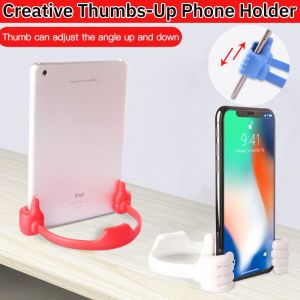
Creative Thumbs-Up Phone Holder & Lazy Bracket: A Comprehensive Guide
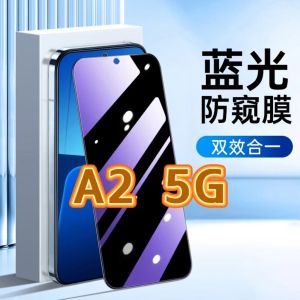
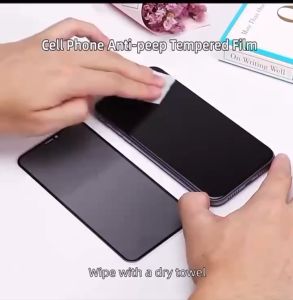
Oppo A25G Privacy Screen Protector: Anti-Blue Light & Full-Screen Black Edge Mobile Phone Film
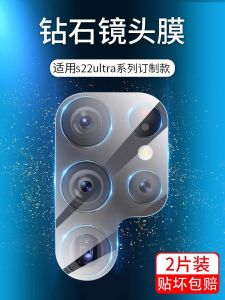
Samsung S22 Ultra Camera Lens Film Tempered Glass Full Screen Protection Anti Scratch Clear Fingerprint Resistant Mobile Phone Sticker