Attack Shark K86: A Comprehensive Guide to the Tri-Mode Wireless 75% Mechanical Keyboard
Attack Shark K86: A Comprehensive Guide to the Tri-Mode Wireless 75% Mechanical Keyboard
Overview
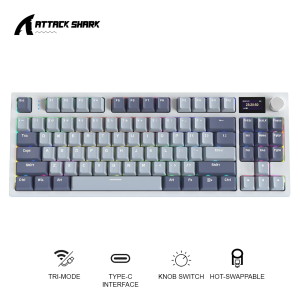
The Attack Shark K86 is a top-of-the-line mechanical keyboard designed for enthusiasts and professionals alike. This 75% keyboard features a sleek design, tri-mode wireless connectivity, hot-swappable RGB switches, and a smart screen OLED display. In this guide, we'll take an in-depth look at the Attack Shark K86's key features, included accessories, and how to set it up for optimal performance.
Key Features
- 75% compact design
- Tri-mode wireless connectivity (Bluetooth, 2.4GHz, wired)
- Hot-swappable RGB switches
- Smart screen OLED display
- Gasket structure for reduced noise and improved comfort
- Blue Whale Switches for a smooth typing experience
Included Accessories
- 1 Attack Shark K86 Keyboard
- 1 Type-C Cable
- 1 Key Puller
- 2 Blue Whale Switches
Understanding the OLED Display Keyboard
One of the standout features of the Attack Shark K86 is its smart screen OLED display. This innovative feature allows users to monitor keyboard settings, battery life, and more directly on the keyboard itself. The OLED display provides a seamless user experience, eliminating the need to switch between devices to check settings.
Hot-Swappable RGB Switches
The Attack Shark K86 comes equipped with hot-swappable RGB switches, allowing users to easily replace switches without the need for soldering. This feature makes it simple to customize the keyboard to your liking, whether you prefer linear, tactile, or clicky switches. The RGB lighting adds a touch of style and personalization to your setup.
Tri-Mode Wireless Connectivity
The Attack Shark K86 offers tri-mode wireless connectivity, giving users the flexibility to connect their keyboard via Bluetooth, 2.4GHz, or wired connection. This versatile connectivity ensures that you can use your keyboard with a wide range of devices, from laptops to desktop computers.
Exploring the Blue Whale Switch
At the heart of the Attack Shark K86 is the Blue Whale Switch, a custom-designed switch that delivers a smooth and consistent typing experience. The Blue Whale Switch is known for its durability and performance, making it a popular choice among mechanical keyboard enthusiasts.
Performance & Durability
The Blue Whale Switch is built to last, with a lifespan of up to 100 million keystrokes. Its smooth actuation and consistent feel make it ideal for extended typing sessions, whether you're gaming, coding, or writing.
Customization Options
With the Blue Whale Switch, users can customize their keyboard to their liking. The hot-swappable design allows for easy switch replacement, so you can experiment with different switch types and colors. Additionally, the RGB lighting adds a touch of personalization to your setup.
Setting Up Your Attack Shark K86
Now that you've learned about the Attack Shark K86's key features, let's dive into how to set up your keyboard for optimal performance.
Connecting to Your Device
The Attack Shark K86 supports tri-mode wireless connectivity, so you can choose the connection method that works best for you. To connect via Bluetooth, simply press the Bluetooth button on the keyboard and follow the on-screen instructions. For 2.4GHz connectivity, plug the included USB receiver into your device. To use the wired connection, simply plug the Type-C cable into your keyboard and device.
Installing Blue Whale Switches
To install Blue Whale Switches, simply remove the keycap using the included key puller, then gently lift out the existing switch. Insert the new Blue Whale Switch into the socket, and press down until it clicks into place. Replace the keycap, and you're ready to go!
Configuring Settings
To configure your Attack Shark K86's settings, use the OLED display to navigate through the menu options. From here, you can adjust RGB lighting, set macros, and customize your keyboard to your liking.
In conclusion, the Attack Shark K86 is a top-of-the-line mechanical keyboard that delivers a smooth typing experience, customizable RGB lighting, and tri-mode wireless connectivity. With its sleek design and innovative features, the Attack Shark K86 is a must-have for any mechanical keyboard enthusiast.

TechTime_PH
You May Also Like

My World iPad10 pro 2024 Case 11 Inch 5 Apple Air6 Mini7 4 Fold with Pen Slot Compatible 2018 Ninth 2020 Surrounding 2021

Racing Wheel Stand Height Adjustable & Foldable Steering Wheel Stand Compatible With Logitech G25 G27 G29 G920 Gaming Cockpit
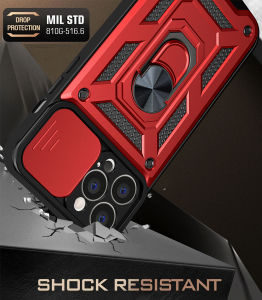
VRQR & Military Grade Armor Phone Cases: A Comprehensive Guide
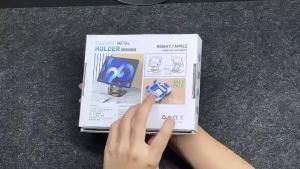
Laptop Carbon steel bracket 360° Rotation Metal Phone Tablet Foldable Holder Stand Steady and Not Toppling Stand

Hongcun Original Travel Fridge Magnets: A National Trend Wooden Material Magnetic Decor
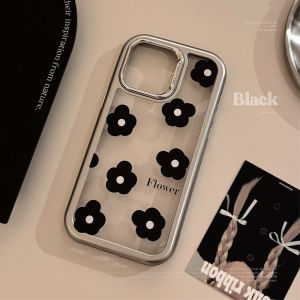
Simple Korean Style Acrylic Flower Phone Case Transparent Electroplated Black for iPhone 15 pro Max 14 Apple Phones Protective Cover

Magic Girls Witch Trial Sticker for Laptop Mobile Suit Luggage Travel Box Cartoon Style Personalized Decal
Sound Light Control Module Relay Switch Delay Sensor Adjustable 5 V 12 V 24 V

A Comprehensive Guide to Professional Equipment Storage: PGYTECH Camera Bag & OneMo Lite Photography Shoulder Bag
![[PERNG] Tehe Ins Flower Butterfly Charger Data Cable Winder Protective Cover Kits For IPhone 18W 20W Charger Case Anti-break Bites Wire](https://img.lazcdn.com/g/p/dbe30a454252e23bba07238817b9450f.jpg_300x300q80.jpg)
[PERNG] Tehe Ins Flower Butterfly Charger Data Cable Winder Protective Cover Kits For IPhone 18W 20W Charger Case Anti-break Bites Wire
Nylon 240W 3-in-1 Super Charging Cable Micro USB Type C Fast Charger Data Cable with fluorescent light LED digital