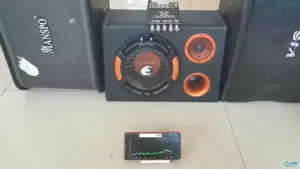
Professional Audio Mixer F4/F7-USB: A Comprehensive Guide to 4/7-channel Bluetooth Sound Mixers
Professional Audio Mixer F4/F7-USB: A Comprehensive Guide to 4/7-channel Bluetooth Sound Mixers
What is a Professional Audio Mixer F4/F7-USB?
The F4/F7 Audio Mixer is a compact, professional-grade 4/7-channel USB sound mixer designed for musicians, audio engineers, and content creators. With its versatile features and easy-to-use interface, this Bluetooth-enabled mixer offers a perfect blend of portability and performance.
Key Features of the F4/F7 Audio Mixer
- 4/7 Channels: Choose from either a 4-channel or 7-channel model, depending on your specific needs.
- Bluetooth Connectivity: Seamlessly connect wireless devices for a hassle-free experience.
- USB Interface: Record directly to your computer or other USB-compatible devices.
- Built-in Effects: Enhance your sound with built-in effects, including reverb, delay, and more.
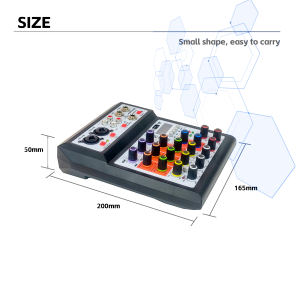
- Compact Design: Portable and lightweight, making it ideal for live performances, studio recordings, and podcasting.
How to Choose the Right Audio Mixer for Your Needs
When selecting an audio mixer, consider the number of channels you require, desired connectivity options, and any additional features that may be important for your specific application. For example, if you're primarily recording podcasts, a 4-channel model may suffice, while a 7-channel model would be better suited for live performances with multiple instruments.
Setting Up Your F4/F7 Audio Mixer
Setting up your F4/F7 Audio Mixer is a straightforward process. Follow these steps to ensure optimal performance:
Connecting USB Sound Mixer to Your Computer
- Connect the included USB cable to the mixer's USB port and your computer's USB port.
- Install the necessary drivers (if required) and configure your computer's audio settings to recognize the mixer as an input/output device.
Pairing Bluetooth Devices with Your Audio Mixer
- Press the Bluetooth button on the mixer to put it in pairing mode.
- On your wireless device, navigate to the Bluetooth settings and select the F4/F7 Audio Mixer from the available devices.
- Once connected, adjust the volume levels and other settings as needed.
Adjusting Mixer Settings for Optimal Performance
To achieve the best possible sound quality, take advantage of the F4/F7 Audio Mixer's customizable settings. Experiment with different EQ settings, gain levels, and effects to find the perfect balance for your audio sources.
Using the F4/F7 Audio Mixer in Live Performances
The F4/F7 Audio Mixer is a versatile tool for live performances, offering a range of features to enhance your sound and simplify the mixing process.
Mixing Audio for Live Music Events
Use the mixer's multiple channels to control the volume and EQ settings for each instrument or microphone. Adjust the pan controls to position each audio source in the stereo field, creating a balanced mix that highlights the individual elements of your performance.
Recording Live Performances with the F4/F7 Audio Mixer
Connect your mixer to a computer or recording device via USB to capture high-quality audio recordings of your live performances. Take advantage of the built-in effects to add depth and character to your recordings.
Troubleshooting Common Issues
If you encounter issues with your F4/F7 Audio Mixer, consult the user manual or contact the manufacturer's support team for assistance. Common problems include incorrect gain settings, poor sound quality, and connectivity issues.
Tips for Maximizing the Potential of Your F4/F7 Audio Mixer
To get the most out of your F4/F7 Audio Mixer, explore its advanced features and experiment with different configurations.
Customizing Your Mixer Settings for Specific Applications
Adjust the mixer's settings to suit your specific needs, whether you're recording podcasts, live performances, or studio sessions. Take advantage of the built-in effects and EQ settings to create a unique sound that complements your audio sources.
Exploring Advanced Features of the F4/F7 Audio Mixer
Dive deeper into the mixer's capabilities by exploring its advanced features, such as the built-in compressor, limiter, and noise gate. These tools can help you achieve a more polished and professional sound.
Upgrading Your Setup with Additional Equipment
Consider adding accessories like microphones, headphones, and speakers to enhance your audio setup. The F4/F7 Audio Mixer is compatible with a wide range of audio equipment, allowing you to build a custom system tailored to your needs.

MOREFAND Offical Store
Review
You May Also Like
In Stock: Car Bluetooth 5.0 MP3 Decoder Board with Remote Control FM Radio TF USB AUX Module Car Kit Audio Amplifier Board MP3 Player 12V
Comfortable and Durability Ear Tips for GalaxyBuds 3Pro Earbuds Ear Plugs Offering Superior Sound Quality Earplugs
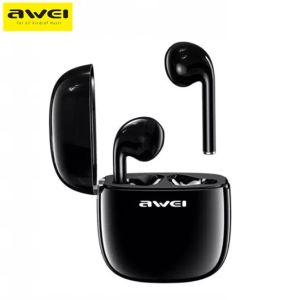
Awei T28 TWS Stereo Smart Wireless Bluetooth Earbuds with Charging Case Waterproof Earbuds

COD Baofeng UV82 Walkie Talkie Long Range 10km Dual PTT Band (VHF/UHF) 5W 128CHS Original Portable Mic Two Way Radio Set Of 8
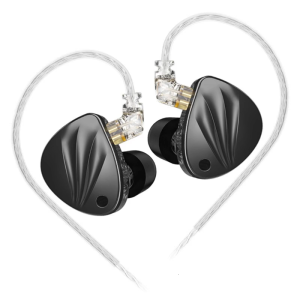
in Ear Earphones Perfect for Use In Public Transportation Noisy Environment Headset with Four-Stage Tuning Headsets

Audio-Technica ATH-M50x ENSO Professional Studio Monitor Headphones
ALesis Microverb4 Effects Processor Audio Processor DSP Professional Digital Effects Processor Stage KTV Digital Reverb
Baofeng BF-888S: A Comprehensive Guide to the 5W Two-Way Radio Walkie-Talkie

SK GD11 Bone Conduction TWS Headphones Bluetooth V5.3 Ear Clip Lightweight Business Sports Game Headset with Mic Noise Reduction
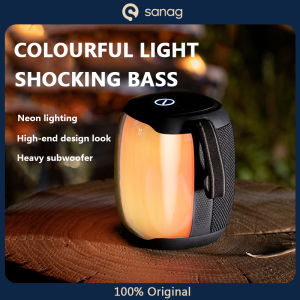
SANAG V12pro Bass Speaker: Extra Bass Sound & 1800mAh Battery Capacity
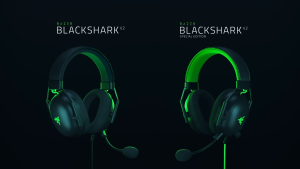
RAZER BlackShark V2 Gaming Headset with Triforce Titanium Speakers THX Spatial Audio Hyperclear Cardioid Mic Memory Foam Cushions and Multi-Platform Compatibility