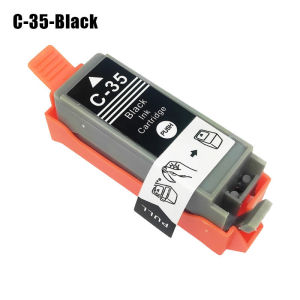
Printer Ink Cartridge Suitable For Canon IP100B IP100 TR150 iP110 PGI-35BK Black CLI-36C Color
Printer Ink Cartridge Suitable For Canon IP100B IP100 TR150 iP110 PGI-35BK Black CLI-36C Color
Understanding Printer Ink Cartridges
What Are Canon TR150, IP100B, IP110, iP110, PGI-35BK Black & CLI-36C Ink Cartridges?
Canon TR150, IP100B, IP110, iP110, PGI-35BK Black, and CLI-36C Color ink cartridges are designed specifically for Canon printers, including models like the IP100B, IP100, TR150, and iP110. These ink cartridges come in various colors and sizes, catering to different printing needs.
Differences Between Canon TR150, IP100B, IP110, iP110, PGI-35BK Black & CLI-36C Ink Cartridges
The primary differences between these ink cartridges lie in their compatibility with specific Canon printer models and their color offerings. For instance, the Canon TR150 color ink cartridge is designed for the Canon TR150 printer, while the PGI-35BK Black ink cartridge is specifically made for black ink printing on Canon iP110 printers.
Selecting the Right Ink Cartridge
How to Choose Between Canon TR150, IP100B, IP110, iP110, PGI-35BK Black & CLI-36C Ink Cartridges
To choose the right ink cartridge, first identify your Canon printer model and its compatible ink cartridges. Next, consider your printing needs, such as the amount of color or black ink required. Lastly, compare prices and quality among different brands, keeping in mind that genuine Canon ink cartridges might offer better performance and reliability.
Tips for Buying Canon TR150, IP100B, IP110, iP110, PGI-35BK Black & CLI-36C Ink Cartridges
- Always check the compatibility of the ink cartridge with your printer model before purchasing.
- Compare prices and quality among different brands to find the best value for your money.
- Consider purchasing genuine Canon ink cartridges for optimal performance and reliability.
Installing and Replacing Ink Cartridges
How to Install Canon TR150, IP100B, IP110, iP110, PGI-35BK Black & CLI-36C Ink Cartridges
To install a new ink cartridge, first turn on your printer and open the cartridge access door. Remove the old cartridge and its packaging, then insert the new cartridge into the designated slot. Close the cartridge access door and let the printer initialize the new cartridge.
How to Replace Canon TR150, IP100B, IP110, iP110, PGI-35BK Black & CLI-36C Ink Cartridges
To replace an ink cartridge, follow the steps outlined above for installing a new cartridge. When replacing a cartridge, ensure that you dispose of the old cartridge properly and recycle it if possible.
Maintaining Printer Performance
How to Extend the Life of Canon TR150, IP100B, IP110, iP110, PGI-35BK Black & CLI-36C Ink Cartridges
To extend the life of your ink cartridges, avoid leaving the printer idle for extended periods. Additionally, regularly clean the print head and nozzles to prevent clogging. Finally, store unused ink cartridges in a cool, dry place to maintain their quality.
How to Troubleshoot Common Issues With Canon TR150, IP100B, IP110, iP110, PGI-35BK Black & CLI-36C Ink Cartridges
If you encounter issues with your ink cartridges, try cleaning the print head and nozzles first. If the problem persists, check for any clogs or leaks in the cartridge and replace it if necessary. Lastly, consult the printer's manual or contact Canon customer support for further assistance.

Summit Store
Review

You May Also Like
Olympia Typewriter Carina 3
Brother Printer Drum DR2255: A Comprehensive Guide
Caysn CK811 Thermal Receipt Printer 80mm USB & Serial & LAN & WiFi & Bluetooth POS Printer Printing Suitable For Cashier And Kitchen Bill
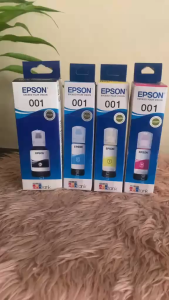
001 INK BOTTLED WITH BOX COMPATIBLE TO PRINTERS: ● EcoTank L4150 EcoTank L4160 EcoTank L4260 EcoTank L4266EcoTank L6160 EcoTank L6170 EcoTank L6190 EcoTank L6260
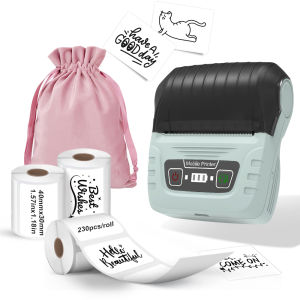
KAYSION SK58 Label Maker Commercial Portable Label Printer Sticker Clothing Jewelry Labeling Barcodes Price Name Label Printer
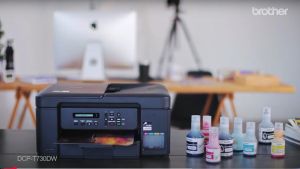
Brother DCP-T730DW Ink Tank Printer with ADF
DPK1680 Ribbon Universal Fujitsu Printer Ribbon Holder DPK750 Printer Cartridge FR1680 Carbon Ribbon

Samsung Compatible Black Toner Powder 1kg
【Spots!!!】Niimbot B1 Label Printer Portable Handheld Thermal Printer Mini Barcode QR Code Sticker Paper Color Rolls Maker Cable
Waste ink bin maintenance C9344 EWMB3 For Epson XP-4200/XP-4205/WF-2930/WF-2950L3550/L3556/L3560/L5590 WF-2830/WF-2850
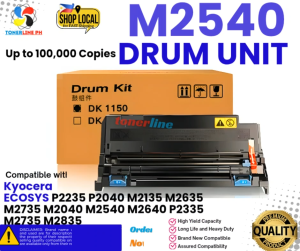
Drum Unit for Use and Compatible with Kyocera Ecosys M2540 M2640